
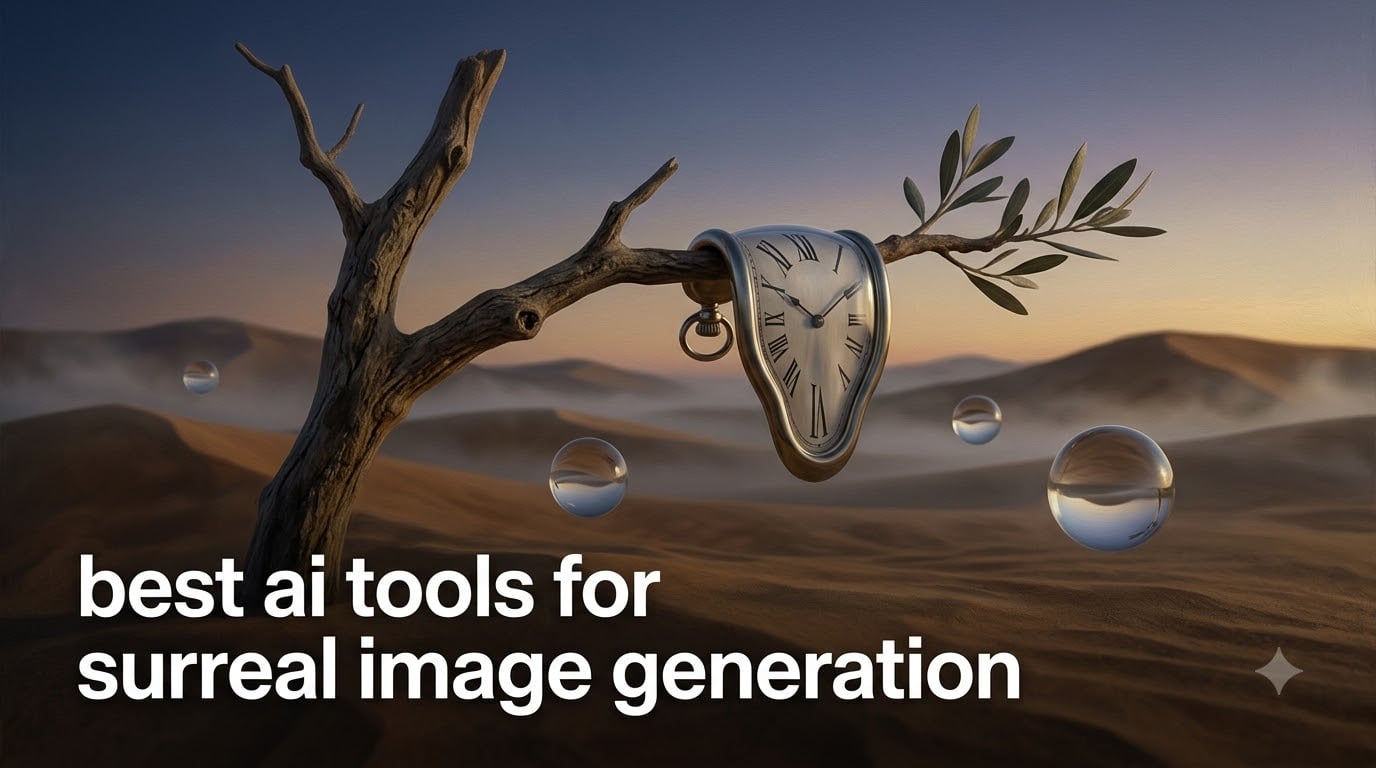
I have spent the last three months testing every major AI image generator for one specific purpose: producing imagery that actually feels surreal. Not generic fantasy. Not stock-photo dreamscapes with a soft glow filter. I mean melting clocks floating over desert plains, portraits with eyes in the wrong place, rooms that fold in on themselves like origami.
If you have typed “melting clock” into a typical AI tool and gotten something that looks like a Salvador Dali cosplay rather than the real thing, you already understand the problem. The best AI tools for surreal image generation are not the same as the best AI tools for photorealism. They are tuned, either by design or by accident, for strangeness, dreamlike composition, and painterly otherworldliness.
In this guide, I will walk you through the eight tools that produced the most striking surreal results in my testing. I will also show you how to write prompts that actually deliver Dali, Magritte, and Ernst-level imagery, plus how to pick between free and paid options without burning your budget on mediocre outputs.
Table of Contents
Quick Picks: Best AI Tools for Surreal Image Generation
If you are short on time, here are my top eight tools ranked by surreal output quality, ranked from strongest to most accessible.
- Midjourney — Best overall for painterly, dreamlike surrealism with rich textures and painterly depth.
- FLUX.1 Kontext Max — Best open-source option for surreal art with strong prompt adherence.
- DALL-E 4 — Best for surreal scenes with precise composition and unusual juxtapositions.
- Stable Diffusion 3.5 — Best free, self-hosted option with full creative control via LoRA models.
- Recraft — Best for surreal vector art and graphic design posters.
- Ideogram — Best for surreal posters that combine typography with impossible imagery.
- NightCafe Creator — Best beginner-friendly option with multiple model access in one place.
- Leonardo.ai — Best for character-driven surrealism with consistent style across series.
Each of these handles surrealism differently. Midjourney tends toward painterly and atmospheric. DALL-E 4 leans conceptual and witty. Stable Diffusion gives you total control but demands more setup. Let me explain what each one does best, and where they fall short.
What Is Surrealism and Why Use AI for It
Surrealism began as an early 20th-century art movement founded by Andre Breton in 1924. Its goal was to unlock the creative power of the unconscious mind, producing dreamlike, impossible imagery that bypassed rational thought. Salvador Dali, Rene Magritte, Max Ernst, and Leonora Carrington became the movement’s defining voices.
Surrealism has always been about juxtaposition: a melting pocket watch draped over a barren branch, a bowler-hatted man with an apple obscuring his face, an interior room that opens onto a stormy seascape through a window in the floor. The art lies in the impossible but believable.
AI is a natural fit for this kind of work because modern text-to-image models have been trained on the entire history of visual art, including thousands of surrealist paintings, etchings, and photographs. When you ask them for a “Dali-inspired desert scene,” they have absorbed the visual grammar of the genre. They know what melting looks like. They know how to render a sky that feels dreamlike rather than literal.
The challenge is that most AI image generators are optimized for photorealism. Their default output often looks polished but safe. The tools that excel at surrealism are the ones that lean painterly, embrace stylistic ambiguity, or give you fine-grained control over composition and style.
How AI Image Generators Create Surreal Imagery
Modern AI image generators rely on one of two main architectures: diffusion models or autoregression models. Understanding the difference helps you pick the right tool for surreal work.
Diffusion models work by starting with random noise and gradually refining it into an image over many steps, guided by your text prompt. Midjourney, Stable Diffusion, DALL-E, and FLUX all use diffusion-based approaches. They tend to produce painterly, organic results because the iterative noise-reduction process creates textures similar to traditional media.
Autoregression models generate images one chunk at a time, similar to how language models generate text token by token. They are newer and rarer in this space but tend to follow complex prompts more literally. This can be a strength when you want very specific juxtapositions, like “a whale flying over a Victorian library at sunset.”
Both approaches train on massive datasets of paired image-and-text data. The model learns statistical relationships between descriptions and pixels. That training is also why some styles are easier to invoke than others. Dali-style imagery is well-represented in training data. Magritte-style imagery is too. Asking for “the style of Leonora Carrington” is hit-or-miss because her work is less common in datasets.
The 8 Best AI Tools for Surreal Image Generation in 2026
I tested each tool below with the same set of surreal prompts: melting clocks, impossible architecture, dreamlike portraits, and biomorphic landscapes. Here is what I found.
1. Midjourney — Best Overall for Surreal Art
Midjourney remains my top recommendation for surreal image generation in 2026. Its v6.5 model has a painterly quality that other tools struggle to match. When I asked for “a melting clock draped over an olive branch in a barren desert, in the style of Salvador Dali,” Midjourney produced an image that genuinely felt surreal: the texture of the draping cloth, the warped timepiece, the vast emptiness of the surrounding landscape.
Midjourney runs through Discord or its web app. You can also use the new Midjourney web interface directly. It costs around $10 per month for the basic plan, which gives you roughly 200 images per month. Higher tiers offer faster generation and more concurrent jobs.
Strengths: painterly aesthetic, excellent texture rendering, strong community for inspiration, handles Dali and Ernst-style prompts with ease.
Weaknesses: outputs are public by default in the Discord gallery, which is a privacy concern for commercial work. Customization is less granular than Stable Diffusion. It sometimes refuses prompts with mature surreal themes like biomorphic horror.
Best for: artists, designers, and content creators who want a turnkey surreal image generator that produces gallery-quality results without technical setup.
2. FLUX.1 Kontext Max — Best Open-Source for Surreal Art
FLUX.1 Kontext Max is from Black Forest Labs, the team behind Stable Diffusion. It is open-source and free to use, and in my testing it delivered the most prompt-adherent surreal results of any open-source option.
Where Midjourney leans painterly, FLUX leans precise. When I asked for “a room with windows opening onto impossible architecture, in the style of Magritte,” FLUX produced an image where every element I requested was present and clearly arranged. The composition felt more architectural than painterly.
FLUX.1 Kontext Max has 12 billion parameters and uses flow matching, a newer diffusion technique. It produces sharp, high-resolution images and handles long, complex prompts better than most alternatives.
You can use FLUX through Replicate, fal.ai, or by running it locally if you have a powerful GPU. Pricing on cloud platforms is typically pay-per-image.
Strengths: open-source, excellent prompt adherence, free for self-hosted use, supports LoRA fine-tuning for custom surreal styles.
Weaknesses: requires more technical setup than Midjourney or DALL-E. Local runs need a high-end GPU (at least 24GB VRAM recommended). Less artistic flair than Midjourney out of the box.
Best for: technically inclined artists who want full control over the surreal generation process.
3. DALL-E 4 — Best for Conceptual Surreal Scenes
DALL-E 4 is OpenAI’s latest image model, available through ChatGPT and the OpenAI API. In my testing, it excelled at conceptual surrealism: scenes that make you think rather than scenes that simply look strange.
When I asked for “a Victorian lady holding an umbrella that shelters a small thunderstorm,” DALL-E 4 understood the conceptual juxtaposition immediately. The umbrella had tiny lightning inside it, the lady’s expression suggested mild inconvenience, and the surrounding scene implied a sunny day elsewhere. It was witty and surreal in equal measure.
DALL-E 4 is accessible through ChatGPT Plus (around $20 per month) or the OpenAI API with pay-per-image pricing. Generated images include a small watermark by default but full commercial use rights are included.
Strengths: strong conceptual understanding, integrated with ChatGPT for prompt iteration, clear commercial use rights, handles unusual juxtapositions well.
Weaknesses: less painterly than Midjourney, occasionally over-literal in interpretation, content filters can be aggressive with surreal themes involving body horror or mature content.
Best for: writers, marketers, and concept artists who need surreal images that tell a story or make a point.
3. Stable Diffusion 3.5 — Best Free, Self-Hosted Option
Stable Diffusion remains the most flexible option for surreal image generation because it is fully open-source and runs on your own hardware. The latest 3.5 release improves on earlier versions with better text rendering and more consistent style.
The real strength of Stable Diffusion for surrealism is its ecosystem. You can download LoRA models fine-tuned for specific artists: Dali-style, Magritte-style, Ernst-style, even lesser-known surrealists. You can also use ControlNet to guide composition, inpainting to edit specific regions, and outpainting to extend images into the impossible.
Setup requires a GPU with at least 8GB VRAM for basic runs (16GB recommended), plus familiarity with tools like ComfyUI or Automatic1111. There is a learning curve, but the payoff is total creative control.
Strengths: completely free, full control over every parameter, vast ecosystem of community models and extensions, supports commercial use.
Weaknesses: steep learning curve, requires powerful hardware for best results, output quality depends heavily on your choice of model and settings.
Best for: technically capable artists who want unlimited surreal generation without subscription costs.
5. Recraft — Best for Surreal Vector Art
Recraft is unique among AI image generators because it can produce true vector output (SVG files) rather than only raster images. For surreal poster design, album covers, and graphic art, this is a game-changer. You can scale the output to any size without quality loss.
Recraft handles surreal concepts well. I asked it for “a melting pocket watch floating in a surrealist desert, vector art style” and got a clean, scalable illustration that captured the Dali reference without veering into photorealism.
Recraft offers a free tier with limited generations and paid tiers for higher volume. The interface is web-based and beginner-friendly.
Strengths: vector output for scalable surreal art, clean illustration aesthetic, beginner-friendly interface, supports brand-consistent style guides.
Weaknesses: less photorealistic than other tools, smaller community than Midjourney, vector style does not suit every surreal project.
Best for: graphic designers creating surreal posters, album covers, and brand illustrations.
6. Ideogram — Best for Surreal Typography
Ideogram stands out for one specific capability: rendering legible text within surreal images. Most AI generators struggle with text, producing garbled letters. Ideogram produces readable text reliably.
For surreal poster art, album covers, and book covers that combine impossible imagery with words, Ideogram is the strongest option. I tested it with prompts like “a surrealist poster with the words ‘DREAM LOGIC’ floating above a melting clock at sunset.” The text came out crisp and properly placed.
Ideogram offers a free tier with daily generations and paid plans for higher volume and faster generation.
Strengths: best-in-class text rendering, surreal-friendly aesthetic, free tier available, supports style references.
Weaknesses: less painterly than Midjourney, smaller model ecosystem, image quality varies by prompt complexity.
Best for: designers creating surreal posters, book covers, and any surreal art that requires readable text.
7. NightCafe Creator — Best Beginner-Friendly Hub
NightCafe is not a single model. It is a web platform that gives you access to multiple AI models including Stable Diffusion, DALL-E, and FLUX under one subscription. For beginners who want to experiment with surreal art across different engines, this is the easiest entry point.
The interface is clean, the community is active, and you can run daily free generations to learn how different models handle surreal prompts. I found the platform particularly useful for comparing how Midjourney-style outputs differ from Stable Diffusion outputs on the same prompt.
Strengths: multi-model access in one subscription, active community, beginner-friendly interface, free daily credits.
Weaknesses: subscription costs add up if you want high volume across multiple models, output quality depends on which model you choose, less specialized than dedicated tools.
Best for: beginners exploring surreal AI art who want to try multiple engines without managing separate accounts.
8. Leonardo.ai — Best for Character-Driven Surrealism
Leonardo.ai specializes in consistent character generation across multiple images. For surreal projects that require a recurring figure, like a series of dreamlike portraits of the same character in different impossible worlds, Leonardo is the strongest option.
The platform offers fine-tuned models for fantasy and surreal aesthetics, plus tools for training your own consistent characters. I tested it with a prompt for “the same surrealist poet appearing in five different dreamscapes.” Leonardo maintained the character’s appearance across all five images, which is something Midjourney and DALL-E struggle with.
Leonardo offers a free tier with daily tokens and paid plans for higher volume.
Strengths: best character consistency in surreal scenes, fine-tuned for fantasy aesthetics, supports custom model training, generous free tier.
Weaknesses: less painterly than Midjourney, smaller community, character focus is not always what surreal art needs.
Best for: artists creating surreal series, comics, or character-driven fantasy worlds.
Surreal AI Tools Comparison Table
Here is a quick side-by-side comparison of all eight tools across the criteria that matter most for surreal image generation.
Midjourney: free trial, paid from $10 per month, up to 1024×1024 base resolution, painterly surrealism, best for overall surreal art quality.
FLUX.1 Kontext Max: open-source free for self-hosted, pay-per-image on cloud, up to 2K resolution, prompt-precise surrealism, best for technical artists.
DALL-E 4: free tier via ChatGPT, ChatGPT Plus around $20 per month, up to 1024×1024 resolution, conceptual surrealism, best for witty concept art.
Stable Diffusion 3.5: fully free self-hosted, up to 1024×1024 base, can upscale higher, customizable surrealism, best for full control enthusiasts.
Recraft: free tier available, paid plans from around $10 per month, scalable vector output, vector surrealism, best for graphic designers.
Ideogram: free tier with daily limits, paid plans from around $8 per month, up to 1024×1024 resolution, surreal typography, best for posters with text.
NightCafe: free daily credits, paid plans from around $6 per month, varies by model, multi-engine surrealism, best for beginners.
Leonardo.ai: free tier with tokens, paid plans from around $10 per month, up to 1024×1024 resolution, character surrealism, best for recurring characters.
Free vs Paid AI Tools for Surreal Art: Which Should You Choose
This is the question I get most often from readers who want to try AI surrealism without committing to a subscription. Here is my honest take after months of testing.
If you want zero cost and total control, Stable Diffusion 3.5 is the clear winner. It is fully free, runs on your own hardware, and has the largest ecosystem of surrealism-specific LoRA models. The tradeoff is setup time and hardware requirements. You need a decent GPU and willingness to learn tools like ComfyUI.
If you want free access without technical setup, Leonardo.ai, Ideogram, Recraft, and NightCafe all offer meaningful free tiers. Leonardo gives you daily tokens for surreal generation. Ideogram gives you daily generations with full commercial use. NightCafe gives you credits to test multiple models. These are excellent starting points for experimentation.
If you are willing to pay for quality, Midjourney produces the most painterly, gallery-quality surreal output of any tool I tested. Its $10 basic plan is worth it for serious surreal work. DALL-E 4 through ChatGPT Plus at $20 per month is the strongest option if you also want conversational prompt iteration.
My recommendation for most readers: start with a free tier (Ideogram or Leonardo), learn what surreal prompts work for you, then upgrade to Midjourney if you want the highest-quality painterly output. Reserve Stable Diffusion for when you have a specific technical vision that other tools cannot deliver.
How to Write Prompts That Produce Truly Surreal Art
The single biggest mistake I see in surreal AI art is generic prompts. Asking for “a surreal landscape” produces generic fantasy. Asking for a specific surrealist reference with specific details produces real surrealism. Here is the step-by-step method I use.
Step 1: Name a surrealist reference. Your prompt should reference a specific artist or movement. “Salvador Dali” works because his work is everywhere in training data. “Leonora Carrington” is less reliable. “Magritte” is reliable for conceptual surrealism. “Max Ernst” works for collage-style surrealism. “Yves Tanguy” works for abstract otherworldly landscapes.
Step 2: Specify an impossible juxtaposition. Surrealism lives in the collision of unrelated things. “A whale in a desert.” “A clock draped over a tree branch.” “An eye inside a teacup.” “A door opening onto the ocean.” Pick two unrelated objects and force them together.
Step 3: Add atmospheric details. Surreal scenes need a sense of place that is unsettling. “Under a moonless sky.” “In an empty room with no doors.” “At dusk with long shadows.” “In fog so thick you cannot see the horizon.” Atmosphere sells the dreamlike quality.
Step 4: Specify medium and style. “Oil painting” produces painterly results. “Photograph” produces more realistic but less surreal results. “Vintage etching” produces Dali-era textures. “Vector illustration” produces clean surreal graphic art. Your medium choice dramatically changes the output.
Step 5: Iterate based on output. Rarely does the first generation nail it. Look at what the model gave you and adjust. If the melting clock looks too literal, add “metaphysical.” If the scene feels too photographic, add “painterly.” If colors are too saturated, add “muted palette.” Iteration is how you get surrealism, not fantasy.
Sample Surreal Prompts That Work
Here are ten prompts I tested and refined during my research. Each produces reliably surreal results across most major tools.
“A melting pocket watch draped over an olive branch in a barren desert at sunset, in the style of Salvador Dali, oil painting, muted earth tones, dreamlike atmosphere.”
“A bowler-hatted man with a green apple obscuring his face, standing in front of a stone wall, in the style of Rene Magritte, conceptual surrealism, soft daylight, oil on canvas.”
“A Victorian library where the books float in mid-air and a whale swims through the reading room, painterly surrealism, warm lamp light, dreamlike composition.”
“An impossible architecture: a stone building with staircases that lead nowhere and windows that open onto oceans, in the style of M.C. Escher, atmospheric fog, muted palette.”
“A portrait of a woman whose hair is made of branches and birds, surrealist portrait, soft natural lighting, painterly texture, contemplative expression.”
“A desert landscape with floating spheres of water hovering above the sand, dreamlike surrealism, hyperrealistic atmosphere, golden hour lighting.”
“A teacup with an entire miniature ocean inside it, steam rising to form tiny clouds, surrealist still life, painterly style, soft daylight.”
“A door standing alone in an empty field, opening onto a stormy seascape visible through the doorway, Magritte-inspired, conceptual surrealism, muted tones.”
“An eye peering out from inside a cracked stone, surrounded by floating feathers, Yves Tanguy-inspired, abstract surrealism, dusty palette.”
“A figure with a mirror for a face, reflecting a different landscape than the one they stand in, surrealist portrait, painterly style, twilight atmosphere.”
Best Surrealist Styles to Reference in Your Prompts
Different surrealist movements and artists produce distinctly different AI outputs. Here is what each one delivers.
Salvador Dali: the most reliable surrealist reference. Produces painterly results with melting forms, vast empty landscapes, and warped timepieces. Use this for classic surrealism.
Rene Magritte: produces conceptual surrealism with bowler hats, apples, clouds, and clean composition. Use this when you want surreal ideas rather than surreal imagery.
Max Ernst: produces collage-like surrealism with grattage textures and bird-like figures. Use this for more textured, layered outputs.
Yves Tanguy: produces abstract surrealism with biomorphic forms floating in empty landscapes. Use this for otherworldly, almost alien imagery.
Leonora Carrington: produces surrealism with animal-human hybrids, alchemical symbols, and mystical atmospheres. Less reliable than the four above, but worth trying.
M.C. Escher: produces impossible architecture and geometric surrealism. Use this for mind-bending spatial compositions.
Ethical and Copyright Considerations for Surreal AI Art
Surreal AI art raises legitimate questions. Can you ethically prompt for “in the style of Dali” when Dali is deceased and his work is still under copyright in many jurisdictions? Can you sell AI-generated surreal art that mimics a living artist’s style?
From a legal standpoint, current US copyright law does not protect the style of an artist, only specific works. You can prompt for “Dali-style” without legal issue, though reproducing a specific Dali image is infringement.
From an ethical standpoint, opinions vary. Some artists and communities consider style mimicry exploitative. Others see it as a natural evolution of digital art tools. Reddit communities like r/DefendingAIArt and r/StableDiffusion discuss these questions actively.
For commercial use, check each tool’s terms. Midjourney’s paid plans include commercial rights. DALL-E 4 grants commercial rights to ChatGPT Plus subscribers. Stable Diffusion and FLUX grant commercial rights to generated images. Free tiers often have restrictions. Ideogram and Leonardo grant commercial rights on paid plans.
Frequently Asked Questions
What is the best AI tool for surreal image generation in 2026?
Midjourney is the best overall AI tool for surreal image generation in 2026, producing painterly, dreamlike imagery with strong Dali and Ernst-style outputs. For open-source users, FLUX.1 Kontext Max delivers the most prompt-adherent surreal results. Beginners should start with Leonardo.ai or Ideogram, which offer free tiers and clean interfaces.
How do I create surreal art with AI?
Create surreal art with AI by combining four prompt elements: name a specific surrealist reference like Dali or Magritte, specify an impossible juxtaposition between two unrelated objects, add atmospheric details like fog or long shadows, and choose a medium like oil painting or vintage etching. Iterate based on the first output, adjusting style words until the result feels dreamlike rather than literal.
Are there free AI tools for surreal image generation?
Yes. Stable Diffusion 3.5 is fully free for self-hosted surreal generation if you have a capable GPU. Leonardo.ai, Ideogram, Recraft, and NightCafe all offer meaningful free tiers that produce strong surreal results without any hardware requirements. These free tiers are excellent starting points for learning surreal AI art.
Which artist is known for surreal dream-like paintings?
Salvador Dali is the most famous surrealist painter, known for The Persistence of Memory with its melting clocks. Rene Magritte is known for conceptual surrealism including The Son of Man with the apple-faced man. Max Ernst pioneered collage surrealism. Yves Tanguy created abstract biomorphic dreamscapes. Leonora Carrington brought mystical and alchemical surrealism.
What is the difference between Midjourney and DALL-E for surreal art?
Midjourney produces painterly, textured surrealism with strong atmospheric depth and is better for classic Dali-style imagery. DALL-E 4 produces more conceptual and literal surrealism, better for witty juxtapositions and Magritte-style scenes. Midjourney runs through Discord or its web app and starts around $10 monthly. DALL-E 4 runs through ChatGPT Plus around $20 monthly or the OpenAI API.
Can I use AI-generated surreal art commercially?
Most major AI tools grant commercial rights on paid plans. Midjourney, DALL-E 4 through ChatGPT Plus, Stable Diffusion, and FLUX all include commercial use rights. Free tiers vary: Ideogram and Leonardo grant commercial rights on paid plans, while some free tiers restrict commercial use. Always check the current terms of service for your specific tool and tier before using surreal AI art in commercial projects.
Final Thoughts: Picking the Best AI Tool for Your Surreal Vision
The best AI tools for surreal image generation are the ones that match your creative intent. Midjourney delivers painterly depth for traditional surrealism. DALL-E 4 delivers conceptual wit. Stable Diffusion delivers total control. FLUX delivers prompt precision. Recraft delivers scalable vector art. Ideogram delivers legible surreal typography.
Start with what you can afford. Use free tiers to learn how each tool handles surreal prompts. Then upgrade to the tool that consistently produces the kind of dreamscape you actually want, not the kind that looks impressive in someone else’s gallery.
The strangest, most dreamlike image you generate will probably come from the prompt you almost did not write. Push past the obvious. Name the surrealist. Force the juxtaposition. Add the impossible detail. That is where real surrealism lives, whether in 1924 or 2026.