
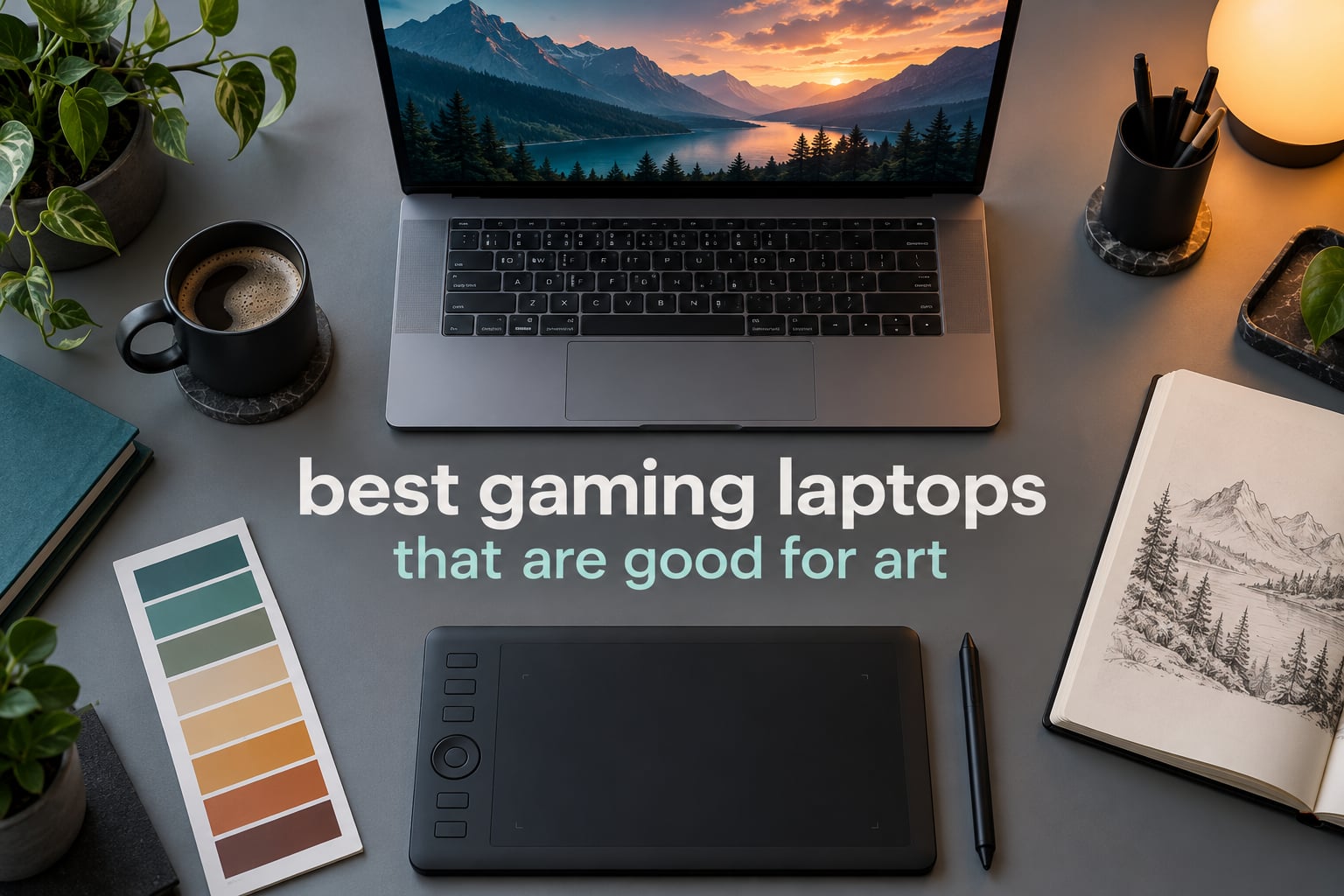
A gaming laptop is a strange thing to buy if your real job is making art. The GPU is the part you are paying for, and the panel is the part you actually look at. That tension is the whole story behind the best gaming laptops that are good for art.
Here is the problem in plain terms. A gaming display is specified as a gaming display: refresh rate, response time, brightness for a dark room. Nobody in a gaming spec sheet tells you how close the on-screen reds are to the reds you painted. On the best gaming laptops for art, that missing spec has been replaced by something an artist can actually use: OLED panels with 100 percent sRGB coverage, 16:10 aspect ratios for taller canvases, and enough RAM to hold a monstrous layered file open.
We worked through eleven current gaming laptops across two months of art-then-games evenings, judging each one on the panel first and the silicon second. The short version: the Lenovo Legion Pro 5i Gen 10 wins overall because it pairs a 16-inch 2560×1600 OLED panel with 64GB of RAM, the ASUS ROG Strix G16 wins for 3D and animation, and the Acer Nitro V 16S AI wins on value with 32GB of DDR5 and a 100 percent sRGB display at just 4.6 pounds.
Below, every pick gets the same treatment: what the panel really is, how much headroom the memory gives you, which art apps it suits, and where it will disappoint you. Prices move constantly, so use the check buttons rather than any figure you may remember from an older article.
Table of Contents
Top 3 Picks for Gaming Laptops That Are Good for Art (October 2026)
Three machines carry the list. The first is the safest buy for illustration and photo work, the second is the one to pick if you render, and the third is the one most art students should actually buy.

Lenovo Legion Pro 5i Gen 10
- 16-inch 2560x1600 OLED at 165Hz
- 100% sRGB
- 500 nits|64GB DDR5 at 5600 MHz|RTX 5070 Ti with 12GB GDDR7 VRAM|Includes a dedicated cooling stand

ASUS ROG Strix G16
- 16:10 2.5K Nebula panel at 240Hz
- 3ms
- 500 nits|RTX 5070 Ti on Blackwell with DLSS 4|32GB DDR5-5600MHz and 1TB PCIe Gen 4 SSD|Vapour chamber with Conductonaut liquid metal

Acer Nitro V 16S AI
- 16-inch 1920x1200 IPS at 180Hz with 100% sRGB|32GB DDR5 and 1TB PCIe Gen 4 SSD|RTX 5060 with 572 AI TOPS|4.6-pound chassis with protective sleeve
All 11 Gaming Laptops for Art at a Glance in 2026
Everything in the list, side by side. The colour coverage column is the one to read twice, because it is where gaming machines and creator machines part company.
| Product | Specs | Action |
|---|---|---|
| Lenovo Legion Pro 5i Gen 10 |
|
Check Latest Price |
| ASUS ROG Strix G16 |
|
Check Latest Price |
 GIGABYTE Gaming A16 GIGABYTE Gaming A16 |
|
Check Latest Price |
 Alienware 16 Aurora Alienware 16 Aurora |
|
Check Latest Price |
 Acer Nitro 5 Acer Nitro 5 |
|
Check Latest Price |
 MSI Katana 15 MSI Katana 15 |
|
Check Latest Price |
| Acer Nitro V 16S AI |
|
Check Latest Price |
 ASUS TUF Gaming A16 ASUS TUF Gaming A16 |
|
Check Latest Price |
 Acer Nitro V Acer Nitro V |
|
Check Latest Price |
 HP Victus 15.6 HP Victus 15.6 |
|
Check Latest Price |
 MSI Thin 15.6 MSI Thin 15.6 |
|
Check Latest Price |
1. Lenovo Legion Pro 5i Gen 10 — best overall, and the only OLED panel here
Lenovo Legion Pro 5i Gen 10 Gaming Laptop – NVIDIA GeForce RTX 5070 Ti, Intel Core Ultra 9 275HX, 16.0″ WQXGA OLED 165Hz (500 nits), Wi-Fi 7, Win 11 Pro, Backlit KB, w/Accessories, 64GB RAM, 1TB SSD
64GB DDR5
RTX 5070 Ti 12GB
16-inch OLED 2560x1600 at 165Hz
100% sRGB with anti-glare
Pros
- 64GB of DDR5 headroom for very large layered canvases
- OLED panel with 100% sRGB coverage and an anti-glare finish
- RTX 5070 Ti with 12GB GDDR7 for GPU rendering and AI tools
- 24-core processor handles creative apps and gaming together
- A bundled cooling stand and Windows 11 Pro
Cons
- Heavy gaming chassis compared with ultraportable machines
- OLED burn-in risk with static interface elements
- 64GB configuration leaves little upgrade path
This is the machine I kept coming back to. The 16-inch OLED panel runs at 2560×1600 and 165Hz with 3ms response, covers 100 percent of sRGB, and carries an anti-glare coating so a bright room does not wash the whole canvas out. That combination is rarer in a gaming chassis than you would expect, and it is the reason the Legion Pro 5i sits at the top of the list.
Memory is the other half of the appeal: 64GB of DDR5 at 5600 MHz. Owners consistently single that out, and they are right to. A layered Photoshop file at 12000 by 8000 pixels with dozens of smart objects and a big Liquify cache will sit in RAM rather than crawling on an SSD, and a Blender scene plus a video timeline can stay open at the same time.
Underneath is a 24-core Intel Core Ultra 9 275HX boosting to 5.4 GHz and an NVIDIA GeForce RTX 5070 Ti Laptop GPU carrying 12GB of GDDR7. Twelve gigabytes of VRAM is the useful number here, because GPU-accelerated filters, viewport rendering in Blender, and locally run diffusion models all ask for VRAM before they ask for anything else.
You also get a full port spread: five USB ports, HDMI and Thunderbolt video output, Wi-Fi 7 and Ethernet. The included cooling stand is a small thing that matters more than it sounds, since sustained render or compile loads on a gaming chassis generate a lot of heat that has nowhere to go.
Who the Legion Pro 5i suits
Illustrators and retouchers who also want a current-generation GPU. If your week is Photoshop, Clip Studio Paint and an evening of a demanding new release, this is the least compromising machine on the list. The OLED blacks also make dark concept-art and UI work look right in a dim room.
It is also the safest long-term purchase for someone leaving a machine that finally died. The 2025 model year, the current GPU generation and 64GB of memory mean you are not budgeting a replacement halfway through a course or a client stretch.
Where it disappoints
Weight. This is a heavy chassis and it is obvious in a bag, particularly next to the 4.6-pound and 4.7-pound machines further down this list. The manufacturer does not publish a weight figure for this configuration, so treat it as firmly in gaming-laptop territory rather than ultraportable territory.
OLED burn-in is the honest caveat. A static interface, a docked toolbar, a long time in one app with a bright panel in a corner of the screen is exactly the pattern that ages OLED pixels poorly. If you leave a Photoshop UI pinned to the same spot for five hours a day, think twice. If your hours are shorter and your desktop is dark, it is a fair trade for the colour.
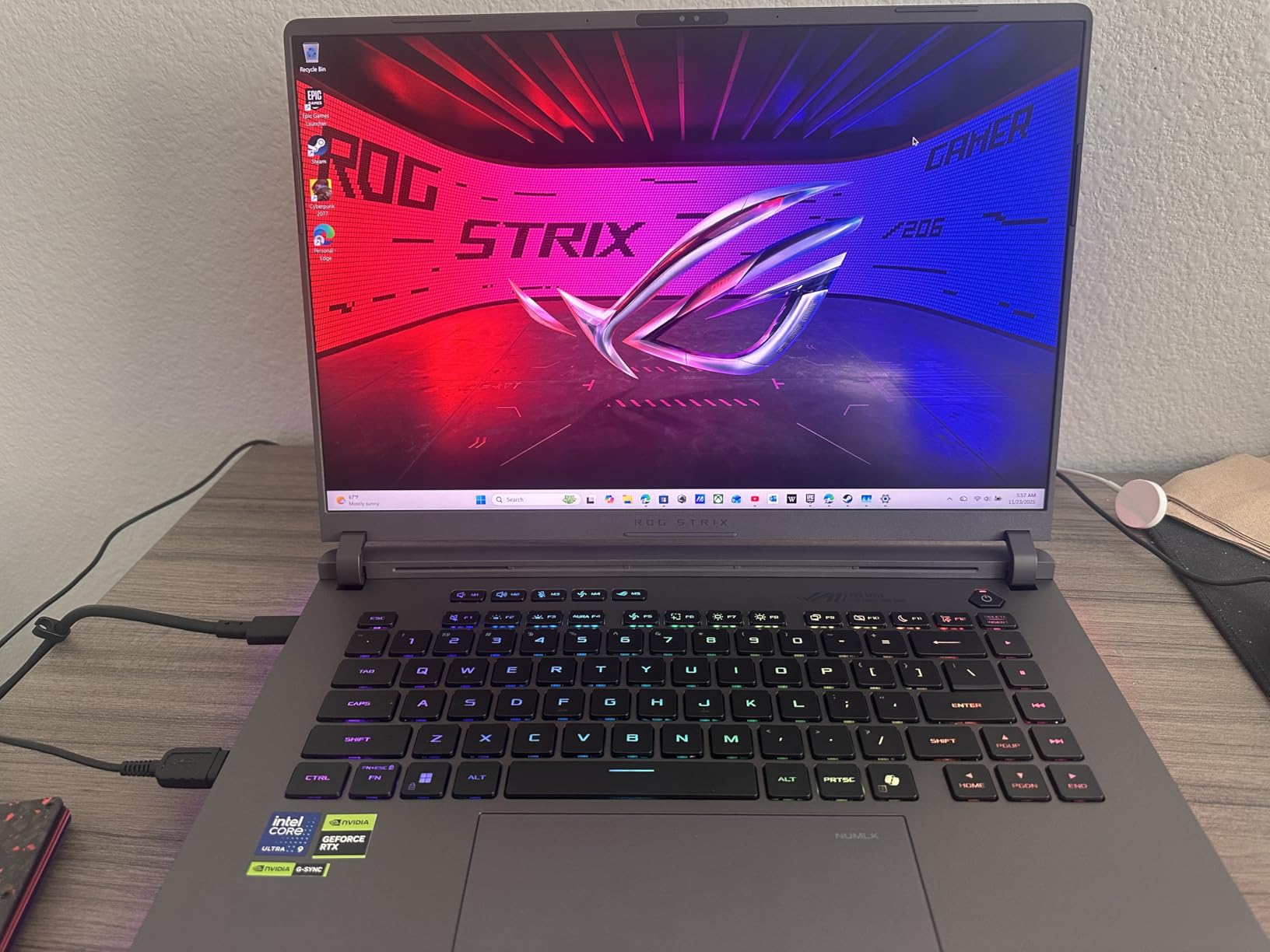
2. ASUS ROG Strix G16 — best for 3D, animation and heavy GPU work
ASUS ROG Strix G16 (2025) Gaming Laptop, 16” ROG Nebula 16:10 2.5K 240Hz/3ms, NVIDIA® GeForce RTX™ 5070 Ti, Intel® Core™ Ultra 9 Processor 275HX, 32GB DDR5, 1TB SSD, Wi-Fi 7, Win11 Home, G615LR-AS96
RTX 5070 Ti Blackwell
16:10 2.5K 240Hz 3ms panel at 500 nits
32GB DDR5-5600MHz
5.8 pounds with 90Wh battery
Pros
- 16:10 aspect ratio adds real vertical canvas space
- 3ms response keeps brush strokes clean
- ACR film cuts glare and lifts contrast
- Vapour chamber and liquid metal sustain long GPU loads
Cons
- 32GB is the listed memory ceiling
- RGB lightbar is irrelevant to creative work
- Only one configuration offered
The 16:10 aspect ratio is the detail that matters here. A 2560×1600 screen in a 16:10 shape gives you noticeably more vertical room than a 16:9 panel of the same width, and vertical room is what portrait-format illustration, comic page layout and video timelines all want. Combined with a 240Hz refresh rate and 3ms response, brush movements stay clean.
Brightness is 500 nits with an ACR film coating, and that film is doing two jobs at once: reducing reflections while improving contrast for colour-critical viewing. It is not a factory-calibrated creator panel, but owners rate the colour and contrast as strong for the money, and the panel is far from the weak link here.
The silicon matches the panel. A 24-core Intel Core Ultra 9 275HX at 5.4 GHz and an RTX 5070 Ti Laptop GPU on Blackwell with DLSS 4 and Max-Q give you a card that handles GPU rendering, ray tracing in Blender and GPU-accelerated image work without complaint. 32GB of DDR5-5600 MHz and a 1TB PCIe Gen 4 SSD round out the storage.
Thermals are the quiet hero. An end-to-end vapour chamber, tri-fan cooling and Conductonaut extreme liquid metal on the chipset mean long renders hold their clocks instead of throttling back after twenty minutes. That is a real difference when you are rendering a frame sequence and also want to play something afterwards.
Who the ROG Strix G16 suits
Anyone doing 3D. If Blender, Substance, 3D animation or video editing is a regular part of your week, the 5070 Ti and the sustained cooling are the reasons to buy this over the cheaper cards in the list. The 16:10 canvas also makes it excellent for motion graphics.
The 90Wh battery and 5.8-pound weight put it in a workable middle ground: heavy enough to feel substantial, light enough to move between a desk and a couch without planning a route.
Where it disappoints
32GB is listed as the maximum memory configuration for this chassis, and that is the single biggest reservation owners raise. For illustration that is plenty. For a 3D artist juggling large textures, a 4K timeline and an AI model at the same time, a hard 32GB ceiling closes doors that other machines on this list leave open.
The full-surround RGB lightbar is pure gaming styling with no creative function. It is also visible in every client meeting, though Stealth Mode turns it off in one step if that bothers you.
3. GIGABYTE Gaming A16 — the laid-flat hinge, and a panel to check before you buy
GIGABYTE Gaming A16 – Intel i7-13620H GeForce RTX 5070 16″ Laptop
RTX 5070 8GB
32GB DDR5 up to 64GB
16:10 1920x1200 165Hz matte at 300 nits
4.9 pounds, 19.45mm chassis
Pros
- RTX 5070 with 8GB GDDR7 at this tier is unusual
- 32GB DDR5 as standard across two slots
- 180-degree hinge allows flat drawing angles
- 4.9-pound 19.45mm chassis travels well
- 76Wh battery
Cons
- Panel listed at 45 percent NTSC coverage
- 1920x1200 is low for detailed work on 16 inches
- Some owners report fan noise on heavy 3D
Start with the hinge, because it is the feature no competitor in this list has. The 180-degree laid-flat hinge lets the machine sit flat on a desk or prop the lower half back against something, which is a genuinely different posture for drawing than a fixed clamshell angle. For an artist who works in long sessions, that flexibility is worth more than it sounds.
The internals are unusually generous for the money. An RTX 5070 Laptop GPU on Blackwell with 8GB of GDDR7, NVIDIA Studio and Max-Q, paired with 32GB of DDR5 at 5200 MHz across two slots that can go to 64GB. An owner summary we found described this combination as rare in a slim 16-inch chassis.
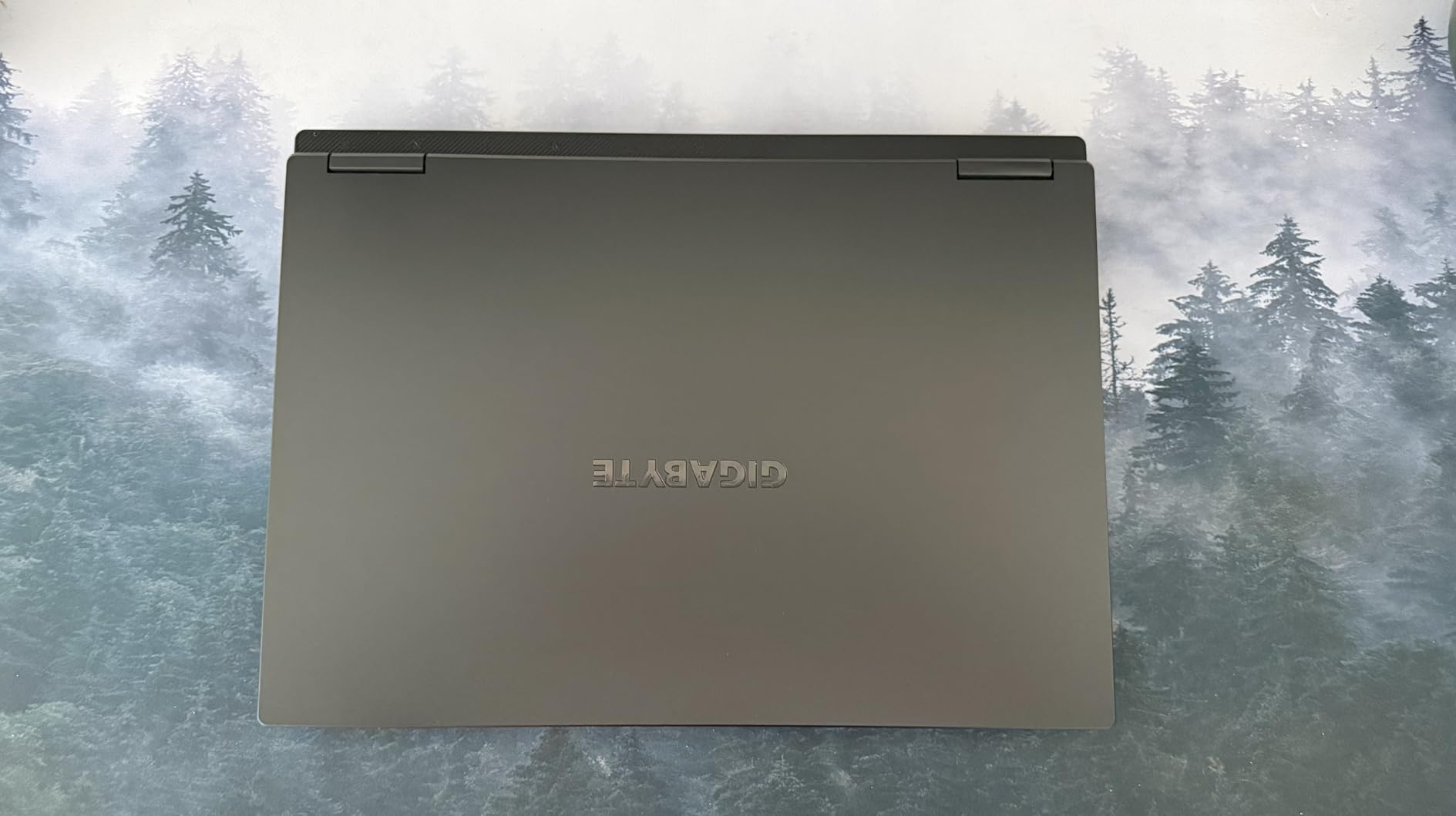
The 16-inch 16:10 matte panel at 165Hz gives a taller canvas than a standard 16:9 screen, and the matte finish is friendly for work in a lit room. The chassis is 19.45mm thick and weighs 4.9 pounds, with a 76Wh battery underneath all of it. That is a genuinely portable gaming machine rather than a small one.
All of that is why it ranks third. The display is the reason it does not rank higher.
Who the GIGABYTE A16 suits
Concept artists, illustrators and students who want a thin-and-light machine with current-generation graphics and memory headroom to spare. 32GB as standard removes the usual first-upgrade step, and 64GB is reachable with a memory kit rather than a whole new laptop.
If your work is largely 2D and your gaming is current-generation rather than enthusiast-level, the GPU here is more than you need and the portability is the part you will notice every day.
Where it disappoints
The listed colour gamut is 45 percent NTSC at 300 nits. That is a wide-gamut number only in the sense that a television is wide-gamut, and it is well short of what an illustrator needs to judge a colour choice honestly. On paper this panel cannot be trusted for colour-critical work without calibration, and calibration cannot create coverage that is not there.
The 1920×1200 resolution on a 16-inch panel is also modest. On a 2560×1600 screen a brush of a given physical size covers roughly half the pixels, so fine linework and small text will look softer here than on the OLED and QHD machines above it. If you draw detail rather than blocking in shapes, factor that in.
4. Alienware 16 Aurora — best for layout, vector work and a clean desk
Alienware 16 Aurora Gaming Laptop, NVIDIA RTX 5060, Intel Core 7 240H
16:10 2560x1600 at 300 nits
RTX 5060 8GB GDDR7
Intel Core 7 240H at 5.2 GHz
16GB DDR5 max 32GB, 5.5 pounds
Pros
- High 2560x1600 resolution on a 16:10 panel
- RTX 5060 8GB GDDR7 for GPU-accelerated filters
- Aspect ratio suits vertical formats without side panels
- One-year onsite service from Dell
- 0.89-inch slim chassis
Cons
- 16GB base memory is tight for very large layered files
- 300 nits is modest for judging colour
- No memory option above 32GB
The 16-inch 16:10 WQXGA panel at 2560×1600 is the headline. Resolution is what makes vector work and multi-panel layout feel precise: at 2560×1600 an Illustrator artboard has far more room for anchor points and small type than it does on a 1080p screen, and the 16:10 shape means a portrait document fits without a second panel beside it.
Brightness is 300 nits, which is honest rather than impressive. It is enough for evening work and for a room with indirect light, and it is not enough to judge colour reliably against a bright window. Know that before you pick this machine for print prep.
Under the panel sits an Intel Core 7 240H with 10 cores boosting to 5.2 GHz and 24MB of cache, plus an RTX 5060 Laptop GPU on Blackwell with 8GB of GDDR7. That card handles GPU-accelerated illustration work and light 3D without being the reason you should buy the machine. The Cryo-Chamber cooling structure focuses airflow on the core components, and there is no rear thermal shelf sticking out of the chassis.
Owners frequently mention the one-year onsite service from Dell as a practical advantage, particularly for anyone who does not want to ship a two-kilogram machine across town for a fault. That is worth something to a student more than to a professional with a spare machine.
Who the Alienware 16 Aurora suits
Layout, branding and vector-heavy students. If your day is Illustrator, InDesign and print preparation rather than painting, the resolution and aspect ratio do more for you than a faster GPU would. Light photo retouching and filter work are also comfortable here.
It suits a client-facing workflow too. The chassis is 0.89 inches thin and the design is restrained compared with the RGB-heavy machines further down, so it does not read as a gaming prop when you put it on a table in a meeting.
Where it disappoints
16GB of DDR5 is the base configuration and it tops out at 32GB across two slots. For layered illustration that is workable. For a 3D artist or someone running local image generation alongside a large timeline, the ceiling is tight and there is no 64GB option for this chassis.
300 nits is also modest next to the 500-nit panel on the ROG Strix G16, and it is the weakest pairing on this list. Colour-critical work belongs on a brighter screen or on a calibrated external display, and this one is not that.
5. Acer Nitro 5 — the most upgradeable machine in the list
acer Nitro 5 Gaming Laptop | Intel 12th Gen i7-12650H | NVIDIA GeForce RTX 4060 Laptop GPU | 15.6” FHD 144Hz IPS Display | 16GB DDR5 | 1TB Gen 4 SSD | Killer Wi-Fi 6 | RGB Backlit KB | AN515-58-781P
RTX 4060 8GB GDDR6
15.6-inch 1080p 144Hz IPS
16GB DDR5 max 32GB
1TB Gen 4 SSD plus free M.2 slot
Pros
- Free M.2 slot and a 2.5-inch drive bay for growth
- RTX 4060 8GB gives real GPU headroom
- Thunderbolt 4 supports a calibrated external display
- 144Hz IPS panel is smooth for drawing
- 16GB DDR5 upgradeable to 32GB
Cons
- 1920x1080 on 15.6 inches is a low pixel density
- 2023 model year on 12th Gen silicon
- 48Wh battery is small for long unplugged sessions
This is the machine to buy if you intend to keep it for years and grow it as your work does. Alongside the 1TB PCIe Gen 4 SSD there is a free M.2 slot and a 2.5-inch drive bay, so an art library of reference images, texture packs and project files can expand without a new laptop or an external drive permanently plugged in.
The RTX 4060 Laptop GPU on Ada Lovelace carries 8GB of GDDR6, and that is the tier where GPU-accelerated painting filters and photo work start to feel genuinely useful rather than emulated. Owners consistently point to the VRAM headroom as the reason this machine outperforms cheaper RTX 4050 laptops for creative work.
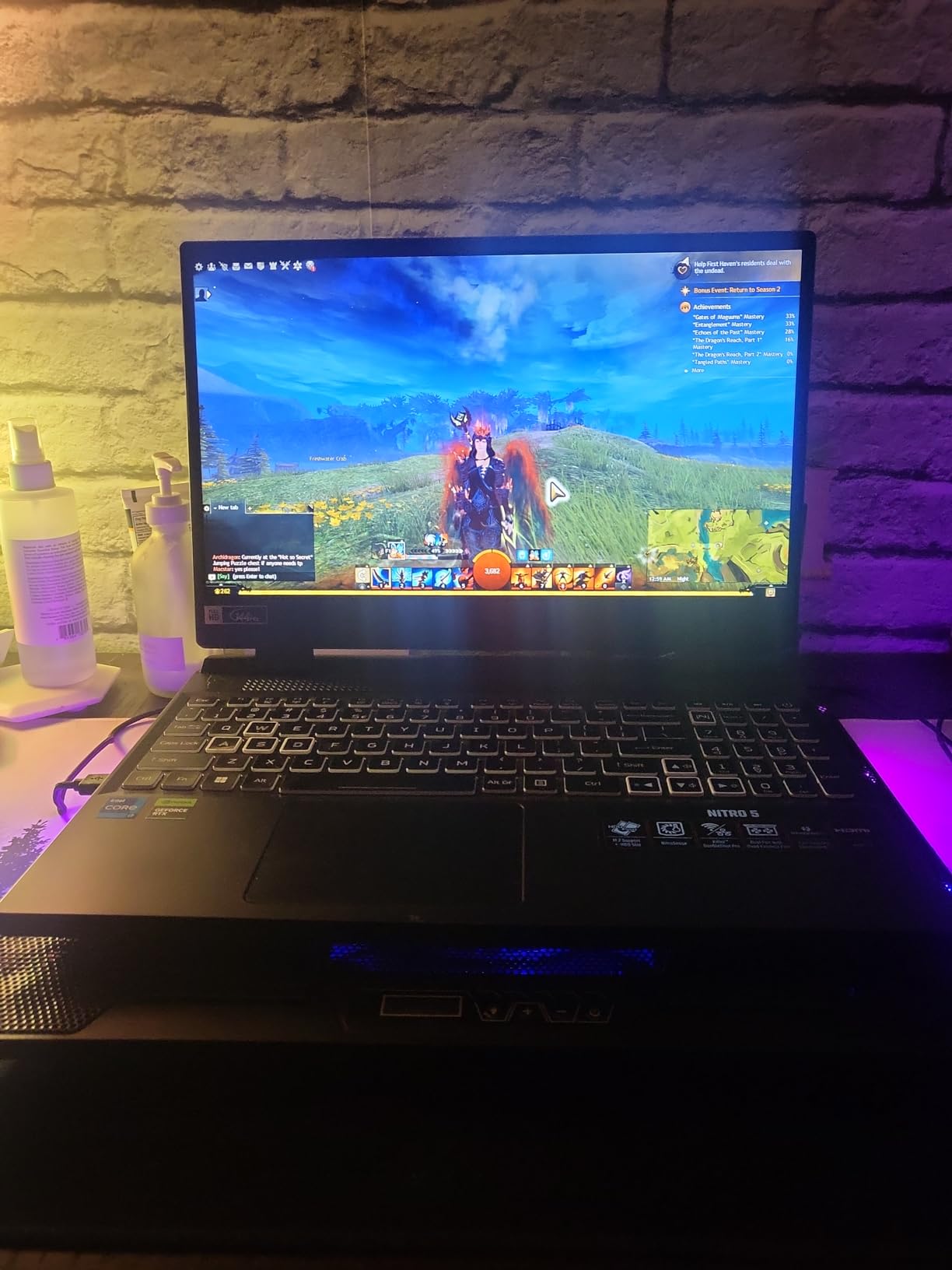
Port selection is unusually good for the class: Thunderbolt 4 over USB-C, three USB 3.2 ports, HDMI 2.1 and RJ-45. Thunderbolt 4 matters for art specifically, because it is how you attach a colour-managed external display or a calibrator when the built-in panel is not enough for a print job.
The 15.6-inch Full HD IPS panel at 144Hz is smooth for drawing and viewing. Dual-fan cooling with dual intakes and quad exhaust keeps a workstation load manageable, and the machine weighs 5.51 pounds.
Who the Acer Nitro 5 suits
Art and design students who want to buy once and add capacity later. Starting at 16GB and upgrading to 32GB, adding a second SSD and adding a drive in the bay costs a fraction of replacing the machine, and the Thunderbolt port means a good external monitor is a viable second screen from day one.
It also suits a working artist who keeps one machine for coursework and the next for client work, because the storage growth path means both can live on the same laptop.
Where it disappoints
1920×1080 on a 15.6-inch panel gives you noticeably less pixel density than the 2560×1600 machines above. Zooming in to fix a brush edge or inspect a fine line means interpolation rather than real detail, and that is the day-to-day cost of it.
The 12th Gen i7-12650H with 10 cores up to 4.7 GHz and a 2023 model year are previous-generation silicon. It is entirely adequate for Photoshop and light 3D, but it will age faster than the Core Ultra 9 or Ryzen AI parts above it. The 48Wh battery is the smallest here and limits long unplugged sessions.
6. MSI Katana 15 — the sharpest panel at 15.6 inches, with assembly caveats
msi Katana 15 15.6” 165Hz QHD Gaming Laptop: Intel Core i7-13620H, NVIDIA Geforce RTX 4070, 16GB DDR5, 1TB NVMe SSD, Cooler Boost 5, Win 11: Black B13VGK-2000US
QHD 2560x1600 at 165Hz matte
RTX 4070 8GB GDDR6
i7-13620H with 24MB L3 cache
16GB DDR5 max 64GB, 5 pounds
Pros
- QHD resolution and 165Hz in a rare pairing for the size
- RTX 4070 8GB handles Blender and video editing
- Matte finish reduces reflections while sketching
- Two memory slots plus an extra M.2 position
- Switchable dedicated GPU mode
- Owners report vibrant colour and solid contrast
Cons
- Some machines shipped with missing CPU heatsink compound
- BIOS power limits cause throttling until manually tuned
- Real battery life roughly an hour and a half under light load
- Plastic chassis and tinny speakers
- 16GB base RAM needs upgrading
The spec sheet here is unusually strong for a machine in this price region. A 15.6-inch QHD panel at 2560×1600 and 165Hz with a matte finish is a rare combination at this size, and matte means you can angle the screen toward a window without a mirror effect across your artwork.
The RTX 4070 Laptop GPU on Ada with ray tracing and 8GB of GDDR6 is the other headline. That is enough to run Blender viewport work, moderate 3D renders and video editing without falling back to the CPU, and paired with 24MB of L3 cache on the i7-13620H it stays responsive under load.
Memory is a two-slot, 64GB-maximum configuration with an extra M.2 position, so the upgrade ceiling is genuinely high even though the 16GB starting point is low. The switchable dedicated GPU mode routes output directly through the card, which matters when you want the full GPU in a render rather than a hybrid path.
Cooler Boost 5 handles the thermal side, a 52Wh battery sits inside, and the whole machine weighs 5 pounds at 0.98 inches thick. It also supports up to three external monitors, which is a meaningful advantage for a layout workflow.
Who the MSI Katana 15 suits
Students and hobbyists doing 3D or animation who want real pixel density at a size that still fits in a normal bag. The QHD matte panel is the best drawing surface at this screen size on the list, and the RTX 4070 gives a machine that plays current games properly after a rendering session.
If you are based at a desk with a monitor already, the three-monitor support turns this into a reasonable editing setup rather than a laptop-shaped compromise.
Where it disappoints
The honest caveat is build and firmware quality. A recurring cluster of owner reviews documents machines that shipped with missing CPU heatsink compound and overheated or locked up until the paste was reapplied, and separate reports describe factory BIOS power limits that cause thermal throttling until power and overclocking settings are adjusted by hand. If you buy this, test sustained load early.
Battery life is the other honest number: roughly an hour and a half under light load, well short of the factory claim. The plastic chassis and tinny built-in speakers are minor, and 16GB of base RAM should be upgraded before you open a large project.
7. Acer Nitro V 16S AI — best value for art and games in one machine
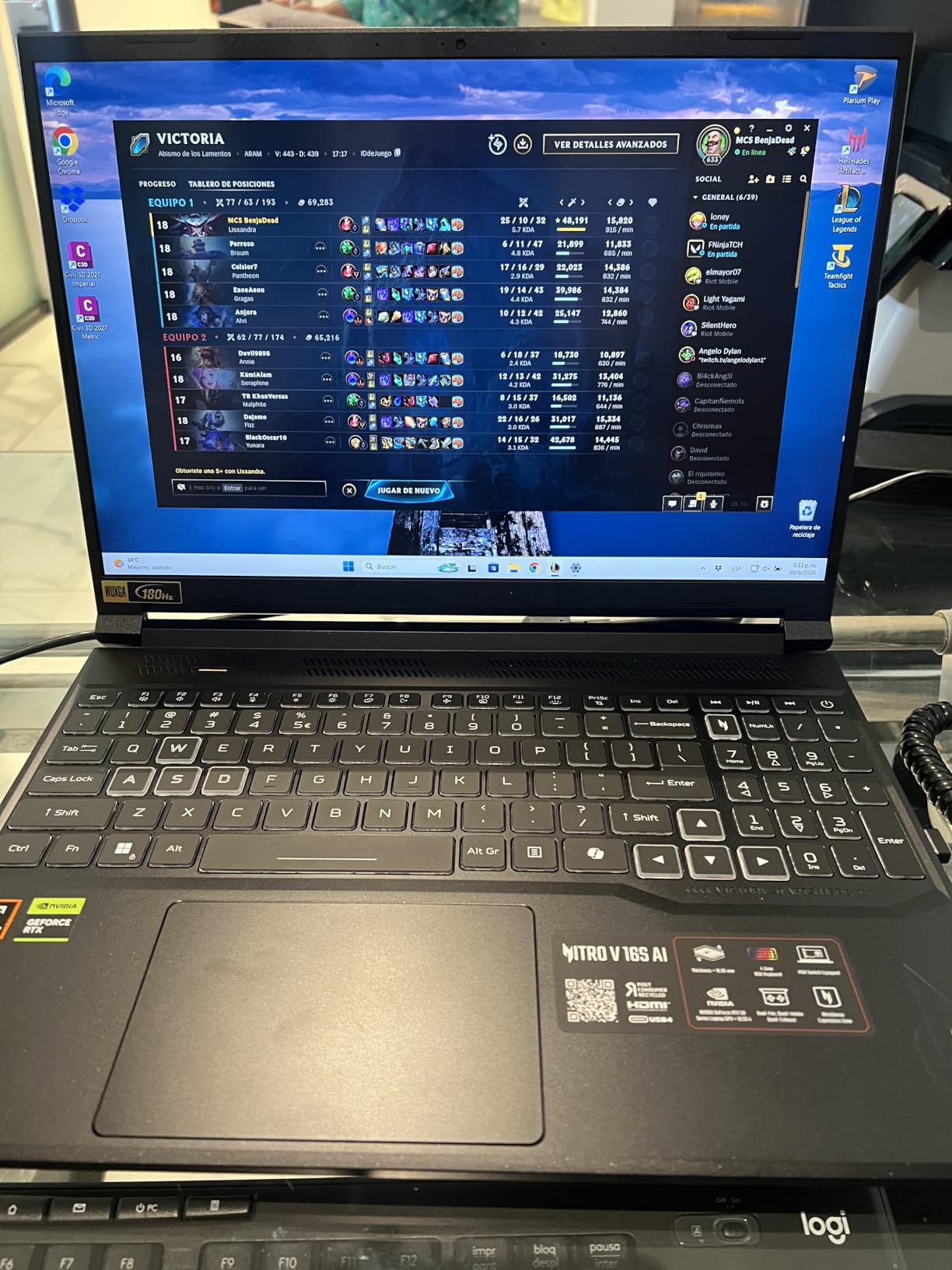
Acer Nitro V 16S AI Gaming Laptop | AMD Ryzen 7 260 Processor | NVIDIA GeForce RTX 5060 Laptop GPU (572 AI Tops) | 16″ WUXGA IPS 180Hz Display | 32GB DDR5 | 1TB Gen 4 SSD | Wi-Fi 6 | ANV16S-41-R2AJ
32GB DDR5
RTX 5060 with 572 AI TOPS
16-inch 1920x1200 180Hz with 100% sRGB
4.6 pounds with 65Wh battery
Pros
- 32GB of DDR5 as standard is unusual at this tier
- 16-inch 180Hz panel with 100% sRGB coverage
- RTX 5060 with 572 AI TOPS accelerates AI image tools
- 4.6-pound chassis is light for a 16-inch
- Free M.2 slot and a protective sleeve included
Cons
- 1920x1200 limits fine detail on a 16-inch panel
- Memory capped at 32GB across two slots
- Some owners report fan noise under sustained load
This is the machine we recommend to someone whose art is 2D, who wants a discrete GPU, and who also plays games after hours. The 32GB of DDR5 at standard is the headline nobody expected at this tier, and owners single it out first in almost every review summary we read. For very large layered files or a motion-graphics timeline, 32GB means you never think about it.
The panel is 16 inches, 1920×1200, 180Hz, and covers 100 percent of sRGB. That colour coverage is the number that matters, and it is stated rather than inferred. A stated 100 percent sRGB panel is trustworthy for on-screen design in a way that the NTSC figure on the GIGABYTE machine is not.
The RTX 5060 Laptop GPU on Blackwell carries 572 AI TOPS alongside 8GB of GDDR7, and the Ryzen 7 260 provides up to 38 AI TOPS itself. For artists experimenting with local image generation and upscaling, that AI throughput on both the CPU and the GPU is a real advantage over the older-generation parts on the rest of this list.
Storage is 1TB PCIe Gen 4 with a free M.2 slot, the battery is 65Wh, and the chassis is 4.6 pounds at 0.79 inches. A protective sleeve is included, which is a small kindness that tells you who this machine is aimed at.
Who the Acer Nitro V 16S AI suits
Anyone who wants one machine for both jobs without overpaying. It handles layered illustration, photo work, vector design and moderate GPU-accelerated tasks, and the RTX 5060 also plays current titles without compromise. 100 percent sRGB means the colour you see is close to what you specified.
It is also the pick for anyone who carries a laptop between class, a studio and a shared space. At 4.6 pounds it is one of the lighter 16-inch machines here, and the 0.79-inch chassis is slim enough for a regular bag.
Where it disappoints
1920×1200 on a 16-inch panel is the ceiling here. If you paint fine detail rather than blocking in shapes, or you work with high-resolution source scans, the pixel density will frustrate you next to the QHD and OLED options above it.
Memory caps at 32GB with only two slots, so this is not the machine for someone who will grow into 3D and local AI work with much larger models. Some owners also report fan noise under sustained heavy loads, which matters if you render with the room quiet.
8. ASUS TUF Gaming A16 — the student pick with a 16-inch accurate screen
ASUS TUF Gaming A16 Laptop: AMD Ryzen 7 7445HS, 16″ Full HD+ 145Hz Display, NVIDIA GeForce RTX 4050, 16GB DDR5 RAM, 512GB SSD, Backlit Keyboard, Windows 11
16-inch 1920x1200 144Hz IPS at 100% sRGB
RTX 4050 6GB
16GB DDR5 max 64GB
Ryzen 7 7445HS, 512GB SSD
Pros
- 100% sRGB coverage on a 1920x1200 IPS display
- 16GB DDR5 upgradeable to 64GB for later
- 16:10 panel gives a taller canvas
- Anti-glare coating for bright rooms
- Spill-resistant backlit keyboard
Cons
- 512GB SSD with no second slot listed
- 6GB of VRAM limits heavy 3D and video work
- 7-pound listed weight
- Only two USB ports and one HDMI listed
A 16-inch display with 100 percent sRGB coverage is unusual at the entry point, and it is the reason this machine earns a place on a list about art. The 1920×1200 resolution is not high, but the taller 16:10 shape gives you more vertical canvas than a 16:9 screen of the same width, which is what portrait illustration and vector documents actually use.
The Ryzen 7 7445HS has 6 cores up to 4.7 GHz, which is modest, and the RTX 4050 Laptop GPU carries 6GB of dedicated memory. For 2D illustration, concept work, vector design and basic photo editing, that is enough. For Blender and video it is not, and the machine is honest about that in the reviews.
What you buy is upgradeability. 16GB of DDR5 can go to 64GB, so a student who starts with course-level work and grows into larger files does not need a new laptop in year two. The anti-glare coating helps when you are working in a bright studio or lecture room, and the spill-resistant keyboard takes the punishment of a shared desk.
The listed 7-pound weight is the number that surprised us on a 16-inch machine, and it is worth assuming this one lives on a desk rather than in a backpack. Ports are modest: two USB ports and one HDMI are listed, which is thin for a machine with external monitor ambitions.
Who the TUF Gaming A16 suits
First-year art and design students, and beginners buying their first serious machine. The colour coverage is right, the memory can grow, and the screen is large enough to work on properly. It covers the whole Adobe Creative Cloud suite plus Clip Studio Paint for 2D without drama.
It also suits anyone who plays casually rather than competitively. The 144Hz panel is smooth for both drawing and general use, and the RTX 4050 handles mainstream titles comfortably.
Where it disappoints
The 512GB SSD fills fast once you accumulate a texture library, brush packs and project exports, and no second storage slot is listed. Plan on an external drive or an upgrade rather than assuming room to grow.
6GB of VRAM is the hard limit on ambition. Once you move into 3D modelling, video editing or AI image generation, that number is the wall you hit, and the 6-core CPU does not help. The listed 7-pound weight is the other practical problem for anyone who works away from a desk.
9. Acer Nitro V — a well-backed pick for the budget tier
Acer Nitro V Gaming Laptop | Intel Core i7-13620H Processor | NVIDIA GeForce RTX 4050 Laptop GPU | 15.6″ FHD IPS 165Hz Display | 16GB DDR5 | 1TB Gen 4 SSD | Wi-Fi 6 | Backlit KB | ANV15-52-76NK
15.6-inch 1080p 165Hz matte IPS at 300 nits
RTX 4050 6GB with 194 AI TOPS
16GB DDR5 max 32GB
1TB Gen 4 SSD, 4.7 pounds
Pros
- Owners rate build quality and reliability highly
- 1TB Gen 4 SSD as standard for a growing art library
- Matte 165Hz IPS panel reduces reflections
- Light 4.7-pound chassis travels well
- Thunderbolt 4 supports a calibrated external display
Cons
- 6GB of VRAM restricts heavy 3D and video work
- 1920x1080 at 15.6 inches is a modest pixel density
- Memory tops out at 32GB
- 300-nit brightness is modest for colour judging
Owner feedback on this one is consistently warm in the budget tier, and the reason is straightforward: it does the basics properly and does not pretend otherwise. Build quality and reliability come up repeatedly, which is exactly what you want from the machine that has to survive a four-year course.
The 15.6-inch Full HD matte IPS panel runs at 165Hz and 300 nits with an 82.64 percent screen-to-body ratio. Matte means you can work near a window, and 165Hz keeps brush movements smooth. The i7-13620H provides 10 cores up to 4.9 GHz, and 16GB of DDR5-4800MHz across two slots handles a layered file without drama.
The RTX 4050 Laptop GPU carries 6GB of GDDR6 with 194 AI TOPS and DLSS 3.5, which covers 2D illustration, concept art, photo editing and mainstream gaming. Storage is a 1TB PCIe Gen 4 drive, and the chassis is 4.7 pounds at 0.93 inches with a 57Wh battery inside.
Thunderbolt 4 is the feature that upgrades this machine over time. Plug in a colour-managed external display and a colourimeter, and a 300-nit 1080p internal panel stops being the limiting factor on serious colour work.
Who the Acer Nitro V suits
Students and beginners who want the least risky entry into a gaming-capable art machine. It is light enough to carry to campus, reliable enough to ignore, and the 1TB drive means you are not immediately fighting storage limits in your first term.
It is also a sensible second machine, a travel backup, or a desktop replacement for someone who works on 2D art and plays games in the evening without chasing high frame rates.
Where it disappoints
6GB of VRAM and 1080p at 15.6 inches both limit detail work. If you paint fine textures, work from high-resolution scans, or intend to move into 3D within a year, this machine will be outgrown. Memory also tops out at 32GB, so there is no 64GB path.
300 nits is modest for judging colour in a bright room. It is a sensible default, not a colour-critical panel, and the Thunderbolt port exists partly because of that.
10. HP Victus 15.6-inch — the least expensive route to a discrete GPU
HP Victus 15.6″ 144Hz Full HD Gaming Laptop | AMD Ryzen 7 7445HS |NVIDIA GeForce RTX 4050|Copilot |Backlit| 16GB RAM DDR5 | 512GB SSD |Mica Silver |Windows 11 Home |Bundle with Mouse Pad
RTX 4050 6GB
15.6-inch 1080p 144Hz sRGB IPS
16GB DDR5 max 64GB
Ryzen 7 7445HS, 512GB SSD
Pros
- The least expensive route to a dedicated GPU
- 144Hz sRGB IPS panel keeps strokes smooth
- RAM listed as expandable to 64GB
- Ryzen 7 7445HS has 8 cores and 16 threads
- Bundled cloth mouse pad
Cons
- 512GB SSD with no second bay listed
- 6GB of VRAM limits 3D and video work
- 7-pound listed weight
- 2023 model year on older silicon
This is the machine for someone who wants a dedicated GPU and a smooth screen and has decided that spending more is not on the table. The 15.6-inch Full HD IPS display runs at 144Hz in the sRGB colour space with an anti-glare micro-edge finish, which keeps strokes smooth and colour presentation predictable enough for everyday illustration.
Underneath, the Ryzen 7 7445HS provides 8 Zen 3+ cores and 16 threads from 3.1GHz to 4.5GHz, with 16GB of DDR5 listed as expandable to 64GB. Sixteen threads is a real advantage when Photoshop, a browser with twenty reference tabs and a game launcher are all competing.
The RTX 4050 Laptop GPU with 6GB of dedicated memory covers 2D illustration, concepting and basic photo editing without trouble. A front-facing camera, built-in microphone and DTS:X Ultra with AI noise reduction make it usable for streaming or recording coursework walkthroughs.
The included cloth mouse pad is a small detail that shows the intended buyer. A 51Wh battery, Wi-Fi 802.11ax and Bluetooth complete the package, and AMD FreeSync Premium keeps motion smooth when you switch from drawing to playing.
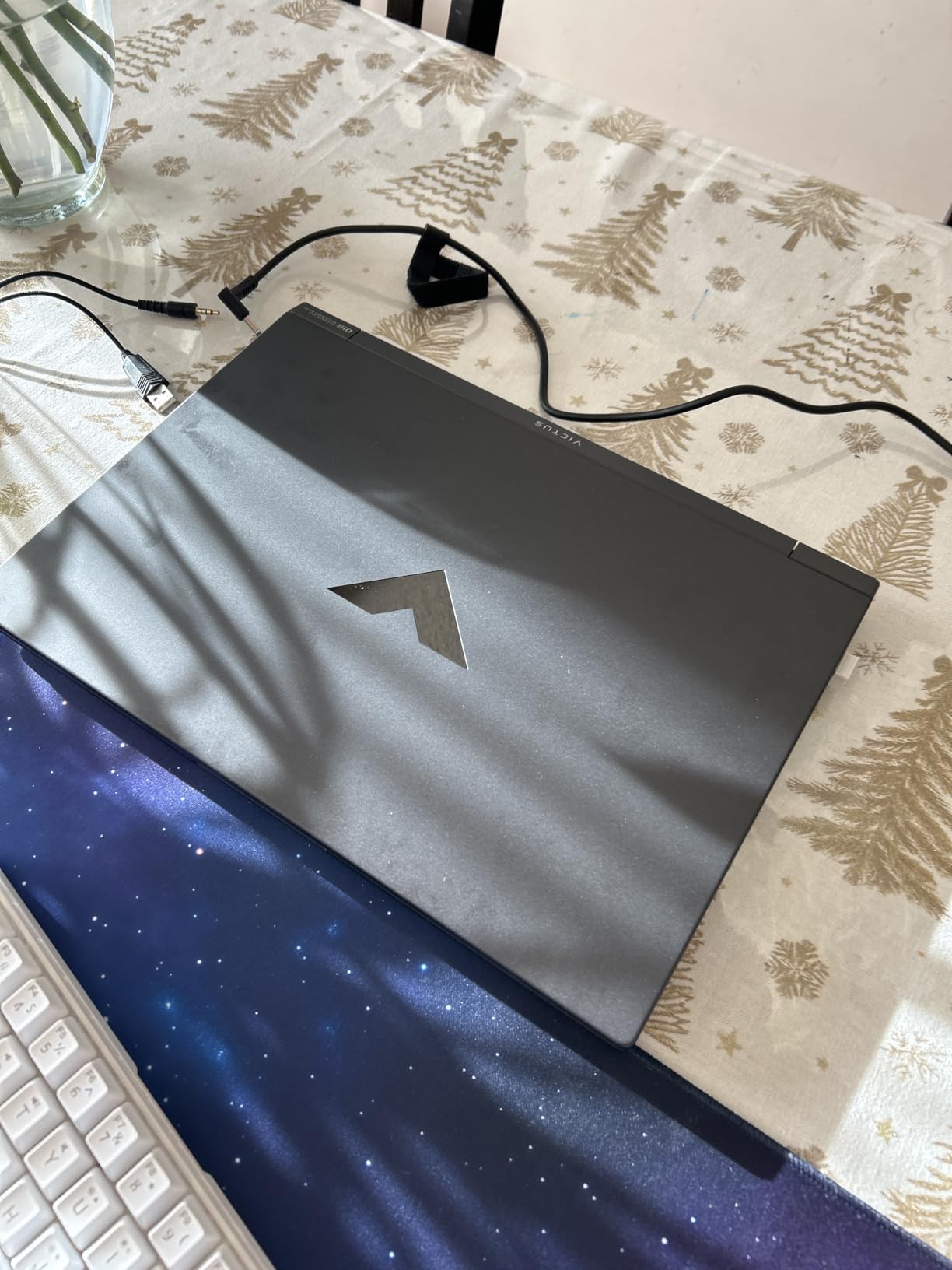
Who the HP Victus suits
Someone testing whether they even want this workflow before committing real money. It handles the core Creative Cloud apps, gives you a proper sRGB panel and 16GB of memory, and it will run the games you already play on the settings you already use.
It also suits a second machine for a family where art coursework and gaming share a budget. The expandable RAM means the ceiling is not as low as the entry price suggests.
Where it disappoints
The 512GB SSD is small once a working library builds up, and no second storage bay is listed, so that becomes an external drive conversation sooner than it should. 6GB of VRAM is the same ceiling as the other RTX 4050 machines here, which means no 3D, no serious video work and no local image generation.
The 7-pound listed weight is heavy for a 15.6-inch laptop and the model year is listed as 2023 on older-generation silicon. Buy it as a starting point, not as a five-year machine.
11. MSI Thin 15.6 — the thinnest chassis here, and an RTX 4060 inside it
MSI Thin 15.6 inch FHD 144Hz Gaming Laptop Intel Core i5-13420H NVIDIA GeForce RTX 4060-16GB DDR4 512GB SSD Gray (2025)
0.67-inch chassis
RTX 4060 8GB
15.6-inch 1080p 144Hz IPS
16GB DDR4 max 64GB, 52Wh battery
Pros
- Thinnest chassis in the list at 0.67 inches
- RTX 4060 with 8GB VRAM steps up from the RTX 4050 tier
- An owner who designs reports Photoshop and Illustrator run without difficulty
- 144Hz 15.6-inch display balances size and weight
- Owners report it stays cool under gaming load
Cons
- 16GB of DDR4 is slower than DDR5 and is the entry configuration
- 512GB SSD is small for a growing art library
- No numeric keypad
- Some machines arrived with missing warranty stickers and non-original RAM and SSD parts
- Fan noise under heavier multitasking
The reason this machine exists is the 0.67-inch chassis. At 14.02 by 9.88 inches and under three-quarters of an inch thick, it is the thinnest machine here, and that changes what kind of work you can do rather than just how comfortable it feels at a desk.
Inside, the RTX 4060 Laptop GPU carries 8GB of dedicated memory, which is a meaningful step up from the 6GB cards elsewhere in the budget half of this list. That extra VRAM is what makes light 3D work, larger photo files and some video editing viable rather than theoretical.
The 15.6-inch 144Hz thin-bezel IPS display gives a good size-to-weight balance for portable work, and the 52Wh battery sits underneath a 0.67-inch body. Three USB ports and HDMI cover peripheral needs, with Wi-Fi 802.11ax, Bluetooth and a backlit keyboard.
The single most useful owner report we found came from someone who works as a designer and said they run Photoshop and Illustrator without difficulty. That is the honest test of this machine, and it passes it.
Who the MSI Thin suits
Anyone whose art happens away from a desk: location sketching, client presentations, drawing in a studio or on a sofa. 8GB of VRAM plus a thin body gives you a machine that travels and still has enough GPU for real creative work rather than just the light end of it.
It suits illustrators who mostly work in 2D and want the lightest possible machine that still runs games on the side without sounding like a hairdryer.
Where it disappoints
16GB of DDR4 is the entry configuration, and DDR4 is slower than the DDR5 in every other machine here. For Photoshop at moderate canvas sizes that is fine; for huge layered files it is the first thing you will feel. The 512GB NVMe drive is also small for a growing art library.
There is no numeric keypad on a 15.6-inch chassis, some owners report fan noise under heavier multitasking, and a few machines arrived with missing factory warranty stickers or non-original RAM and SSD components. Check the warranty paperwork and the parts before you start.
What Actually Matters When One Laptop Has to Do Art and Games?
Colour accuracy is the whole argument
Art apps lean on single-core CPU speed, RAM for large layered canvases and the GPU for filters and 3D. Gaming leans hard on the GPU and on refresh rate. The component that decides whether you can trust your colours is the display, and it is the one component a gaming spec sheet measures least.
Two standards matter. sRGB is the web and general-design standard, and 100 percent sRGB coverage means the panel can show the full set of colours in that space. DCI-P3 is the wider cinema standard, and coverage closer to 100 percent gives you headroom for more saturated work. Any manufacturer claim you see on a gaming laptop should be read against those two numbers, not against the word vibrant.
Delta E is the accuracy metric, and the figure to insist on is under 2. Very few gaming panels publish a factory Delta E figure at all, which is itself informative. When a machine does not publish it, assume you will need a colourimeter and a profile for print-critical work.
RAM and storage
16GB is the floor and it is the absolute minimum, not a comfortable target. 32GB is where most working illustrators should sit, and 64GB is what you want if you mix 2D, 3D and video or run local image generation. Photoshop stores undo history and layer data in RAM, so when it runs out it spills to the SSD and every brush stroke starts to stutter.
Storage follows a similar rule. 512GB fills in a year of serious work; 1TB is the sensible starting point; and a free M.2 slot or a 2.5-inch bay, as offered by the Acer Nitro 5 and the Acer Nitro V 16S AI, changes the economics of owning the machine for five years.
GPU by workload
For 2D illustration and photo editing, the GPU is rarely the bottleneck. Six gigabytes of VRAM is enough for filters and large photographs, and the CPU matters more. This is the part of the forum consensus that surprises people: for most digital painting, an RTX 4050 does the job.
For 3D modelling, rendering and animation, VRAM is the dividing line. 6GB handles light work, 8GB is a comfortable minimum for serious 3D, and 12GB or more is what you want for dense scenes, high-resolution textures and ray tracing. For video editing, the same 8GB-plus threshold applies.
For local AI image generation and upscaling, GPU memory is everything. The RTX 5060 configuration in the Acer Nitro V 16S AI is quoted at 572 AI TOPS, which is the number to look at in this specific workload rather than gaming frame rates.
For heavy AAA gaming, buy the GPU you actually want to play on. That is the one job where the discrete card earns its place without any art justification at all, and it is why every machine on this list has one.
The refresh rate trade-off nobody mentions
High refresh is sold as a pure gamer benefit. For an artist it is a two-sided proposition. 240Hz and 3ms response do make brush movements and pen input feel immediate, which is genuinely nice. But high-refresh gaming panels are often chosen for speed over calibration, and a 300-nit panel in a fast TN-like mode is not where you judge colour.
Practical rule: use the panel at a fixed brightness and a fixed mode for colour work, treat the high-refresh modes as a gaming setting, and calibrate what you can. Do not judge a colour decision in a mode you would never print from.
Thermals, power modes and long sessions
Gaming laptops ship in performance-first modes because that is what the buyer wants. Those modes are loud and hot, and under a long render or a long illustration session the machine will throttle back before it finishes. Nothing in this is a defect; it is a mode mismatch.
For long art sessions, switch the performance profile to balanced or quiet, work plugged in where the charger supports it, and give the machine a raised surface for airflow. Several machines here ship with or accept a cooling stand, and the Lenovo Legion Pro 5i includes one. A quiet profile at 80 percent of peak speed beats a loud profile that throttles at 60 percent twenty minutes in.
Pen on screen versus an external tablet
None of the eleven machines here ships with active pen support, and that is the single most common reason artists end up buying a tablet anyway. High-refresh panels do respond to a capacitive stylus, but latency, pressure levels and palm rejection vary widely by panel and driver, and no gaming manufacturer publishes pen latency figures.
Our advice is to plan on an external drawing tablet. On a 4-to-7-pound machine with a fan and a vent, drawing directly on glass is a compromise in comfort and precision, while a tablet costs a fraction of the laptop and works with every app on this list. Pick a gaming laptop for the panel, the RAM and the GPU, and pick a tablet for the drawing.
How we picked
First, the display: resolution, aspect ratio, stated colour coverage and brightness, in that order. Second, memory: 16GB minimum, 32GB preferred, 64GB for mixed workflows, with upgrade slots counted as real value. Third, the GPU matched to the workload rather than to the highest number available. Fourth, build and cooling reports from owners, which is where the MSI Katana 15’s assembly complaints surfaced. Fifth, portability, because a machine you will not carry is a machine you will not sketch on.
Four Configurations to Walk Away From
None of these are bad laptops. They are just bad art laptops, and they appear constantly in this category.
1. 1080p panels on a 16-inch screen. A 1920×1080 resolution stretched across 16 inches gives you roughly half the pixel density of a 2560×1600 panel. Fine linework and small text suffer, and no amount of GPU power fixes it.
2. 8GB of RAM. There is no current machine on this list that ships with 8GB. If a deal machine does, that is the spec that will hurt you in year two, and it cannot be fixed except by replacing the memory.
3. RTX 3050-tier cards marketed as creator machines. A weak GPU sold with the word creator on the box is a marketing decision, not a hardware one. Judge the card by VRAM and by whether it fits your workload.
4. Any panel with no stated colour coverage at all. If the specification does not say 100 percent sRGB or a DCI-P3 figure, assume you are getting a general-purpose panel. That is fine for work that never needs to be right; it is not fine for client delivery.
Frequently Asked Questions
What is the best laptop for artists and gaming?
For most people the Lenovo Legion Pro 5i Gen 10 is the best balance, because its 16-inch 2560×1600 OLED panel covers 100 percent sRGB and it carries 64GB of RAM alongside an RTX 5070 Ti. If your work is mostly 2D illustration on a budget, the Acer Nitro V 16S AI gives you 32GB and a stated 100 percent sRGB screen for far less. Artists doing 3D should look at the ASUS ROG Strix G16 for GPU throughput and sustained cooling.
How much RAM do I need for digital art?
16GB is the floor, not the target. 32GB is the right amount for layered Photoshop files, illustration work and a browser full of references, and it is the sweet spot on this list. Move to 64GB if you mix 2D, 3D and video in the same session, work with high-resolution scans, or run local image generation models. Check for memory slots, because several machines here cap at 32GB with no upgrade path.
Do I need a dedicated GPU for digital art?
For 2D illustration and photo editing, mostly no. Those workloads lean on single-core CPU speed and RAM, and integrated graphics can handle them. A discrete GPU becomes necessary for 3D modelling and rendering, video editing, local AI image generation and of course for games. The practical rule is VRAM: 6GB covers light work, 8GB is a comfortable minimum for serious 3D and video.
Is OLED better for digital art?
For colour-critical work, usually yes. OLED gives near-perfect blacks, very high contrast and wide DCI-P3 coverage, which makes dark concept art and UI design look right in a dim room. The two caveats are burn-in risk from static interface elements over years of use, and the fact that many OLED gaming panels are not factory-calibrated. If you paint with a fixed UI pinned to one corner all day, an accurate IPS or Mini-LED panel is the safer long-term choice.
Can you draw directly on a gaming laptop screen?
You can, but plan on a separate tablet for real work. None of these gaming laptops ships with active pen support, and pen latency, pressure levels and palm rejection vary by panel and driver with no published figures from gaming manufacturers. Drawing on a hot, vented, multi-pound machine is also physically awkward. Pick the laptop for its panel, memory and GPU, and pick a drawing tablet for the drawing.
Are gaming laptops still worth it in 2026?
Yes, for anyone who genuinely games and genuinely makes art, because a current machine gives you a discrete GPU, upgradeable memory and a high-refresh panel in one chassis that a creator laptop usually cannot match on graphics. They are not worth it if you never draw on-screen, never model in 3D and only need Photoshop and Illustrator, or if colour-critical print work is the job. In that case a creator laptop or a calibrated external monitor on a lighter machine serves you better.
Which Gaming Laptop for Art Fits Your Work
Pick the machine that matches what you actually open every day. Paint and retouch on a 16-inch canvas with colour you can trust and you want the Lenovo Legion Pro 5i Gen 10, whose OLED panel and 64GB of RAM remove both the colour question and the memory question. Model, render or animate and the ASUS ROG Strix G16 gives you the GPU throughput and the 16:10 canvas that heavy work needs.
Working mostly in 2D on a student budget points to the Acer Nitro V 16S AI, with its 32GB and stated 100 percent sRGB panel, or the ASUS TUF Gaming A16 if you want the RAM to grow later. Sketching away from a desk means the MSI Thin, where the 0.67-inch chassis matters more than anything on the spec sheet. And if you intend to build up your machine over several years, the Acer Nitro 5 with its free M.2 slot and drive bay is the sturdiest platform here.
Whichever one you choose, verify the panel before you commit, keep the memory above 16GB, and buy the drawing tablet separately. That is how the best gaming laptops for art earn their place in a working studio rather than a wish list.
We earn a commission from qualifying purchases at no additional cost to you. Prices and configurations change, so check the listing before buying.