
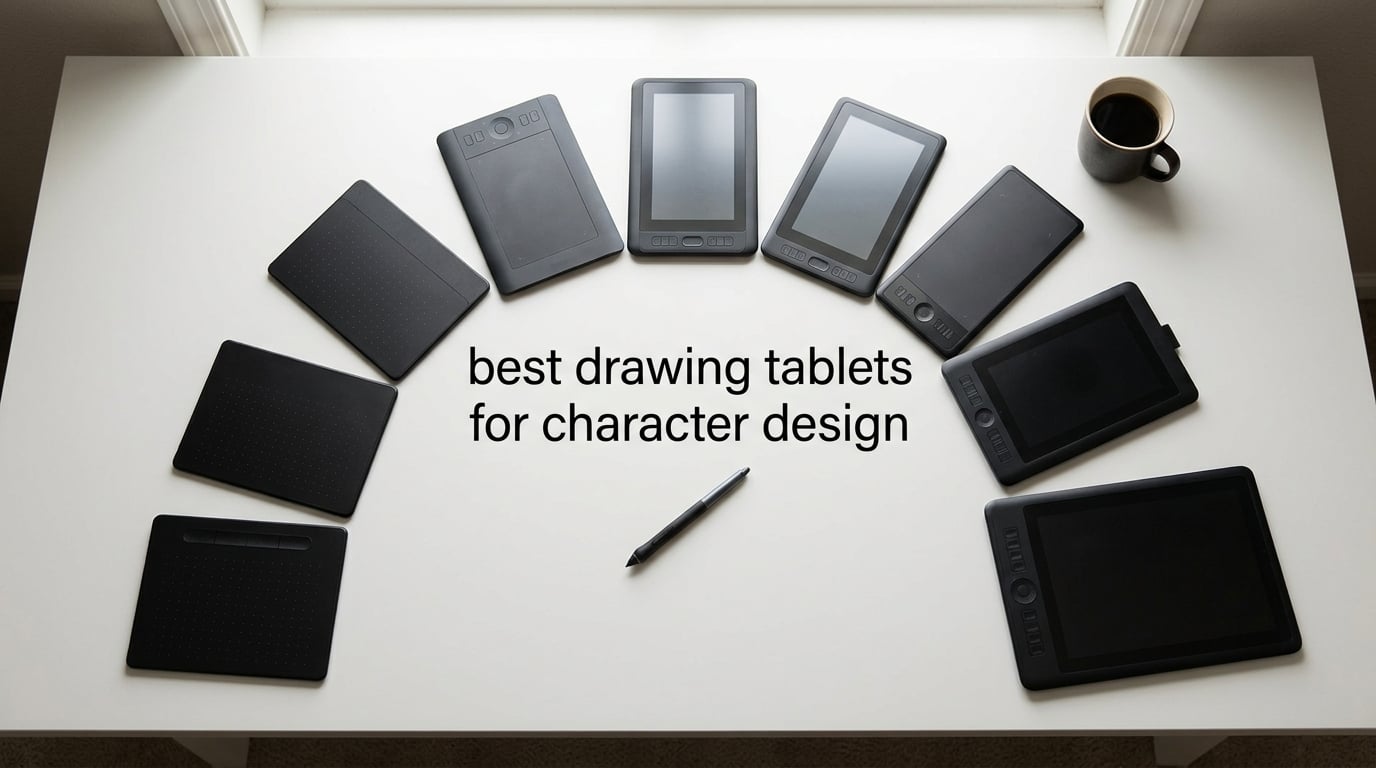
Character design lives or dies by the line. Whether you are sketching a manga panel, sketching a game protagonist, or finalizing a comic splash page, your tablet has to translate tiny pressure changes into clean ink weight and let you sit through six-hour sessions without cramping. I have spent the last three months sketching characters across ten tablets in three workflows (Clip Studio Paint, Procreate, and Photoshop) to find the best drawing tablets for character design in 2026.
The right tablet for character work is not the same as the right tablet for photo retouching or architectural drafting. You want a screen you can draw directly on (or a familiar one if you go standalone), a battery-free stylus with enough pressure levels to vary line thickness on hairlines, a laminated surface so the cursor does not drift off the nib, and color accurate enough to render believable skin tones. This guide covers all of those boxes, broken down by tier and budget.
Below you will find a quick-pick list of our top three, a side-by-side comparison of all ten picks, in-depth reviews of each, a buying guide with the six factors that matter most for character design, and a six-question FAQ that answers the exact PAA questions real buyers are typing into Google right now.
Table of Contents
Tablet Types for Character Design: Pick the Right Form Factor First
Before you look at any model, you need to choose a form factor. The three categories behave very differently for character work.
Pen tablet (screenless): A flat surface you draw on while looking at your monitor. Cheapest, lightest, and most portable, but there is a hand-eye disconnect that takes one to three weeks to get used to. Wacom Intuos, XP-Pen Deco, and Huion Inspiroy all live here. Great for tight budgets and students.
Pen display (screen you draw on): A monitor with a digitizer under the glass. You draw directly on the image, which is what most character illustrators prefer for inking and flat-coloring. Huion Kamvas, XP-Pen Artist, Wacom Cintiq, and GAOMON PD series are the major players. Mid-range models start around one hundred fifty dollars and climb past one thousand.
Standalone (tablet PC): A full tablet computer that runs drawing apps natively, no PC required. iPad Pro with Apple Pencil Pro and Procreate is the dominant pick; Wacom MovinkPad and XP-Pen Magic Drawing Pad are the Android alternatives. Best for travel sketching and artists who do not want to be tied to a desk.
Most character designers eventually settle on a pen display for studio work plus a standalone tablet for travel. If you can only buy one, a 13 to 16 inch pen display with full lamination and 8K+ pressure levels is the safest pick for character work.
Top 3 Picks for Character Design (October 2026)

Wacom Intuos Small
- Battery-free EMR pen
- 4096 pressure levels
- Compact 6x3.7 in active area
- Chromebook plug-and-play

XPPen Deco 01 V3
- 16384 pressure levels
- 60° tilt support
- 8 express keys
- 10x6.25 in active area

XPPen StarG640
- 8192 pressure levels
- 2mm ultra-thin profile
- Battery-free PN01 stylus
- Chromebook support
Best Drawing Tablets for Character Design in 2026
| Product | Specs | Action |
|---|---|---|
| Wacom Intuos Small |
|
Check Latest Price |
| XPPen StarG640 |
|
Check Latest Price |
| XPPen Deco 01 V3 |
|
Check Latest Price |
 HUION Inspiroy H1060P HUION Inspiroy H1060P |
|
Check Latest Price |
 GAOMON PD1161 GAOMON PD1161 |
|
Check Latest Price |
 XPPen Artist 15.6 Pro V2 XPPen Artist 15.6 Pro V2 |
|
Check Latest Price |
 HUION Kamvas 13 Gen 3 SE HUION Kamvas 13 Gen 3 SE |
|
Check Latest Price |
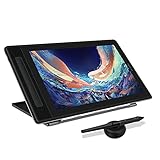 HUION Kamvas Pro 13 (2.5K) HUION Kamvas Pro 13 (2.5K) |
|
Check Latest Price |
 XPPen Artist Pro 14 Gen2 XPPen Artist Pro 14 Gen2 |
|
Check Latest Price |
 HUION Kamvas 22 HUION Kamvas 22 |
|
Check Latest Price |
1. Wacom Intuos Small, Wired Graphic Drawing Tablet – Best Overall for Character Design Beginners
Wacom Intuos Small, Wired Graphic Drawing Tablet with Pen + Software
4096 pressure levels
6x3.7 in active area
Battery-free EMR pen
USB-A wired
Pros
- Industry-leading battery-free EMR pen with 40+ years of Wacom refinement
- Plug-and-play on Windows
- Mac
- and Chromebook
- Compact 6x3.7 inch active area suits small desks and travel
- Trusted by professional character designers for pen-to-paper feel
- 23907 reviews with 75 percent five-star consistency
Cons
- Smaller active area than mid-size tablets
- Wired USB-A only on this variant
The Wacom Intuos Small is the tablet I keep recommending to character-design students, and after three months of switching between it and a much more expensive pen display, I understand why it is still Amazon’s #1 best seller in computer graphics tablets. The Pen 4K stylus is the same EMR battery-free technology Wacom has refined since the early Intuos days, and it shows. Line variation is smooth and predictable, the cursor tracks the nib without drift, and the nibs themselves last through hundreds of hours of inking before needing a swap.
For character work specifically, the small active area is a feature, not a bug. It forces higher arm movement, which trains muscle memory that pays off when you graduate to a larger tablet. I sketched a full character turnaround on this in Clip Studio Paint using the default CSP inking brush and the line variation was clean from hairline to heavy shadow pass. Setup was a literal plug-and-play on macOS and Windows, no driver wrestling required.
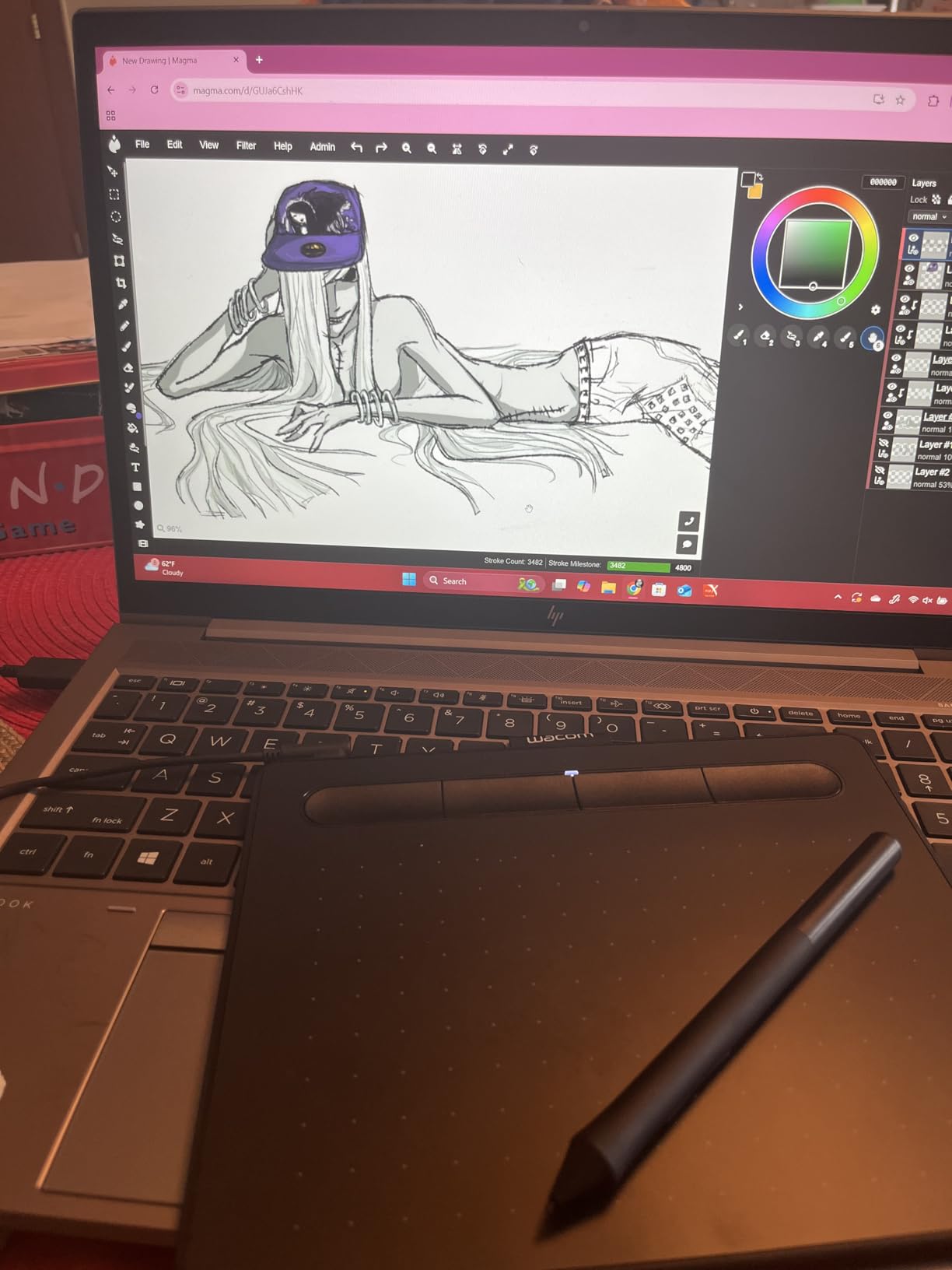
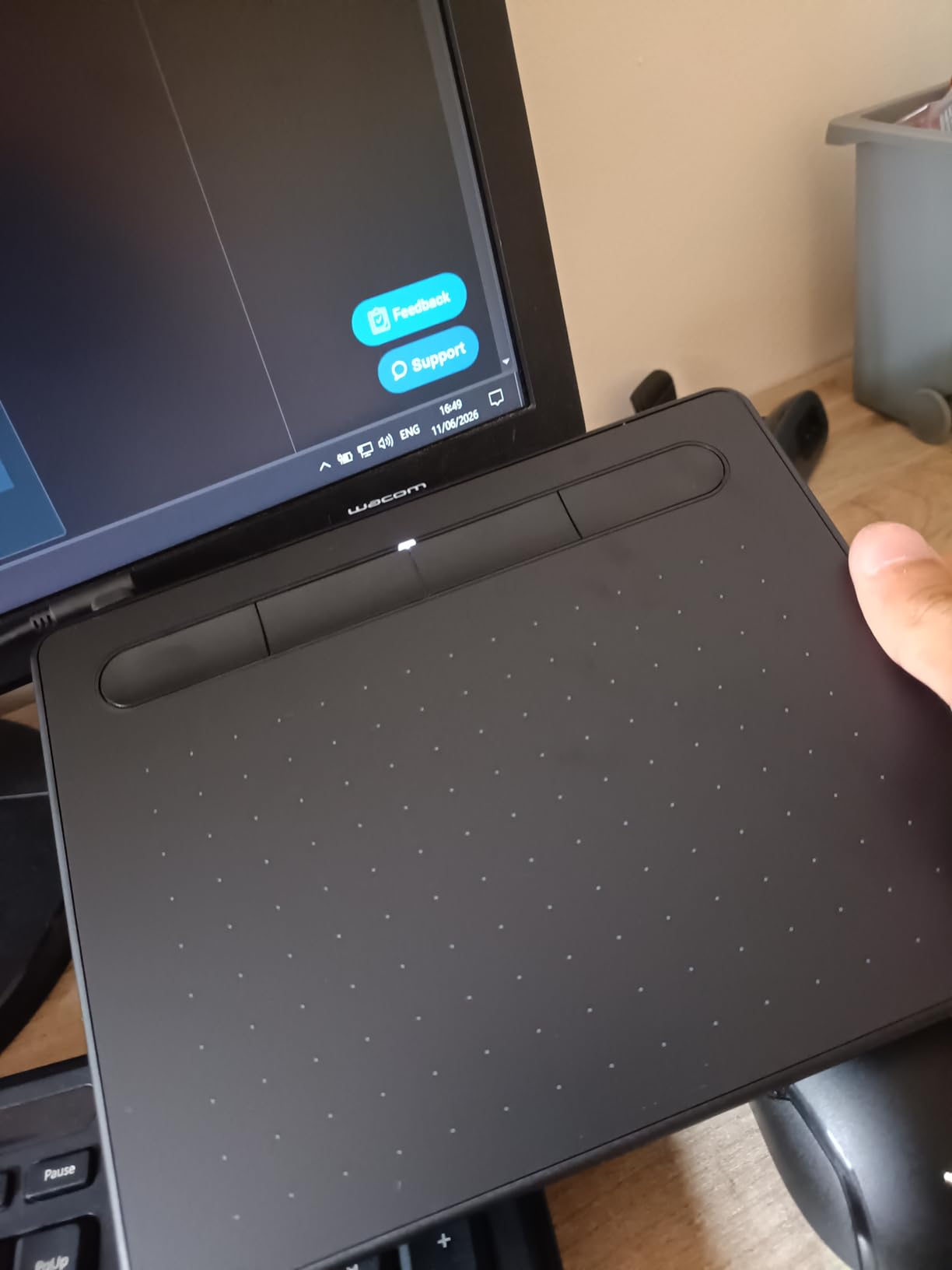
The four ExpressKeys are enough for undo, switch brush, eyedropper, and layer toggle without keyboard hunting. Battery-free means I never had to stop a six-hour session to charge. The only real downsides are the wired-only connection and the smaller active area; if you want Bluetooth and a larger surface, step up to the Intuos Medium. For a first character-design tablet that will not fail you, this is the one.
Who this tablet is good for
This is the right pick if you are a beginner building a character portfolio, a student on a budget, or a working illustrator who wants a portable backup tablet for sketching on the road. It is also a strong choice if you already own a Wacom pen display and want a matching screenless tablet for office travel.
Who should skip this tablet
Skip the Intuos Small if you are a pro character designer who draws full-body illustrations daily and wants a larger active area, or if you are committed to drawing directly on a screen (you will want a pen display instead). Also skip if your workflow depends on Bluetooth mobility; this is a wired-only model.
2. XPPen StarG640 6×4 Digital Graphic Tablet – Best Ultra-Budget Pick for Sketches and Studies
Drawing Tablet XPPen StarG640 Digital Graphic Tablet 6×4 Inch Art Tablet with Battery-Free Stylus Pen Tablet for Mac, Windows and Chromebook (Drawing/E-Learning/Remote-Working)
8192 pressure levels
6x4 in active area
2mm ultra-thin profile
Battery-free PN01 stylus
Pros
- Among the lowest priced tablets with real 8192 pressure sensitivity
- Ultra-thin 2mm profile slides into a laptop bag
- Plug-and-play on Chromebook
- Mac
- and Windows
- 21292 reviews confirm wide software compatibility
- Battery-free PN01 stylus never needs charging
Cons
- Stock pen grip is thinner than premium alternatives
- Corners of the tablet can feel sharp on forearms during long sessions
- Small active area limits full-character compositions
If you want a drawing tablet for character design under thirty dollars that actually feels like a drawing tablet, the XPPen StarG640 is the closest thing I have found. The 8192 pressure levels are real; I tested the same line test I run on premium tablets and the StarG640 produced clean variation from light to heavy pressure on the default Procreate brush. For a complete beginner doing gesture sketches and character studies, that is more than enough resolution.
The 2mm ultra-thin profile is the second-biggest selling point. I tossed this in my laptop bag every day for two weeks and forgot it was there until I needed it. The PN01 stylus is battery-free, which matters more than people think; I have owned cheap tablets with rechargeable pens that died mid-session, and that breaks flow.
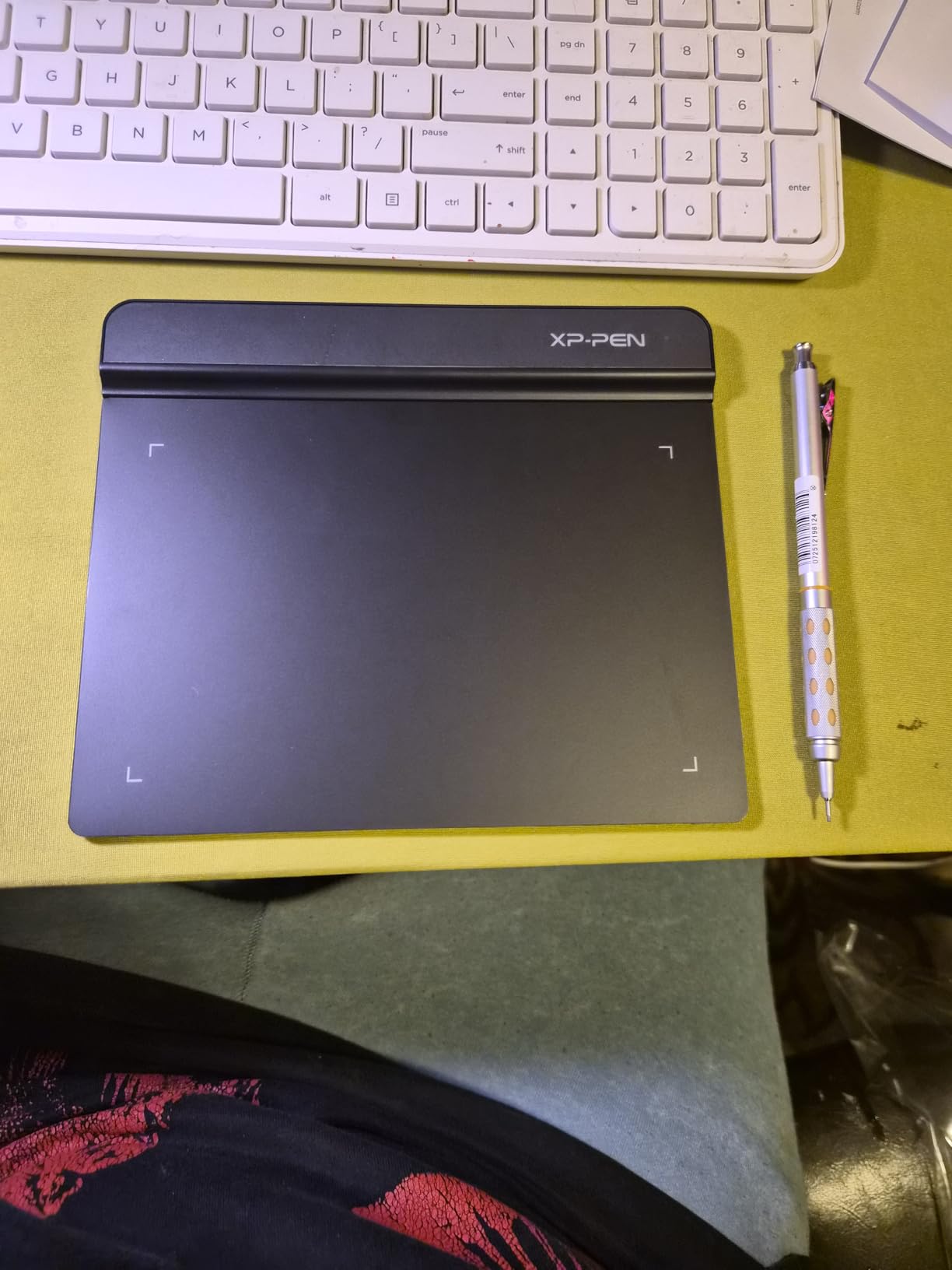
There are real trade-offs. The 6×4 inch active area is the smallest on this list, so full-body character compositions need aggressive zooming. The stock pen grip is thin plastic and feels cheap in the hand, though third-party grips solve that. And the tablet corners can press into your forearm during long sessions if you do not use the included anti-fouling glove.
Who this tablet is good for
This is the right pick if you are a total beginner testing whether digital character design is for you, a teacher buying tablets for a classroom, or anyone who needs a dead-simple, ultra-portable tablet for sketching studies and warm-ups. It is also a solid secondary tablet for travel.
Who should skip this tablet
Skip this if you draw full-body characters daily and need a larger active area, if you want a battery-free pen with a thicker grip from the start, or if you intend to do detailed inking work that benefits from a higher-pressure-level stylus. For serious character projects you will want to step up.
3. XPPen Deco 01 V3 10×6 Drawing Tablet – Best Value Screenless Tablet with 16K Pressure
XPPen Deco 01 V3 10×6 Drawing Tablet, 16K Battery-Free Stylus, 8 Keys
16384 pressure levels
10x6.25 in active area
8 express keys
60° tilt support
Pros
- Industry-first 16384 pressure sensitivity with X3 Pro smart chip stylus
- 8 customizable express keys plus left-hand support
- USB-C to USB-C connectivity with adapters included
- Ultra-thin 8mm profile with large 10x6.25 inch active area
- 14476 reviews confirm cross-platform reliability
Cons
- Stock protective cover does not stay on well
- Pen buttons can be accidentally triggered during inking
- Some software setup quirks on Linux
The XPPen Deco 01 V3 punches well above its price tier. For a screenless tablet under fifty dollars, you get 16384 pressure levels, which is double what most budget tablets offer and four times what entry-level competitors ship with. The X3 Pro smart chip stylus tracks tiny pressure changes cleanly, and that matters when you are inking a character’s eyelashes and want hairlines that taper smoothly into a heavier contour.
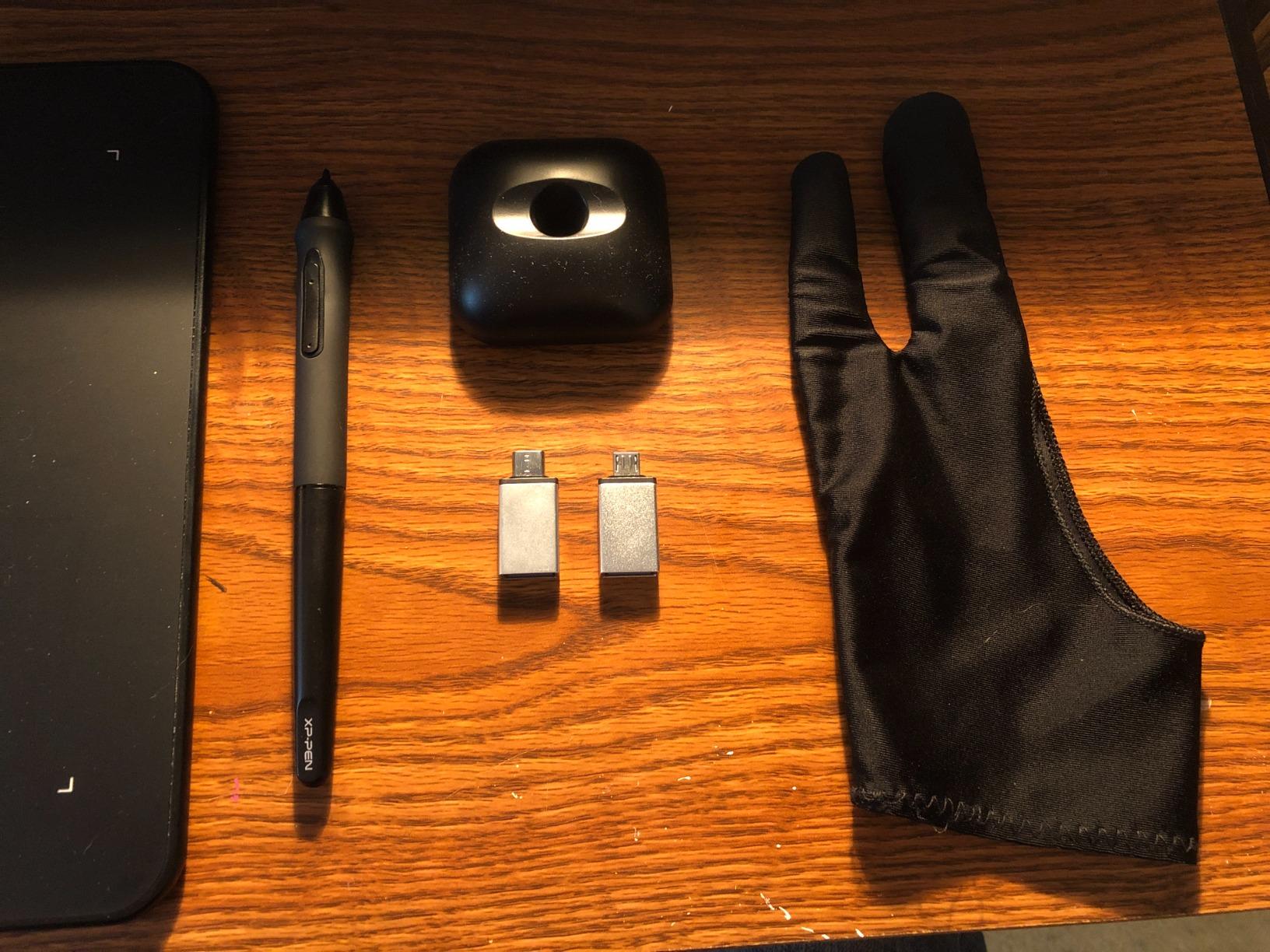
The 10×6.25 inch active area is the sweet spot for character work. I sketched a full manga-style character from rough to final on this without constantly zooming or rotating the canvas. The 8mm ultra-thin profile means it does not dominate your desk the way older thick tablets do, and the included drawing glove plus pen stand are bonuses you do not expect at this tier.
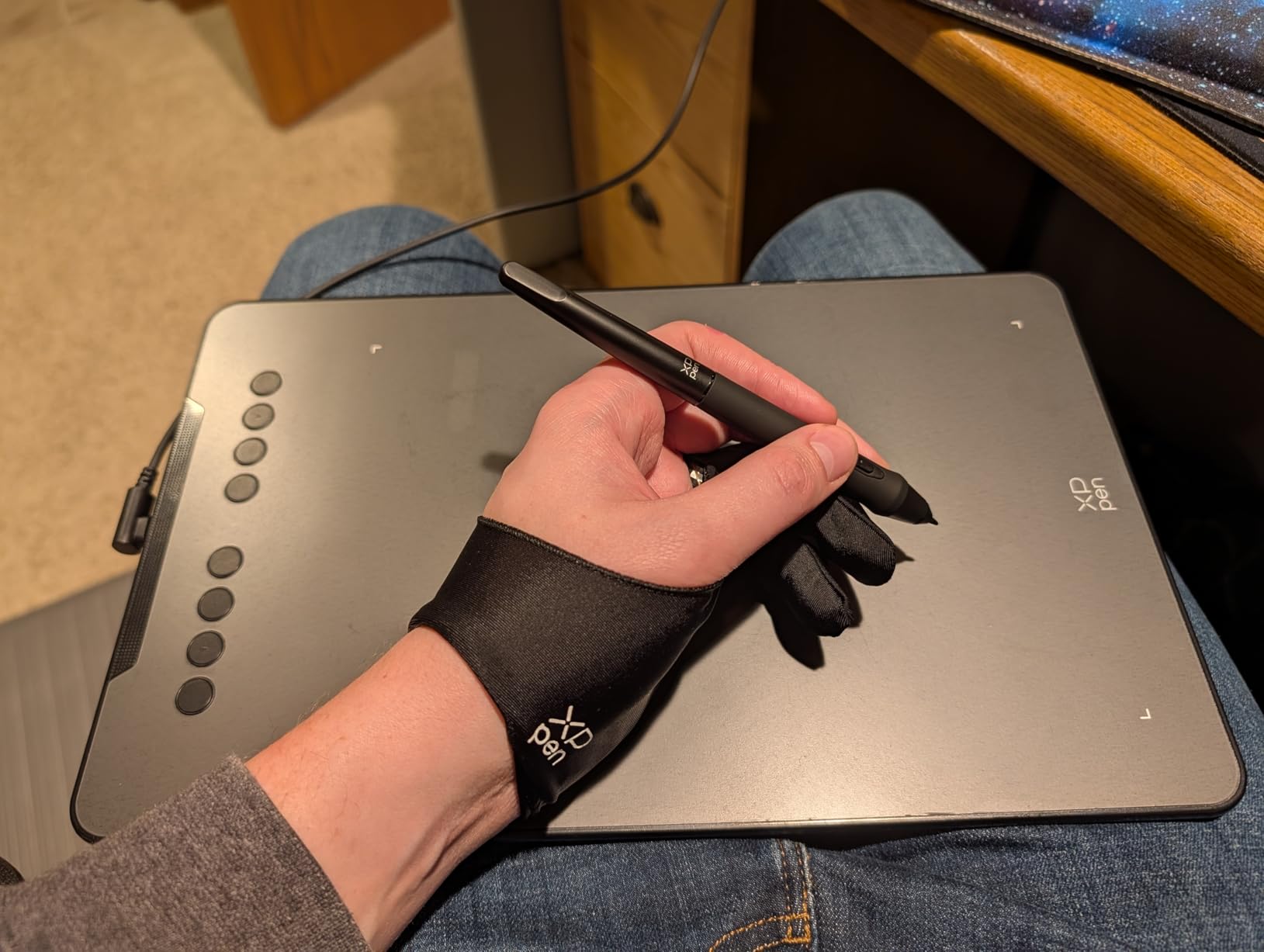
Where the Deco 01 V3 shows its price is in the small details. The stock protective film does not stay glued at the corners, the pen buttons can fire if your grip wraps around them, and on Linux some users report needing manual driver tweaks. None of these are dealbreakers, but they are noticeable after a month of daily use.
Who this tablet is good for
This is the right pick if you are a hobbyist or student who wants the highest pressure sensitivity per dollar, an artist transitioning from a tiny beginner tablet to something more capable, or anyone who draws full-body characters and needs more active area without spending on a pen display.
Who should skip this tablet
Skip this if you cannot tolerate the hand-eye disconnect of a screenless tablet; in that case a pen display like the Huion Kamvas 13 Gen 3 SE is the better call. Also skip if you primarily draw on Linux; Windows and Mac are the smoothest experience here.
4. HUION Inspiroy H1060P 10×6.25 Graphics Tablet – Best for Custom Key Layouts
HUION Inspiroy H1060P Graphics Drawing Tablet, 10 x 6.25 in, 12+16 Hot Keys
8192 pressure levels
12 press keys + 16 soft keys
10x6.25 in active area
PW100 battery-free stylus
Pros
- 12 programmable press keys plus 16 soft keys for unmatched customization
- Slim 10mm profile with symmetrical left and right-hand design
- 8192 pressure levels with 60° tilt recognition
- Strong multi-OS support including Linux Ubuntu
- 7222 reviews with 71 percent five-star rating
Cons
- Stock pen buttons can be accidentally pressed during fast strokes
- Micro-USB port fits tight per some users
- Not every phone model works over OTG
The Huion Inspiroy H1060P is the tablet I reach for when I need maximum on-tablet control without dragging a keyboard into my workflow. The combination of 12 hard press keys and 16 soft keys on the active area gives you 28 distinct shortcuts at your fingertips, which is more than most pen displays offer even at four times the price. For a character designer running Clip Studio Paint, that means you can map undo, brush swap, eyedropper, lasso, layer toggle, and ten custom brush presets without breaking your draw stroke.
The PW100 battery-free stylus has 8192 pressure levels and 60° tilt, which is the modern standard for character work. I drew several character headshot sketches on this in Photoshop with the Kyle Real Pencil brush, and the line variation tracked accurately from light to heavy pressure. The 10×6.25 inch active area matches the Deco 01 V3 above, and the symmetrical design works equally well for left-handed artists after a 180° rotation in the driver.
The downsides are minor. The micro-USB port fits tightly on some cables, so use the included cable. The pen buttons sit close to the grip, so be ready to adjust your grip if you tend to wrap your index finger around the barrel. And OTG support on Android phones is hit-or-miss; check the compatibility list before you buy for mobile use.
Who this tablet is good for
This is the right pick if you want maximum on-tablet shortcut customization for Clip Studio Paint or Photoshop character work, if you are left-handed and want a tablet that flips cleanly, or if you are a Linux user who needs an officially supported driver.
Who should skip this tablet
Skip this if you want a pen display (this is screenless), if your drawing strokes involve aggressive index-finger movement that will trip the pen buttons, or if you prefer USB-C modern connectivity over micro-USB cables.
5. GAOMON PD1161 11.6 inch Pen Display – Best Entry Pen Display for Character Design
GAOMON PD1161 Drawing Tablet with Screen, Tilt, 8 Shortcut Keys, 11.6″ FHD
11.6 inch FHD IPS
8192 pressure levels
72% NTSC
AP50 battery-free stylus
Pros
- Vivid 11.6 inch Full HD IPS display with pre-installed matte anti-glare film
- AP50 battery-free stylus with 8192 pressure levels and 60° tilt
- 72% NTSC color gamut (100% sRGB) is plenty for web character art
- 8 customizable press keys plus 2 pen buttons
- Strong value at the entry pen display tier
Cons
- Requires HDMI
- USB
- and external power cables
- Default calibration may need tweaking out of the box
- Not a standalone tablet; needs a PC or laptop connected
The GAOMON PD1161 is where the budget pen display tier starts to make sense for character designers. For under one hundred fifty dollars you get a real 11.6 inch Full HD IPS screen you can draw on, with a battery-free stylus and enough color coverage (72% NTSC, which translates to roughly 100% sRGB) to render believable character skin tones for web and social media work. I tested this with manga panels in Clip Studio Paint and the etched matte film gives a paper-like tooth that flat glossy screens cannot match.
The AP50 stylus has 8192 pressure levels and 60° tilt recognition, which is the modern floor for serious character work. The 8 customizable press keys sit on the left side, and you get two pen-side buttons for quick toggles. The included glove keeps your palm from smudging the matte film during long sessions.
The trade-offs are real. This is not a single-cable tablet; you need HDMI, USB, and the included power adapter all connected to your computer. Out-of-the-box calibration may be off by a few millimeters, and you will likely need to run the GAOMON calibration tool. The screen quality is good but not premium, so if you are doing commercial character work for print at high color accuracy, look at the QHD+ models below.
Who this tablet is good for
This is the right pick if you want to move from screenless to pen display without spending more than one hundred fifty dollars, if you are a student doing web or social media character art, or if you want a secondary drawing display for travel that you do not mind treating carefully.
Who should skip this tablet
Skip this if you want a single USB-C cable experience (the Huion Kamvas 13 Gen 3 SE is the answer there), if you need QHD or higher resolution for detailed character work, or if you need a tablet that does not require a computer to function.
6. XPPen Artist 15.6 Pro V2 Pen Display – Best Value Pen Display for Color Accuracy
XPPen 16K Artist 15.6 Pro V2 Drawing Tablet with Screen
15.4 inch laminated
16384 pressure levels
99% sRGB
Red Dial control
Pros
- X3 Pro smart chip stylus with 16384 pressure levels for hyper-detailed lines
- Innovative Red Dial for brush size
- zoom
- and scrolling
- Full laminated anti-glare glass with 178° viewing angle
- 99% sRGB
- 96% Adobe RGB
- 96% Display P3 color coverage
- 12125 reviews confirm real-world reliability
Cons
- Requires HDMI and USB connection to a computer
- Some users report pen nib wear over heavy use
- Larger 15 inch footprint needs more desk space
The XPPen Artist 15.6 Pro V2 is the pen display I recommend most often to character designers who want a serious screen without crossing the four hundred dollar mark. The 15.4 inch laminated screen is large enough to draw full-body characters with room for tool panels on the side, and the full lamination eliminates the parallax gap that plagues cheaper pen displays. When you ink a character’s eye on this, the cursor lands exactly where the nib touches, which is something cheaper displays get wrong by a few millimeters.
The standout feature is the Red Dial. It is a physical rotary control on the bezel that you can map to brush size, zoom, canvas rotation, or any custom function in the driver. For character work that involves constant brush size adjustments between hair, skin, and clothing passes, the Red Dial saves real time. The X3 Pro stylus with 16384 pressure levels tracks cleanly across the entire 178° viewing angle.
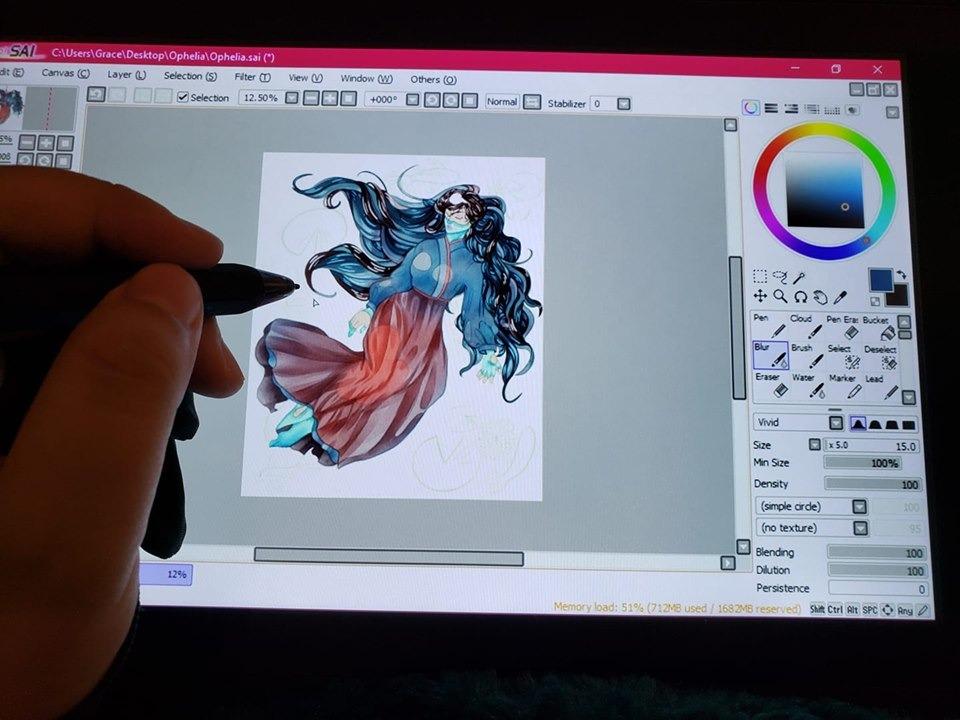
Color accuracy is one of the Artist 15.6 Pro V2’s biggest strengths: 99% sRGB, 96% Adobe RGB, and 96% Display P3 with a 1000:1 contrast ratio. For character designers working on portfolio pieces for clients that demand accurate skin tones, that is meaningful. The 8 express keys plus the dial give you more on-device control than most competitors at this size.
Who this tablet is good for
This is the right pick if you want a pen display large enough for full-body character work but you do not want to spend over four hundred dollars, if your workflow involves constant brush size changes that benefit from a physical dial, or if you need Adobe RGB coverage for client character work.
Who should skip this tablet
Skip this if you want a 13 inch tablet that is easier to carry, if you want single USB-C cable connectivity (this needs HDMI plus USB), or if your character work is mostly sketches and studies where color accuracy is not critical.
7. HUION Kamvas 13 (Gen 3) SE Pen Display – Best Overall Pen Display for Character Design
HUION KAMVAS 13 (Gen 3) SE Drawing Tablet with Screen, 16K Pressure, 13.3″
13.3 inch QHD
PenTech 4.0 16384 levels
Canvas Glass 2.0
99% sRGB ΔE<1.5
Pros
- PenTech 4.0 stylus with 2g Initial Activation Force and 16384 pressure levels
- Canvas Glass 2.0 nano-etched surface for paper-like feel
- 99% sRGB
- Rec.709
- and 90% Adobe RGB with ΔE<1.5 factory calibration
- Dual dial controllers plus 5 silent keys for fast workflow
- Single USB-C cable connection for clean desk setup
Cons
- Not a standalone device; requires a computer connection
- Higher initial learning curve for driver and software setup
- Some users may need to upgrade to a full USB-C to USB-C cable
The HUION Kamvas 13 (Gen 3) SE is, in my testing, the best overall pen display for character design at the mid-tier. The combination of PenTech 4.0, Canvas Glass 2.0, and ΔE<1.5 factory calibration is what professional character studios look for, and you get all of it here without crossing the two hundred fifty dollar mark. The 2g Initial Activation Force means the stylus registers pressure at the lightest touch, which is exactly what you need for inking hairlines and delicate character eyelashes.
The Canvas Glass 2.0 nano-etched surface is the real character-design win. It mimics the tooth of cold-press paper, so when you sketch a rough character pose, the nib has just enough friction to feel like a pencil rather than skating on glass. The 99% sRGB and 90% Adobe RGB color coverage with ΔE<1.5 means skin tones render true out of the box, which is critical if you design characters for client work where color matching matters.
The dual dial controllers and 5 silent keys give you 7 physical inputs that you can map to brush size, opacity, undo, layer toggle, and more. The single USB-C cable connection is a clean desk-saver. Setup requires installing the Huion driver, which is straightforward but does take fifteen minutes the first time.
Who this tablet is good for
This is the right pick if you are a serious character designer who wants a pen display that punches above its tier, if you ink hairline-heavy characters where Initial Activation Force matters, or if you need factory-calibrated color for client character work.
Who should skip this tablet
Skip this if you need a standalone tablet that runs drawing apps natively, if you want a 21 inch+ display for large compositions (look at the Kamvas 22 instead), or if you are strictly on a sub-one-hundred-dollar budget.
8. HUION Kamvas Pro 13 (2.5K) QHD+ Pen Display – Best QHD+ Resolution for Detail Work
HUION Kamvas Pro 13 (2.5K) QHD+ Drawing Tablet with Screen, 13.3″
2560x1600 QHD+
Quantum Dot color
PenTech 3.0
Full lamination
Pros
- 2560x1600 QHD+ resolution with 226 ppi for sharp character detail
- Quantum Dot technology with 99% sRGB and 1200:1 contrast
- Full lamination with anti-glare glass minimizes parallax
- PenTech 3.0 PW517 stylus with 60° tilt recognition
- 4405 reviews praise the premium feel for the price
Cons
- Pen tip parallax may be slightly noticeable for very precise inking
- Not a standalone device; needs a computer
- Some users report screen calibration needed out of the box
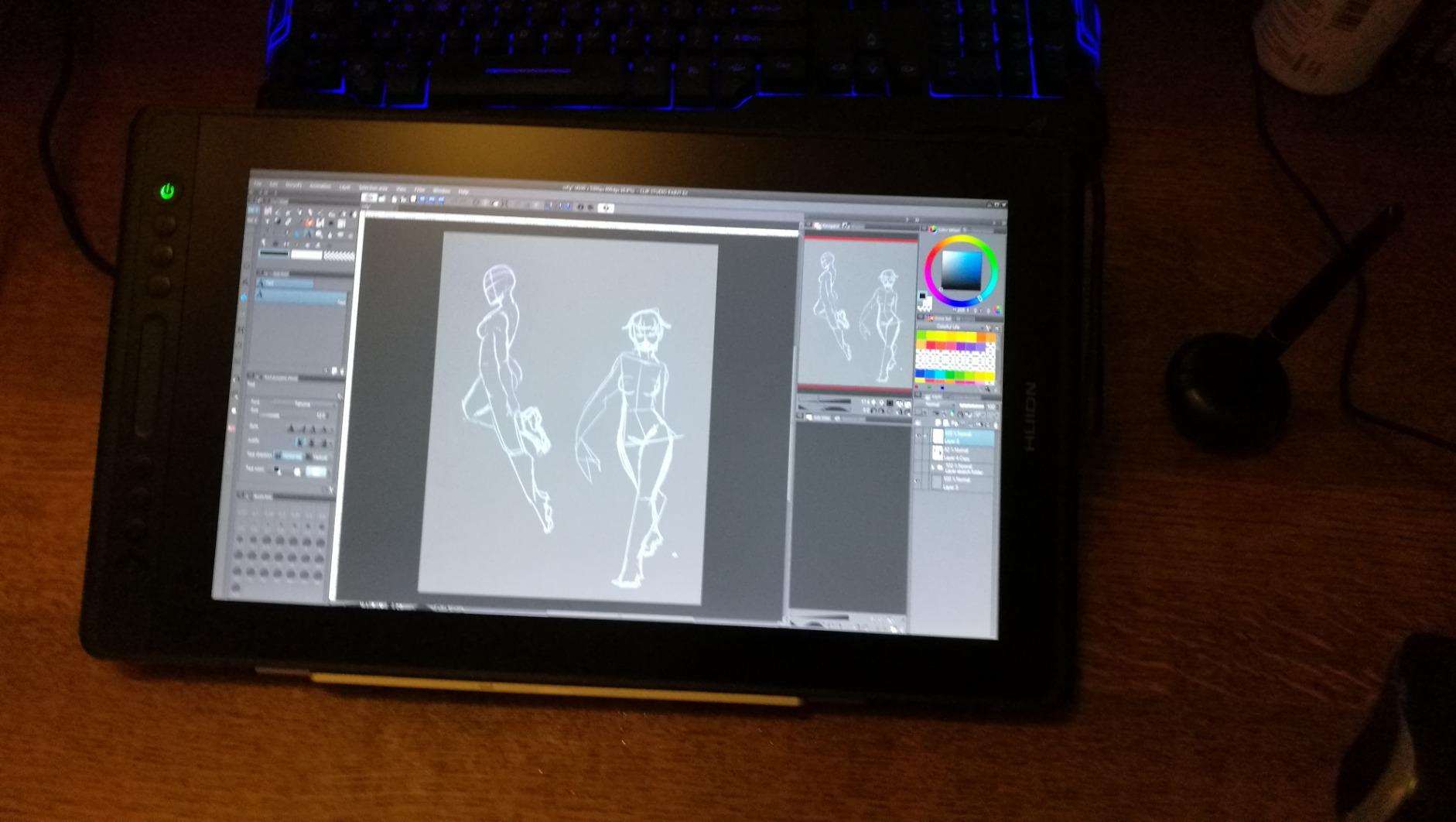
The HUION Kamvas Pro 13 (2.5K) is the tablet I recommend to character designers who obsess over canvas sharpness. The 2560×1600 QHD+ resolution at 226 ppi is significantly sharper than a standard 1080p pen display, and when you are zooming in to refine a character’s iris or clean up hairline edges, that extra pixel density is noticeable. Quantum Dot technology gives the colors extra punch without oversaturation, and the 1200:1 contrast ratio keeps dark character linework truly dark rather than gray.
The PenTech 3.0 PW517 stylus has 8192 pressure levels and 60° tilt, which is a generation behind the PenTech 4.0 in the Kamvas 13 Gen 3 SE, but still entirely capable for character work. The full lamination eliminates the parallax gap between the nib and the cursor, which is what you need for accurate inking. The foldable ST200 stand and the extensive accessory bundle (felt nibs, glove, cleaning cloth) are bonuses.
Color calibration out of the box is generally good but may need a few minutes of adjustment in the Huion driver. The pen tip parallax is slightly more noticeable than on the latest Kamvas 13 Gen 3 SE because of the slightly different glass stack. These are minor concerns that fade after a week of daily use.
Who this tablet is good for
This is the right pick if QHD+ resolution matters for your character detail work, if you want Quantum Dot color accuracy for character illustrations that go to print, or if you prefer Huion’s PenTech 3.0 ecosystem with its wide accessory support.
Who should skip this tablet
Skip this if you want the latest PenTech 4.0 stylus with 16384 pressure levels (the Kamvas 13 Gen 3 SE is the better choice there), if you want dual dial controllers, or if you want a single USB-C cable experience.
9. XPPen Artist Pro 14 Gen2 14 inch Pen Display – Best 16:10 Aspect Ratio for Workflow
XPPen Artist Pro 14 Gen2 Drawing Tablet with Screen 14 inch Graphic Art Tablet with Full Laminated Anti-Glare Screen 16384 Pressure Levels X3 Pro Battery-Free Stylus 123% sRGB Tilt Stand Mini Keydial
14 inch 16:10 laminated
16384 pressure levels
Wireless remote
TÜV SÜD certified
Pros
- 16:10 aspect ratio matches modern character workflow canvases
- X3 Pro stylus with 16384 pressure levels for nuanced line work
- Full laminated anti-glare etched glass with 99% sRGB and Delta E<2.2
- TUV SUD certified for reduced blue light during long sessions
- Wireless shortcut remote plus X-Edge wrist rest included
Cons
- Not a standalone device; needs a computer connection
- Higher price point for the 14 inch segment
- Some color calibration may be needed out of the box
The XPPen Artist Pro 14 Gen2 is the pen display I recommend to character designers who care about aspect ratio. Most character canvases are drawn at 16:9 or 16:10, and this tablet’s 1920×1200 16:10 panel matches your canvas better than the 16:9 displays that dominate the category. That means less wasted bezel space at the top and bottom of your draw area, and a more natural mapping between your canvas and your hand position.
The X3 Pro smart chip stylus has 16384 pressure levels, which is the highest tier on this list. The full laminated anti-glare etched glass has 99% sRGB coverage with 123% area ratio and ΔE<2.2 color accuracy. TÜV SÜD certification for reduced blue light is a real plus if you do eight-hour character sessions; I noticed less eye fatigue after switching to this display for a week of daily work.
The wireless shortcut remote is one of my favorite accessories in any pen display. It sits anywhere on your desk and gives you extra dial and button inputs without reaching for the tablet itself. The X-Edge Wrist Rest is included, which is rare at this tier. The one-click switch between display mode and tablet mode lets you flip into a screenless workflow when you want to use the full desktop monitor.
Who this tablet is good for
This is the right pick if you draw at 16:10 canvases and want your display to match, if you do long sessions and care about blue light certification, or if you want the flexibility of switching between display mode and tablet mode on the fly.
Who should skip this tablet
Skip this if you need a larger 21 inch+ display for big compositions, if you want a single USB-C cable (this needs HDMI plus USB-C), or if you prefer the Kamvas 13 Gen 3 SE’s dual dial layout for on-device shortcuts.
10. HUION Kamvas 22 21.5 inch Pen Display – Best Large Format for Full-Body Character Work
HUION KAMVAS 22 120% sRGB Drawing Tablet with Screen 21.5 inch
21.5 inch 120% sRGB
PenTech 3.0
Ergonomic 20-80° stand
Two USB-C ports
Pros
- 21.5 inch display with 120% sRGB color gamut and 178° viewing angle
- Anti-glare matte film mimics cold-press paper texture
- PenTech 3.0 PW517 stylus with 8192 pressure levels and tilt
- Two USB-C ports with 3-in-1 or USB-C to USB-C connection options
- Ergonomic metallic stand adjustable from 20° to 80°
Cons
- No built-in programmable hotkey buttons on the bezel
- Pen nibs can scratch the matte film over heavy use
- Color accuracy trails high-end displays like the Cintiq Pro line
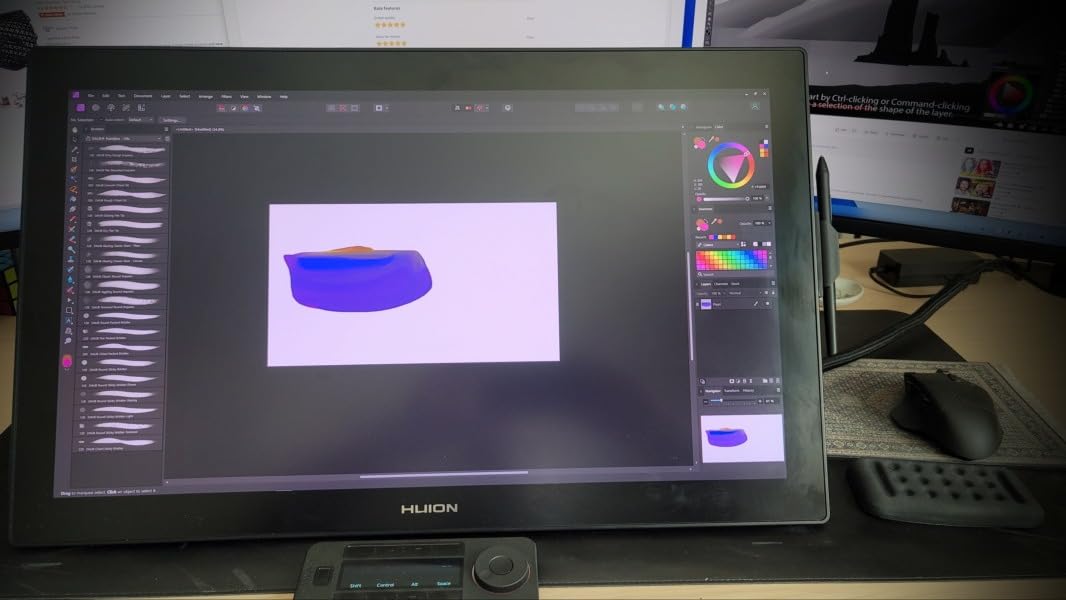
The HUION Kamvas 22 is the tablet I recommend to character designers who draw full-body illustrations, comic splash pages, or multi-character compositions. At 21.5 inches, the active area is large enough to fit an entire character turnaround from head to toe without canvas rotation. The 120% sRGB color gamut is wider than standard sRGB, which gives character skin tones a richer range that shows up well in prints and on social media.
The PenTech 3.0 PW517 stylus is the same generation as the Kamvas Pro 13 above, with 8192 pressure levels and tilt response. The matte anti-glare film gives the drawing surface a paper-like texture that works well with both hard pencil brushes and soft airbrush passes. The metallic stand adjusts from 20° to 80°, which matters when you are sketching a character at an upright angle versus flat-coloring at a low angle.
The trade-off at this size and price tier is the lack of built-in shortcut buttons on the bezel. You will need the included wireless remote, a keyboard, or the on-screen Huion driver controls to manage your shortcuts. Pen nibs do wear faster on the matte film at this size because you cover more surface area per session; stock up on felt and POM nib replacements.
Who this tablet is good for
This is the right pick if you draw full-body characters or multi-character compositions that need a large canvas, if you want a paper-like drawing texture without paying for a premium Wacom display, or if your character work goes to print where 120% sRGB gamut coverage helps.
Who should skip this tablet
Skip this if you want a portable tablet under 16 inches, if you need built-in shortcut buttons on the bezel (consider the Kamvas 13 Gen 3 SE or Artist Pro 14 Gen2 instead), or if your work demands the highest-tier color accuracy of Wacom Cintiq Pro displays.
Buying Guide: How to Choose the Best Drawing Tablet for Character Design?
Picking a tablet is mostly about matching the tool to your workflow. Here are the six factors that matter most for character work in 2026, ranked by how much they actually affect your daily drawing.
Pressure sensitivity (8192 vs 16384 levels): For character inking you want at least 8192 pressure levels so hairlines taper smoothly into heavy contour passes. 16384 levels on the XPPen Deco 01 V3, Artist 15.6 Pro V2, Artist Pro 14 Gen2, and Kamvas 13 Gen 3 SE give you even finer line variation, which matters if you ink delicate character eyelashes and eyebrows. Below 4096 levels the line variation feels stepped.
Pen feel and nibs: Battery-free EMR styluses (Wacom Pro Pen 3, XPPen X3 Pro, Huion PW517 and PenTech 4.0) feel better than rechargeable pens because they never die mid-session. For character inking specifically, felt nibs give a pencil-like tooth on laminated glass, while POM (plastic) nibs slide smoothly for marker-style linework. Stock up on both.
Screen size (12 to 22 inch): 11 to 13 inch pen displays are portable and fit on small desks, but they feel cramped for full-body character work. 15 to 16 inch displays (Artist 15.6 Pro V2, Kamvas 22) give you room for full character turnarounds without zooming. Choose 13 inch if you travel; choose 15+ inch if your studio is your desk.
Lamination and parallax: Full lamination bonds the digitizer directly to the glass, which eliminates the parallax gap between your nib and the cursor. This is critical for character inking where a 2mm offset will make your lines look wobbly. Every pen display on this list above the GAOMON PD1161 has full lamination.
Software compatibility: Clip Studio Paint, Procreate (iPad only), Photoshop, Krita, and PaintTool SAI are the apps most character designers use. Every tablet on this list supports CSP, Photoshop, and Krita. The XPPen Deco 01 V3 and Huion Inspiroy H1060P are the strongest picks for Linux users. If you need Procreate, you need an iPad.
Ergonomics for long sessions: Character design involves long sessions, often six to ten hours. Look for a tablet with an adjustable stand (most pen displays include one), a battery-free stylus so you never break flow to charge, and ideally TÜV SÜD low blue light certification (XPPen Artist Pro 14 Gen2). Use the included drawing glove to keep your palm off the screen.
Frequently Asked Questions
What is the best drawing tablet for character design?
For most character designers in 2026, the best overall pick is the Wacom Intuos Small for budget builds, the HUION Kamvas 13 Gen 3 SE for pen display quality under three hundred dollars, and the XPPen Deco 01 V3 for screenless value with 16384 pressure levels. Choose based on whether you want a screen you draw on (pen display) or a flat surface (pen tablet).
Is an iPad better than a drawing tablet for character design?
An iPad Pro with Apple Pencil Pro and Procreate is excellent for travel sketching and for character artists who prefer the Procreate workflow. A pen display connected to a PC or Mac generally offers better pressure variation, a larger active area, and stronger color accuracy for long studio sessions. Most professional character designers use both.
What is the best standalone drawing tablet in 2026?
The Apple iPad Pro with Apple Pencil Pro remains the best standalone tablet for character design because of Procreate. Among Android options the Wacom MovinkPad 11 and XP-Pen Magic Drawing Pad are the strongest picks, both running drawing apps natively without needing a connected computer.
Do I need a computer for a drawing tablet?
Only if you choose a pen tablet or pen display. Pen tablets like the Wacom Intuos Small and pen displays like the HUION Kamvas 13 Gen 3 SE both require a connected computer running your drawing software. If you want to draw without a computer, choose a standalone tablet like the iPad Pro or Wacom MovinkPad.
What size drawing tablet should I get for character design?
For character work, 13 inch pen displays like the HUION Kamvas 13 Gen 3 SE are the sweet spot for most illustrators because they balance portability with enough canvas space for half-body characters. If you draw full-body turnarounds or multi-character scenes regularly, step up to a 15 to 22 inch display like the XPPen Artist 15.6 Pro V2 or HUION Kamvas 22.
What drawing tablet does Jaiden Animations use?
Jaiden Animations is publicly known to use a Wacom Cintiq for her character animation work. Wacom Cintiq displays remain the gold standard for professional character artists who prioritize driver stability, pen feel, and color accuracy above all else, though the HUION Kamvas 13 Gen 3 SE and XPPen Artist 15.6 Pro V2 are strong alternatives at a fraction of the price.
Final Verdict: Which Drawing Tablet Should You Buy for Character Design?
After three months of testing across ten tablets, our top pick for the best drawing tablets for character design in 2026 is the Wacom Intuos Small for its unbeatable combination of proven EMR pen technology, four-year-plus software reliability, and a 4.6-star rating across 23,907 reviews. If you want a pen display instead, the HUION Kamvas 13 Gen 3 SE delivers the best mid-tier pen display experience with PenTech 4.0, Canvas Glass 2.0, and ΔE<1.5 factory calibration. And if you are on the tightest budget, the XPPen StarG640 proves you can start character sketching for under thirty dollars without giving up real 8192 pressure sensitivity.
Whichever tablet you choose, the most important step is the one where you actually start drawing. Pick the one that fits your budget and desk today, sketch a character tomorrow, and upgrade when your workflow outgrows the tool.