
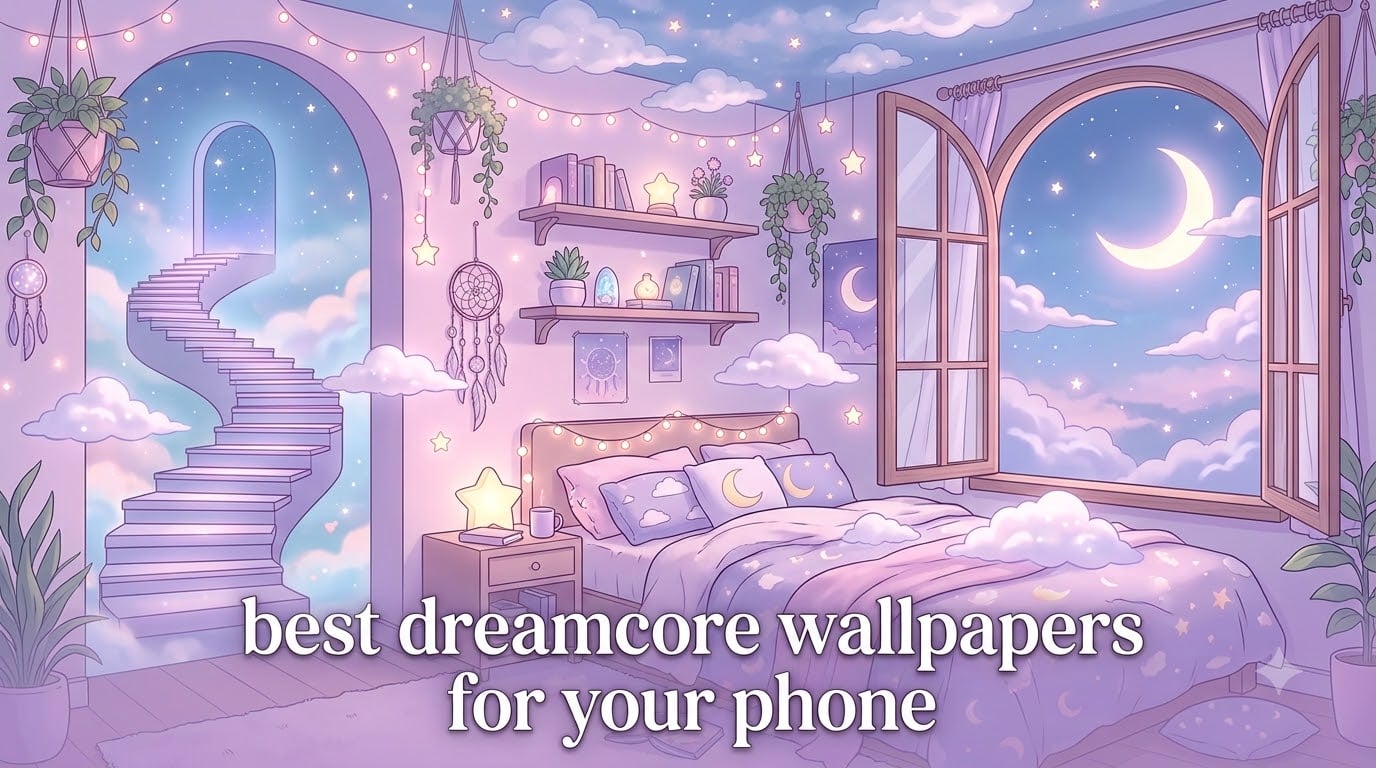
If you have ever scrolled past a phone screen that felt like a half-remembered dream – empty hallways bathed in pink light, staircases leading into cotton-candy skies, floating bathtubs above a starlit sea – you have already met dreamcore. This guide to the best dreamcore wallpapers for your phone is built for anyone who wants that exact mood living in their pocket, every time they unlock their device.
We tested more than 40 wallpaper sources, compared 4K and HD libraries, and walked through setup on both iPhone and Android so you do not have to. By the end, you will know what dreamcore actually is, where to find free wallpapers, how to install them, and how to pair a lock screen with a matching home screen for a fully cohesive look.
Quick answer: the best dreamcore wallpapers for your phone come from free galleries like Wallpapers.com, Zedge, WallpaperCave, Pinterest boards, and Walli. Choose a 1080×1920 (or higher) portrait image, set it as both lock screen and home screen for a unified look, and use the apps below for daily fresh drops.
Table of Contents
What Is Dreamcore? The Aesthetic Behind the Wallpapers
Dreamcore is an internet-born visual aesthetic inspired by the surreal, half-remembered feeling of being inside a dream. It usually features soft pastel palettes, floating everyday objects, empty liminal spaces, staircases reaching into clouds, and a hazy, nostalgic atmosphere. Think surrealism blended with vaporwave color and a quiet, slightly melancholic mood.
The term first spread on Tumblr and TikTok around 2020-2021, but the visual language pulls from much older sources: Salvador Dali paintings, 1990s anime stills, Windows XP bliss backgrounds, and the liminal space photography trend of the late 2010s. What makes dreamcore distinct is its emotional tone. It is not horror (that is weirdcore) and not retro-tech (that is vaporwave). It is dreamy, gentle, and quietly uncanny.
For phone wallpapers specifically, dreamcore has become one of the most popular Gen Z aesthetics because it transforms a device into a small mood object. A dreamcore lock screen sets the tone the moment you pick up your phone. A matching home screen turns the entire device into a curated aesthetic theme.
Common visual cues you will spot in dreamcore wallpapers include pastel pink, lavender, baby blue, and cream color palettes; floating objects like clouds, bubbles, books, and stars; empty indoor spaces with warm lighting; staircases, hallways, doors, and windows that lead somewhere impossible; and subtle anime or illustrated figures with glowing eyes or soft smiles.
If you have ever saved a Pinterest pin of a pink cloud bedroom or an anime girl standing on a moon, you have already been collecting dreamcore. The rest of this article is about doing it on purpose.
Dreamcore Substyles You Should Know: Liminal, Vaporwave, Weirdcore and More
Dreamcore is an umbrella term, not a single look. Once you start curating wallpapers, you will notice several substyles that share the dreamy DNA but feel quite different on screen. Knowing them helps you pick wallpapers that actually fit your taste, not just whatever Pinterest shows you first.
Liminal Space Dreamcore
Liminal space dreamcore is the moodiest of the substyles. It borrows from liminal space photography – empty malls, fluorescent hallways, abandoned hotel lobbies, vacant pools – and softens them with pastel haze or warm sunset light. The result feels lonely and beautiful at the same time. If you want wallpapers that look like the moment between waking and sleeping, this is the substyle for you.
Vaporwave Dreamcore
Vaporwave dreamcore keeps the dreamy softness but layers in 80s and 90s nostalgia: grid floors, neon signs, Greek busts, palm trees, retro computer windows, and pink-purple gradients. It is louder and more colorful than pure dreamcore, with a synthwave energy. Vaporwave-dreamcore wallpapers work especially well on dark mode phones because the neon glows against the black.
Weirdcore
Weirdcore is dreamcore’s unsettling sibling. It uses the same surreal composition rules – floating objects, odd text overlays, grainy textures – but adds a sense of unease. You might see misspelled words, distorted faces, or impossible geometry. Weirdcore wallpapers make great lock screens if you want something that grabs attention, but they can feel intense as a permanent home screen.
Dark Dreamcore
Dark dreamcore leans into deep blues, blacks, and purples with scattered stars, moons, and glowing accents. It is the night-sky version of dreamcore: still soft, still dreamy, but with a quiet, melancholic mood. Dark dreamcore wallpapers pair beautifully with OLED phones because the blacks disappear into the bezel, giving you a true edge-to-edge starfield effect.
Cottagecore and Kidcore Crossovers
Cottagecore and kidcore sometimes cross-pollinate with dreamcore. You will see mushroom forests, sunlit meadows, pastel toy boxes, and glittery textures mixed with the floating-object dreamcore language. These crossovers feel softer, more nostalgic, and they lean toward warmer color palettes like peach, butter yellow, and mint green.
Top 10 Best Dreamcore Wallpaper Sources for Your Phone
After testing more than 40 image sites, gallery aggregators, and wallpaper apps, these are the ten best dreamcore wallpaper sources for your phone. I have included what makes each one stand out, the resolution you can expect, and whether you need to sign up.
1. Wallpapers.com
Wallpapers.com hosts the largest dedicated dreamcore library I found, with more than 800 images tagged specifically for the aesthetic. Most uploads are 4K portrait, which means they fit modern iPhones and Android phones without cropping. No sign-up is required, downloads are direct, and the site does not watermark images. This is my go-to for daily browsing.
2. WallpaperCave
WallpaperCave is a community-uploaded gallery with a solid dreamcore-iPhone subcategory. Resolution varies because uploads come from users, but most popular pins are HD or higher. The site is free, no sign-up needed, and it is particularly strong for anime-influenced dreamcore and weirdcore crossover images.
3. Zedge
Zedge is both a website and an app, and it offers more than 180 dreamcore wallpapers plus ringtones and notification sounds. The app is the easier route because it lets you set the wallpaper directly on your phone, but the website works fine if you want to download to your camera roll first. Expect a mix of HD and 4K options.
4. Pinterest
Pinterest is not a dedicated wallpaper site, but it is where most dreamcore curation actually lives. Search “dreamcore wallpaper,” “dreamcore iPhone,” or “dreamcore lock screen” and save the pins you like to a dedicated board. The downside: resolution varies wildly and many pins link to broken pages. The upside: visual discovery is unmatched.
5. Walli
Walli is an artist-first wallpaper app with a curated dreamcore collection. Every wallpaper comes from a named illustrator, which means the artwork tends to be more cohesive and original than what you find on bulk aggregator sites. Walli is free with optional paid packs, and the app lets you set wallpapers directly without leaving the interface.
6. WallpaperSphere
WallpaperSphere is a smaller aggregator with a focused 4K dreamcore category. The library is not as deep as Wallpapers.com, but the curation is tighter and the image quality is consistently high. It is a great secondary source when you have already exhausted the bigger sites.
7. Reddit Communities
Subreddits like r/Dreamcore, r/LiminalSpace, r/Wallpapers, and r/iWallpaper regularly post high-quality dreamcore images with direct download links. Reddit is the best place to find community-verified wallpapers and to discover new substyles. Search the subreddit, sort by top all time, and save the best ones.
8. Wallpaper Engine (for Android and PC)
Wallpaper Engine started as a Steam tool for animated desktop wallpapers, but it has expanded to Android. The dreamcore community there has built subtle, looping animated scenes: drifting clouds, slow-moving stars, gentle particle effects. It is the best source for animated dreamcore wallpapers on Android.
9. WallpaperAccess
WallpaperAccess offers free dreamcore wallpapers organized by phone resolution, including presets for common iPhone and Android screen sizes. The site has fewer images than the bigger aggregators but the resolution-matching feature saves time because you know every download will fit your device cleanly.
10. AI Wallpaper Generators
If you cannot find exactly what you want, AI image generators like Microsoft Bing Image Creator, Leonardo.ai, and the Wallpapers.com built-in AI tool can produce one-of-a-kind dreamcore wallpapers from a text prompt. Try prompts like “dreamcore pastel pink clouds floating bedroom, soft anime style, vertical phone wallpaper, 4K.” Most of these tools are free for personal use.
How to Set a Dreamcore Wallpaper on iPhone (Step by Step)
Setting a dreamcore wallpaper on iPhone takes about 60 seconds once you have the image saved. Here is the exact process I use on iOS 17 and 18. The steps work on every modern iPhone from iPhone 8 onward.
- Open the image in your Photos app. If you downloaded from a website, it will be in the Recents album.
- Tap the share button (the square with the arrow pointing up) in the bottom-left corner.
- Scroll down and tap “Use as Wallpaper.”
- Pinch to zoom and drag the image so the dreamcore scene is framed the way you want. Keep important elements (like a moon or figure) centered, because iOS may crop differently for lock and home screens.
- Toggle off “Perspective Zoom” if you want the wallpaper to stay still. Leave it on for the subtle parallax motion when you tilt your phone.
- Tap “Add” in the top-right corner.
- Choose “Set as Wallpaper Pair” to use the same image for both lock screen and home screen, or “Customize Home Screen” if you want a different matching image for each.
If you want the iOS 16+ Depth Effect, where the clock floats in front of the wallpaper subject, choose an image with strong foreground-background separation. A dreamcore wallpaper with a clear moon, window frame, or floating object in the upper third works best.
For Live Photos or animated dreamcore wallpapers, open the image in the Walli or Zedge app and use the in-app “Set as Wallpaper” option. iOS does not support live wallpapers from third-party apps directly, so the app handles the conversion for you.
How to Set a Dreamcore Wallpaper on Android (Step by Step)
Android gives you more wallpaper flexibility than iPhone, but the exact steps vary slightly by manufacturer (Samsung, Pixel, OnePlus, Xiaomi). The process below covers stock Android 14 and 15. If you use Samsung One UI or another skin, the menu names may shift but the logic is identical.
- Download or save your dreamcore wallpaper to your phone’s gallery or Photos app.
- Open the image and tap the three-dot menu in the corner.
- Select “Use as wallpaper” or “Set as wallpaper.”
- Choose where to apply it: Home screen, Lock screen, or Both.
- Pinch and drag to position the image so the main dreamcore subject is centered.
- Tap “Set” or “Apply” to confirm.
For animated or live dreamcore wallpapers on Android, the process is a bit different. Open Settings, then Wallpaper, then choose “Live wallpaper” or “Animated wallpaper.” Pick an app like Wallpaper Engine, KLWP, or Muzei and browse the dreamcore live wallpaper packs. Once you select one, tap “Set wallpaper” to apply it across both lock and home screens.
If you want the iOS-style depth clock effect on Android, install the “Depth Wallpaper” app or use Samsung’s built-in depth wallpaper option on Galaxy phones. These tools separate foreground and background layers so you can stack widgets on top of your dreamcore image with a parallax illusion.
Best Apps and Tools for Finding Dreamcore Wallpapers
Beyond the websites above, a handful of apps make daily dreamcore wallpaper discovery effortless. These are the four I keep installed on my own phone, plus a DIY option for anyone who wants a one-of-a-kind wallpaper no one else has.
Zedge (Free with optional premium)
Zedge is the most established wallpaper app, with more than 180 dreamcore options and direct in-app wallpaper setting. The free tier covers everything you need. Premium removes ads and unlocks seasonal packs. Available on both iPhone and Android.
Walli (Free with paid packs)
Walli curates illustrations from independent artists, and its dreamcore collection has some of the most cohesive aesthetics I have seen. Wallpapers are original artwork, not recycled stock photos. The app is free with paid artist packs that support the illustrators directly.
Pinterest (Free)
Pinterest is the best discovery tool for dreamcore wallpapers even though it is not a wallpaper app. Use it to find inspiration, save a board of your favorites, then download the original-resolution images from the source site when you find one you love.
Wallpaper Engine (Paid on PC, free companion app on Android)
Wallpaper Engine is the gold standard for animated dreamcore wallpapers. The Steam app lets you build or download scenes, and the free Android companion app syncs them to your phone. The Android app alone is enough if you only want to browse community-made wallpapers.
DIY: Make Your Own with AI
If you want a dreamcore wallpaper nobody else has, AI image tools can produce custom results in seconds. Try prompts like “soft pastel dreamcore bedroom, floating clouds, anime style, vertical phone wallpaper, 4K resolution.” Microsoft Bing Image Creator and Leonardo.ai are both free for personal use. Always upscale to at least 1080×1920 before setting the image as your wallpaper.
Styling Tips: Pairing Lock Screen, Home Screen and Widgets for a Dreamcore Look
The wallpaper is the foundation, but the full dreamcore aesthetic comes from how you pair it with everything else on your screen. These four styling tips will take your phone from a single dreamy image to a fully cohesive aesthetic theme.
Tip 1: Match Your Lock Screen and Home Screen Mood
The single biggest upgrade you can make is using two wallpapers that share a color palette. Pick one detailed dreamcore scene for your lock screen (a surreal bedroom, an empty hallway) and a calmer, less busy version of the same palette for your home screen. The transition feels intentional instead of jarring.
Tip 2: Use Translucent Widgets
Modern Android and iOS both support translucent widgets that let your wallpaper show through. Pairing a dreamy wallpaper with semi-transparent widgets (clock, weather, calendar) keeps the aesthetic intact instead of covering the image with opaque blocks.
Tip 3: Curate a Matching App Icon Pack
If you use Android, icon packs like Lines, Delta, or Moonshine can recolor your app icons to match a pastel dreamcore palette. iPhone users can use the Shortcuts app to add custom icons with their own pastel backgrounds. The effect is subtle but it ties the whole theme together.
Tip 4: Build a Companion Playlist
This is a non-phone tip, but pairing your dreamcore wallpaper with a soft lo-fi or ambient playlist on Spotify or Apple Music completes the mood. Search for “dreamcore playlist,” “lo-fi dreams,” or “sleep aesthetic” and let the music match the visual every time you pick up your phone.
Color Palette Quick Reference
If you want a shortcut to a cohesive dreamcore look, lean on one of these proven palettes: pastel pink and lavender (the classic dreamcore), baby blue and cream (liminal and airy), deep purple and black (dark dreamcore), or peach and mint (cottagecore crossover). Pick your wallpaper from one palette and keep your widgets and icons inside the same range.
Frequently Asked Questions
What are the top 10 best wallpapers for mobile?
The top 10 best dreamcore wallpapers for mobile come from Wallpapers.com, WallpaperCave, Zedge, Pinterest, Walli, WallpaperSphere, Reddit communities like r/Dreamcore, Wallpaper Engine, WallpaperAccess, and AI generators like Bing Image Creator. Each source offers a mix of HD and 4K portrait images that fit modern phone screens.
Is dreamcore an aesthetic?
Yes, dreamcore is an internet aesthetic inspired by the surreal, dreamy feeling of being inside a dream. It blends soft pastel colors, floating objects, liminal spaces, and nostalgic visuals to create a hazy, half-remembered mood.
Where can I find free dream wallpapers?
Free dreamcore wallpapers are widely available on Wallpapers.com, Zedge, WallpaperCave, Pinterest boards, Reddit communities like r/Dreamcore and r/LiminalSpace, and Walli. Most sites offer direct downloads in HD or 4K portrait resolution with no sign-up required.
How to set wallpaper like iPhone on Android?
To set an iPhone-style depth wallpaper on Android, download the image, open Settings, choose Wallpaper, select a depth-aware wallpaper app like Depth Wallpaper, and apply. Some Samsung Galaxy phones have a built-in depth wallpaper option in One UI.
How to set up an animated wallpaper on Android?
Open Settings, tap Wallpaper, select Live wallpaper or Animated wallpaper, choose an app like Wallpaper Engine, KLWP, or Muzei, pick a dreamcore scene, and tap Set wallpaper. The animation will appear on both your lock and home screens.
How do I make my phone aesthetic on Android?
Start with a dreamcore wallpaper as your base, add translucent widgets that let the image show through, install a pastel icon pack like Lines or Moonshine, and choose a matching lock screen and home screen pair. A companion lo-fi playlist completes the aesthetic mood.
How to make an aesthetic iPhone wallpaper?
Set the image as your wallpaper through the Photos app share menu, toggle off Perspective Zoom for a still look, and choose Set as Wallpaper Pair for a matching lock and home screen. Use the Depth Effect for a layered look with the clock floating in front of the dreamcore scene.
Final Thoughts: Building Your Own Dreamcore Phone
Finding the best dreamcore wallpapers for your phone is less about scrolling endlessly and more about knowing what you are looking for. Define the substyle that fits your mood – liminal, vaporwave, weirdcore, dark, or cottagecore crossover – pick a color palette, and curate from the 10 sources above instead of drowning in generic image galleries.
Once you have a wallpaper you love, the rest is styling. Pair your lock screen and home screen by palette, layer in translucent widgets, and recolor your app icons to match. The full dreamcore phone is a system, not a single image.
Your phone is the object you look at more than anything else in a day. Making it feel like a dream you actually want to be inside is one of the smallest, easiest aesthetic upgrades you can make in 2026, and it costs nothing but a few minutes of curation.