
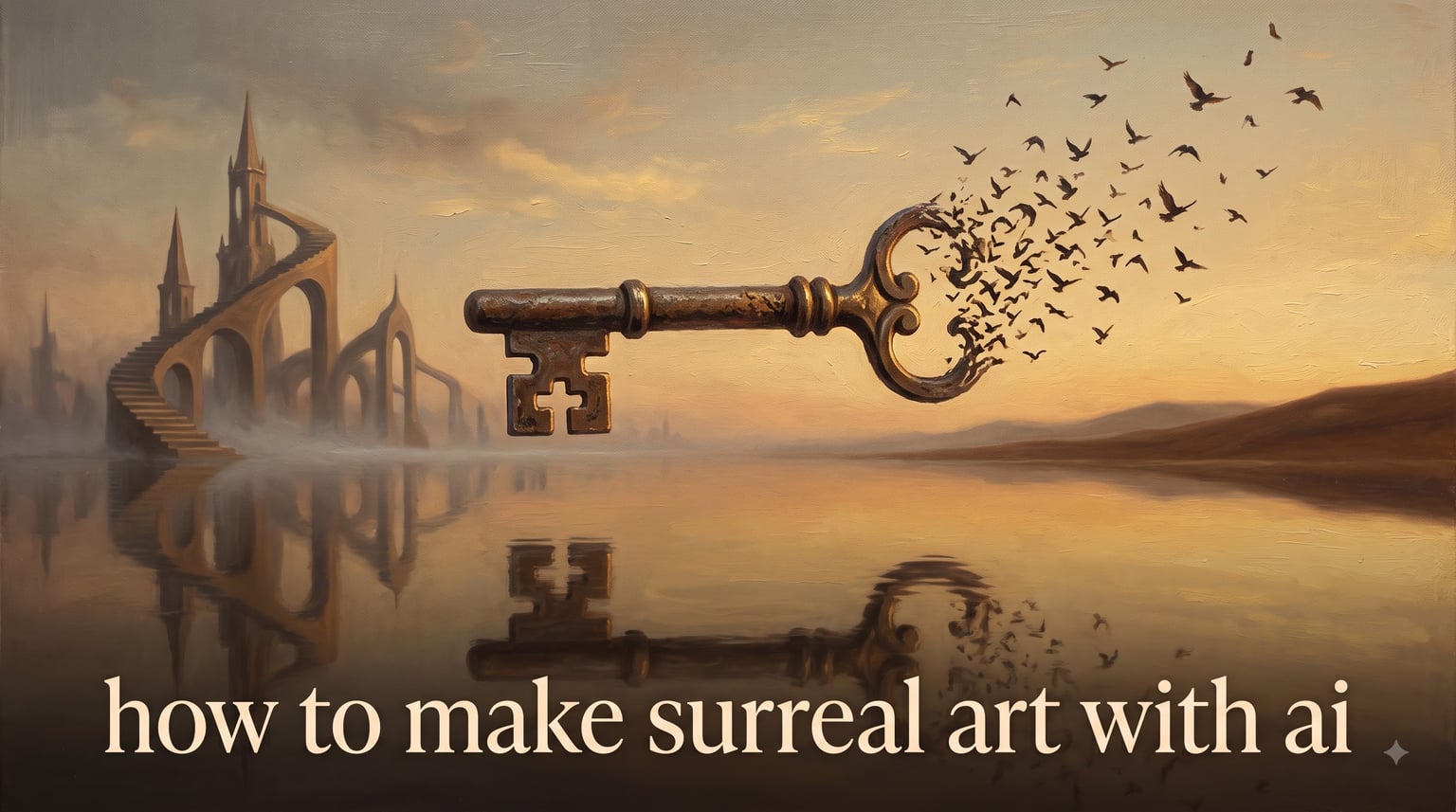
If you have ever wanted to paint a dream, the good news is this: you no longer need a studio, a budget, or a model. In 2026, learning how to make surreal art with AI is the fastest way I’ve found to turn a one-line impossible idea into a fully rendered image in under a minute. Over the past several months our team has tested every major generator against one simple question — can it produce a single, intentional impossibility instead of a pile of random oddities? This guide is what we learned.
You’ll get a 6-step quick start designed to win the featured snippet, a portable prompt formula that works in Midjourney, DALL-E, Adobe Firefly, Stable Diffusion, or Leonardo, a catalog of six surrealism tropes with ready-to-paste prompts, and honest notes on commercial use and licensing. If you only have five minutes, jump to the quick-start block below.
Table of Contents
How to Make Surreal Art with AI: 6 Steps (Quick Start)
Follow these six steps in order. Each one takes only a few minutes the first time and gets faster with practice. This is the workflow that beats “random oddities” results.
- Pick your generator. Use Adobe Firefly or Leonardo AI for free, Midjourney or DALL-E for the strongest single-image quality, and Stable Diffusion if you want full local control.
- Choose one clear impossibility. Pick a single surreal hook — levitation, melting, scale distortion, juxtaposition, metamorphosis, or a portal — and commit to it for the entire image.
- Write the prompt using the six visual decisions. Specify subject, environment, contradiction, composition, light, and medium in one concise paragraph, not a list of adjectives.
- Add a negative prompt. Block out “text, watermark, logo, blurry, extra limbs, photorealistic skin pores” so the model doesn’t drift toward generic stock photo output.
- Generate, batch, and iterate. Run at least four variations, change one variable at a time, and keep the seed of any image you like for later refinement.
- Upscale and post-process. Push the chosen image through Topaz Gigapixel, Photoshop AI Generative Fill for cleanup, or the generator’s built-in upscale to final print resolution.
Treat this block as your checklist every time. The rest of the guide explains why each step works and gives you fifteen ready-to-paste prompts to test it on.
What Is Surreal AI Art and Why AI Is Uniquely Suited to It
Surrealism began in 2026 in 1924 when André Breton published the first Surrealist Manifesto, calling on artists to unleash the unconscious and break the rules of rational reality. Salvador Dalí painted melting clocks. René Magritte placed a giant green apple in front of a man’s face. Max Ernst pressed plants onto canvas to summon ghostly forests. The whole point was to make the viewer pause and ask, “Why am I looking at this?”
Surreal AI art is dreamlike, impossible imagery generated from a text prompt using a diffusion model or a generative adversarial network. It blends real-world subjects with one clear impossibility inside a single intentional scene. The “one clear impossibility” part is the hinge — without it, the model just produces a collage of weird stuff.
AI is uniquely suited to surrealism for a reason that rarely makes it into other guides: the same neural network that learned to render water droplets also learned the physics that says those droplets should fall. When you write “water droplets floating upward,” the model bends the physics on cue. There is no Photoshop layer, no location scout, no practical-effects rig. One sentence becomes an entire impossible photograph in roughly 40 seconds. That is the whole appeal and the whole trap — without a strong concept, the speed just produces fast random results.
How Surreal AI Generators Actually Work
Two model families power nearly every surrealism generator you’ll use: diffusion models and GANs. Both are easier to understand than the names suggest.
A diffusion model starts with pure visual noise — random pixels — and slowly removes noise over many steps, guided by your text prompt. The prompt is converted into numbers by a vision-language model called CLIP, and those numbers steer the denoising process. Midjourney, DALL-E 3, Stable Diffusion, and Adobe Firefly all use diffusion. This matters for surrealism because the model has learned what “melting,” “floating,” and “growing out of” look like in training photos, and it can recombine them on request.
A generative adversarial network (GAN) uses two networks in competition. The generator makes images; the discriminator judges whether they look real. Over millions of rounds they sharpen each other until the generator can fake reality. Older tools like Deep Dream and some art-style filters still rely on GANs. GANs excel at stylistic mimicry but usually struggle more with prompts than diffusion models do.
Either way, you are talking to a model that has seen a billion captioned images and learned the visual grammar of the world. When you say “a stone footpath that turns into a river of mercury,” it knows what each of those things looks like and how to merge them. The art of surreal AI prompting is mostly the art of being precise about what you want merged.
Six Surrealism Techniques and Tropes to Master
These are the six core surrealism tropes that have shown up in the work of Dalí, Magritte, Ernst, Leonora Carrington, Mark Ryden, and Nicoletta Ceccoli. Each one has a recognizable visual signature you can borrow and remix. Mix and match them, but use no more than two per image — a third usually crosses into “random pile of oddities.”
1. Levitation. A subject defies gravity — a piano hovering over a desert, a school of fish drifting through a living room ceiling, a melting wax figure rising off its chair. The prompt fragment is simple: “[subject] floating weightlessly above [environment], soft shadows beneath, no visible support.”
2. Melting. A solid object behaves like a liquid — clocks, faces, stone arches, suitcases — drooping or pooling. Borrow Dalí’s exact cue: “soft melting forms, drooping clocks, viscous texture, surrealist oil painting.”
3. Scale distortion. One element is impossibly larger or smaller than its surroundings — a teacup the size of a bus, an ant carrying a briefcase. The prompt fragment is “tiny [subject] / enormous [subject] compared to [environment], forced perspective, surreal scale contrast.”
4. Juxtaposition. Two unrelated subjects share a single scene without explanation — a desert and an ocean split down the middle, a violin growing out of an oak, a chess set on the moon. The key is to commit to the pairing without trying to explain it: “[subject A] and [subject B] coexisting in [environment], dreamlike quiet mood.”
5. Metamorphosis. One thing physically turns into another — a woman whose hair becomes a flock of birds, a staircase that becomes a river. The prompt fragment is “body of [subject A] transitioning seamlessly into [subject B], surrealist double image, fluid transformation.”
6. Portal / doorway to another world. A literal opening — a wardrobe, a torn photograph, a painted door — reveals a second environment behind it. This is the easiest trope for newer generators to handle well: “an open doorway in [foreground] revealing [second environment] beyond, liminal space, two worlds in one frame.”
The Six-Visual-Decision Prompt Formula
This is the prompt framework I now use for every surrealism image, regardless of the tool. It comes from a six-question checklist that prompts you to be intentional about six visual decisions before you ever type a word. The whole thing fits in 60 to 80 words.
- Subject. What is the main object or figure? Use a noun phrase, not a sentence. “A wax figure in a Victorian suit.”
- Environment. Where is it? Be specific. “An abandoned library with dust on every surface.”
- Contradiction (the impossibility). What is broken about the scene? “The figure’s face is melting downward like a candle.”
- Composition. Where is the camera and how is it framed? “Eye level, medium close-up, centered subject, shallow depth of field.”
- Light. What is the light doing? “Soft window light from the left, warm golden hour, no harsh shadows.”
- Medium. What does it look like it was made of? “Surrealist oil painting in the manner of classic surrealism, muted palette, visible brushwork.”
Now string those together. The final prompt for this example reads: “A wax figure in a Victorian suit sitting in an abandoned library with dust on every surface, the figure’s face melting downward like a candle, eye level medium close-up centered subject with shallow depth of field, soft window light from the left in warm golden hour, surrealist oil painting in the manner of classic surrealism, muted palette with visible brushwork.”
Two rules keep this formula working across tools. First, never stack more than three adjectives in a row — “hyper-detailed ultra-realistic cinematic masterpiece” fights itself in every model. Second, place the contradiction early in the prompt if your generator weights the first part of the prompt more heavily (Midjourney and Stable Diffusion do; DALL-E weights the whole prompt more evenly).
15 Copy-Paste Surreal AI Art Prompts to Try Today
Copy any prompt below directly into your generator of choice. Each one is tagged with the trope it leans on and a short note on what to change when you iterate.
Classic surrealism (Dalí, Magritte, Ernst inspired)
1. “Four soft melting clocks draped over bare tree branches in a barren desert plain, long shadows at sunset, surrealist oil painting in the style of Salvador Dali, muted earth tones, hyper-detailed bark texture.” — Tests melting + scale distortion. Increase the clock count or change the branch species if the composition feels empty.
2. “A giant green apple floating in front of a man’s face, the man wears a bowler hat and dark overcoat, cloudy sky behind him, Rene Magritte inspired surrealist oil painting, precise brushwork, single soft light source.” — Tests juxtaposition. Try replacing the apple with a moon, a bell, or a bird.
3. “An ancient stone arch in a forest that has been replaced by a wall of dry seaweed, moss creeping across the seaweed, eerie still atmosphere, Max Ernst frottage texture, low contrast desaturated palette.” — Tests metamorphosis. Try changing the wall material to glass, sugar, or feathers.
Dreamscapes and impossible architecture
4. “A stone staircase that ascends into a low-hanging thunderstorm cloud, the steps turn into liquid water halfway up, no visible support, dreamlike scale contrast, wide-angle composition, cinematic dusk lighting.” — Tests portal + metamorphosis. Replace thunderstorm with a starfield or a forest canopy.
5. “A small wooden rowboat floating above the surface of a flooded library, books still on the shelves under the water, soft morning light streaming through tall windows, melancholic quiet mood, photorealistic with painterly color grading.” — Tests levitation + juxtaposition. Change library to a classroom, a hospital ward, or a ballroom.
6. “A door set into the trunk of an old oak tree opens onto a sunlit desert, sand drifting out across the forest floor, two ecosystems in one frame, surrealist concept art, sharp focus throughout.” — Tests portal. Try replacing the desert with a coral reef, a city, or a snowy tundra.
7. “A massive stone library building growing out of a calm lake like an island, the books visible through translucent walls, birds circling above, soft overcast light, dreamlike concept art, muted blue and stone palette.” — Tests impossible architecture. Try replacing the library with a cathedral, a greenhouse, or a clock tower.
Pop surrealism (Ryden, Ceccoli inspired)
8. “A little girl in a vintage dress holding a balloon shaped like a human heart, standing in a dark forest, the balloon’s string is sewn into her palm, melancholic low-key lighting, pop surrealism in the style of Mark Ryden, smooth oil painting, pastel undertones.” — Tests metaphor + portrait. Swap the heart balloon for an eye, a key, or a tiny birdcage.
9. “A porcelain doll with cracked skin sitting at a tiny tea table set for two, the second chair is empty, roses growing out of the teacup, Nicoletta Ceccoli style, soft diffused daylight, muted pastel palette, oil on wood texture.” — Tests juxtaposition + scale distortion. Add a second doll, a fox, or a shadow figure in the empty chair.
10. “A vintage carousel horse with the body of a coral reef, sea anemones growing out of its mane, suspended in a dim living room, painterly surrealist composition, soft side light, muted ocean palette.” — Tests metamorphosis. Try replacing the horse with a deer, an elephant, or a violin.
Floating and levitation scenes
11. “A grand piano floating three feet above a desert sand dune, sheet music pages drifting in the wind, sharp noon shadows on the sand below, hyperrealistic photograph, warm desert tones, shallow depth of field.” — Tests levitation + surreal scale. Replace piano with a bathtub, a school desk, or a fridge.
12. “A bowl of fruit hovering above a kitchen table, each piece of fruit slowly transforming into a small bird mid-flight, mid-afternoon window light, photorealistic with painterly grading, shallow depth of field.” — Tests metamorphosis + levitation. Try a bowl of fish, a bowl of marbles, or a bowl of clouds.
Portrait metamorphosis
13. “A close-up portrait of a woman whose hair transitions seamlessly into a flock of small black birds flying outward, neutral studio background, soft three-point lighting, surrealist portrait photography, shallow depth of field, calm expression.” — Tests metamorphosis. Try replacing the birds with butterflies, fish, or autumn leaves.
14. “A man’s torso dissolves at the waist into a small detailed cityscape with tiny lit windows, the city sits on a wooden floor, neutral studio lighting, surrealist concept portrait, muted palette, sharp focus.” — Tests metamorphosis + impossible architecture. Swap the city for a forest, a coral reef, or a clockwork mechanism.
15. “An old man with a beard made of small dripping candle flames, sitting in a dark wood-paneled study, soft single light from a desk lamp, surrealist portrait in oil paint, muted warm palette, deep shadows.” — Tests metaphor + surrealist portrait. Replace the flame beard with ivy, coral, or smoke.
Best AI Generators for Surrealism Compared
No single generator wins for every kind of surreal image. Here is how the seven most useful tools stack up for surrealism specifically, including what each one does well and where it falls short. Pricing shifts constantly, so use this as a feature comparison rather than a fixed menu.
Midjourney is the strongest single-image quality for painterly surrealism. It handles melting, levitation, and impossible architecture beautifully and gives you fine control over aspect ratio, style references, and character references. It runs through Discord and requires a subscription. The catch: its prompt weighting can be quirky, and you may need several attempts to nail a precise composition.
DALL-E 3 (inside ChatGPT Plus and the API) follows your prompt more literally than Midjourney and is excellent when you want a specific composition or a written element integrated cleanly. It is weaker on painterly style mimicry, so for oil-painting surrealism look elsewhere.
Adobe Firefly is the safest pick if you intend to use the image commercially. It is trained only on licensed Adobe Stock content and public-domain material, so the licensing is clean. It has a generous free tier on the web app and tight integration with Photoshop’s Generative Fill, which makes inpainting surreal details easy.
Stable Diffusion (run locally, or through DreamStudio) is the only entry that gives you total control — LoRAs, ControlNet, IP-Adapter, img2img, and the ability to train on your own style. It is also free if you have a mid-range GPU. The catch is a steep learning curve and a slower first-time setup.
Leonardo AI hits a sweet spot for free users: a usable daily credit allowance, solid style controls, and a community full of surrealism models you can remix. Reddit’s r/leonardoai is honest about its limits — pushing “beyond physical laws” is harder in Leonardo than in Midjourney, so lean on stronger contradiction prompts.
OpenArt and Recraft are the fastest path to a surrealism image if you have no idea what to write — both ship curated preset styles and a “surrealism” one-click mode. OpenArt offers trial credits and Discord rewards; Recraft leans into vector-friendly surrealism for posters and book covers.
Prompt Mistakes That Make Surreal AI Art Look Random
Every week on r/aiArt and r/midjourney, someone posts an output that looks like five different weird images mashed together. The model didn’t fail — the prompt did. Here are the five mistakes I see most, and how to fix each one.
Mistake 1: Piling oddities. A melting clock, a floating eye, a galaxy face, a burning piano, and a portal in one frame. Each element is surreal; together they cancel each other out. Fix: pick one impossibility and remove the rest. The single hook is what makes surrealism legible.
Mistake 2: Generic style keyword stacking. “Surreal, hyper-detailed, dreamy, cinematic, masterpiece, ultra-realistic, 8K, photorealistic” — these keywords actively fight each other. Photorealistic pulls toward stock photography; masterpiece triggers training-data averaging; 8K means nothing inside the model. Fix: replace the stack with three intentional style cues like “surrealist oil painting, muted earth tones, visible brushwork.”
Mistake 3: Over-relying on artist names. Naming a living artist in a prompt can produce muddy output and is an ethical gray area. Naming a deceased artist often triggers heavy stylistic averaging across their whole catalog. Fix: borrow the visual ingredients (palette, motif, lighting) instead of the name. I’ll cover this in more detail in the style emulation section below.
Mistake 4: Skipping negative prompts. Without a negative prompt, every generator defaults to “watermark, text, logo, extra limbs, blurry background.” That is exactly the look you do not want. Fix: include a short negative block in every prompt: negative prompt: text, watermark, logo, signature, blurry, extra limbs, deformed hands, oversaturated.
Mistake 5: One-and-done. The first image is rarely the right image. Treat every prompt as the seed of a revision loop, not a finished artwork. Fix: generate four to eight variations in one batch, keep the seed of the strongest, and revise it next round.
The Revision Loop: Change One Variable at a Time
Most guides tell you to “iterate,” which is useless advice. The trick is what you change. If you rewrite half the prompt at once, you cannot tell which edit moved the image. Change one variable at a time and you build a real understanding of how the model responds.
Worked example, starting prompt: “A violin growing out of an oak tree in a foggy forest, painterly surrealist composition, muted greens and browns.”
Iteration 1 — fix the concept. The concept is fine, but the model interpreted “violin growing out of an oak” as a violin-shaped lump in the bark. Rewrite the contradiction: “A fully formed violin emerging seamlessly from the trunk of an oak tree as if the wood had grown into strings, in a foggy forest at dawn, painterly surrealist, muted greens.” The contradiction is now specific.
Iteration 2 — fix the composition. The image is centered and a little static. Add composition cues: “…wide-angle from below looking up, the violin at the upper third, foreground moss in sharp focus.”
Iteration 3 — fix the medium. The painterly cue produced a muddy canvas look. Sharpen it: “…surrealist oil painting on linen, muted greens and browns, soft visible brushwork, museum lighting.”
Iteration 4 — add a negative prompt. The forest has stray light flares. Block them: negative: lens flare, text, watermark, blurry, oversaturated.
Iteration 5 — add a style reference. The composition is right but the mood is generic. Add a single mood anchor: “…quiet melancholic mood reminiscent of Caspar David Friedrich landscapes.” Now you have an image with intent.
The whole loop takes about ten minutes and produces a result you can stand behind. Repeat the loop with a new variable each round and you will outpace 90 percent of casual surrealism users within a month.
Style Emulation: When and How to Reference Dali, Magritte, and Ernst
This is the question Reddit users ask most and most guides dodge: how do I make art that feels like Dalí without ripping him off? Three rules cover almost every case.
Rule 1: Deceased artists, yes. Living artists, no. Naming Salvador Dalí, René Magritte, Max Ernst, Leonora Carrington, or Dorothea Tanning in a prompt is widely accepted, because their work is in the public domain conversation and no one is being commercially undercut. Naming a living illustrator is an ethical gray area at best and a copyright problem at worst. Default to not naming them.
Rule 2: Borrow ingredients, not signatures. Instead of “in the style of Dalí,” write the actual visual ingredients — soft melting forms, long desert shadows, drooping clocks, muted earth tones. You will get the Dalí feel without copying his signature.
Rule 3: If you do name, transform. A prompt like “Magritte-style apple floating in front of a face” copied directly is derivative. A prompt like “the concept of a giant green fruit obscuring a portrait subject, inspired by mid-century Belgian surrealism, soft window light” is transformation. Same idea, new image.
For living artists you admire, the better path is to study their visual ingredients publicly, build your own vocabulary, and credit them in your caption if you publish. The community rewards that approach, and your work stays original.
Beyond Stills: Surreal AI Video and Multi-Tool Workflows
Surrealism is not limited to still images. Three newer paths are worth a mention if you want to extend what you make.
Surreal AI video. Runway Gen-4, Kling, Pika, and Google’s Veo now produce 5 to 10 second surreal clips from a single prompt or from a still image. Treat the still-image workflow above as your first stage, then feed the final image into the video tool as a starting frame for a short dreamlike motion sequence. Disco Diffusion on Google Colab is the older community workflow — still capable, but dated.
Multi-tool workflow. The strongest surreal work I’ve seen this year uses three tools in sequence. Generate the base image in Midjourney or DALL-E. Use Photoshop AI Generative Fill to fix hands, add small impossible details, or extend the canvas. Push the final image through Topaz Gigapixel or the generator’s native upscaler for print resolution. Each tool does one thing well; combining them gets you magazine-grade surrealism.
Advanced controls. Once you are comfortable with the basics, Stable Diffusion plus ControlNet gives you skeletal and depth guidance for surreal portraits; IP-Adapter lets you borrow the style of a reference image without naming the artist; img2img lets you sketch a rough composition and have the model finish it. None of these are required to start — most users can get 80 percent of the way with the six-step workflow above.
Commercial Use and Licensing: Can You Sell Surreal AI Art?
This is the second most-asked question in the forums. The short answer is yes, in most cases, with three caveats.
First, the tool matters. Adobe Firefly is trained only on licensed content, so its output is commercially safe by default. Midjourney grants commercial rights on paid tiers but not on the free trial. DALL-E grants commercial rights to outputs from ChatGPT Plus and the API. Stable Diffusion output is commercially yours if you ran the model locally. Always check the current terms of service for your specific subscription before selling.
Second, the prompt matters. You can sell an output. You cannot legally sell an output that copies a trademarked character, a copyrighted logo, or a recognizable living artist’s distinctive style. Avoid prompts that name living illustrators or that ask for “in the style of [recent film].”
Third, disclosure expectations vary by marketplace. Redbubble, Etsy, and most stock sites now expect AI-generated images to be tagged as such. Failing to disclose is the single biggest reason AI art gets removed from those platforms. A short description like “AI-generated surreal artwork, original prompt, post-processed in Photoshop” covers you almost everywhere.
For commissioned work — book covers, album covers, poster art — the same rules apply plus a written agreement with your client about who owns the prompt, the source image, and the final file. Our team adds a one-page AI-asset addendum to any surrealism commission to make ownership explicit.
Frequently Asked Questions
How can I create surreal art?
Pick one clear impossibility — levitation, melting, scale distortion, juxtaposition, metamorphosis, or a portal — and build a single image around it. Use the six-visual-decision prompt formula: subject, environment, contradiction, composition, light, and medium. Generate in Midjourney, DALL-E, Adobe Firefly, Stable Diffusion, or Leonardo, then iterate by changing one variable at a time. Treat surrealism as concept-first, not adjective-stacking.
How do I create my own AI art?
Choose a generator that fits your budget and skill level. Adobe Firefly and Leonardo AI both have free tiers suitable for surrealism. Write a structured prompt using subject, environment, style, and mood rather than a list of generic keywords. Run a batch of four to eight variations, keep the seed of any image you like, then revise by changing one variable at a time. Upscale the chosen image and post-process before publishing.
What are 6 surrealist techniques?
The six core surrealism techniques are levitation (objects defying gravity), melting (solids behaving like liquids), scale distortion (one element impossibly larger or smaller than its context), juxtaposition (unrelated subjects sharing one scene without explanation), metamorphosis (one subject transforming into another), and portal imagery (an opening that reveals a second world). Each technique works best as the single surreal hook in an otherwise coherent image. Use at most two per image.
Can I make AI art for free?
Yes. Adobe Firefly, Leonardo AI, OpenArt, and Recraft all offer free tiers that handle surrealism well. Bing Image Creator, which uses DALL-E 3, is also free with a Microsoft account. For unlimited generation with total control, run Stable Diffusion locally on a mid-range GPU at no ongoing cost. Free tiers usually cap daily credits and may add watermarks; check the current terms of service before publishing or selling.
How do surrealism generators work?
Most modern surrealism generators use a diffusion model: they start with random visual noise and gradually remove it over many steps, guided by your text prompt which has been converted to numbers by a vision-language model called CLIP. Older tools use generative adversarial networks (GANs), where two networks compete to sharpen each other’s output. In both cases the model has learned physics, materials, and styles from a billion captioned images and can recombine them on command — which is why it can break physics so convincingly when you ask it to.
What’s the best AI tool for surreal art?
For painterly surrealism and overall image quality, Midjourney is the strongest single choice. For literal prompt-following and clean text integration, DALL-E 3 is excellent. For commercial safety and tight Photoshop integration, Adobe Firefly is the safest pick. For total control and unlimited free generation, Stable Diffusion with ControlNet is the most flexible. For free users on a budget, Leonardo AI and Bing Image Creator both handle surrealism well on a daily free credit allowance.
How do I write a good prompt for surrealism?
Use the six-visual-decision formula: subject, environment, contradiction (the impossibility), composition, light, and medium. Build one intentional scene with one clear surreal hook, not a list of unrelated oddities. Avoid stacking generic style adjectives like hyper-detailed, cinematic, masterpiece, and 8K — they fight each other in most models. Add a short negative prompt blocking text, watermark, logo, blurry, extra limbs, and deformed hands. Then iterate by changing one variable at a time.
Can I use AI-generated surreal art commercially?
In most cases, yes. Adobe Firefly is commercially safe by default. Midjourney grants commercial rights on paid tiers. DALL-E grants commercial rights to outputs from ChatGPT Plus and the API. Stable Diffusion output is yours if you ran the model locally. You cannot sell output that copies a trademarked character, a copyrighted logo, or a recognizable living artist’s distinctive style. Most marketplaces — Redbubble, Etsy, Adobe Stock — now expect AI-generated images to be tagged as such.
Conclusion: Start With One Clear Impossibility
That is the full workflow for how to make surreal art with AI in 2026, and the through-line is the same from the first sentence to the last: one clear impossibility beats a pile of oddities every time. Pick your generator, commit to a single surreal hook, write the prompt using the six-visual-decision formula, add a negative prompt to keep the model focused, run a batch, and revise one variable at a time. Upscale and post-process at the end.
If you only take one thing from this guide, take prompt number 1 — the four melting clocks on bare branches. Paste it into your favorite generator today, watch the output, and then try rewriting just the environment. That one edit will teach you more about how surreal AI prompting actually works than any further reading. Our team will keep updating this article as new generators and features ship, and we would love to see what you make.