
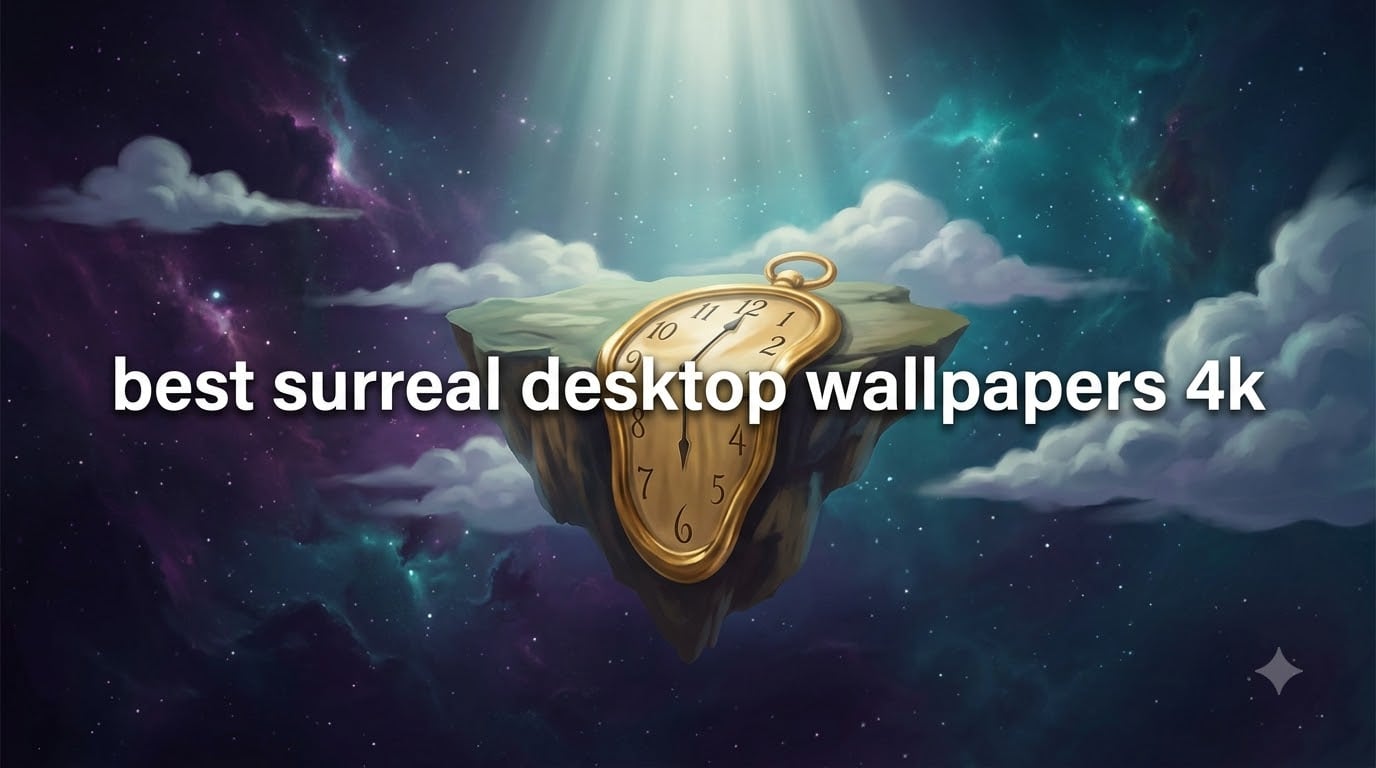
I remember the first time I set a melting-clock desert scene as my desktop background. The image looked dull, pixelated, and completely lost its magic. That frustration taught me something important: a surreal wallpaper is only as good as its resolution.
If you’re searching for the best surreal desktop wallpapers 4K, you want images that preserve every brushstroke, every impossible shadow, and every dreamlike detail. This guide is built from hours of digging through wallpaper galleries, comparing collections, and testing downloads across Windows, macOS, and mobile devices. I’ll walk you through what surrealism actually is, the categories that work best as backgrounds, how to choose the right resolution, where to download safely for free, and how to set everything up.
By the end, your screen will look like a window into another world.
Table of Contents
What Is Surrealism and Why It Makes Perfect Desktop Art
Surrealism is an art movement that began in 1924, when French poet Andre Breton published the Surrealist Manifesto. The movement explored the unconscious mind, dream imagery, and the strange beauty of impossible scenes.
Surrealist painters broke reality on purpose. Salvador Dali painted soft watches drooping over desert rocks. Rene Magritte placed apples floating in doorways. Max Ernst layered forest scenes with mechanical birds. Their goal was to make the viewer stop, stare, and question what they were seeing.
That same quality makes surrealism ideal for desktop wallpapers. Every time you open a folder or minimize a window, the image catches your eye again. The dreamlike composition rewards repeated viewing the way a real painting does.
The art movement also influences today’s digital creators. Modern surrealist wallpaper artists borrow Dali’s impossible geometry, Magritte’s quiet symbolism, and Ernst’s collage textures, then push them into 4K and 8K renders. The result is wallpaper art that feels like a museum piece but lives on your screen.
For the best surreal desktop wallpapers 4K, look for pieces that carry these three hallmarks: an element of visual impossibility, strong contrast between foreground and background, and a focal point your eye can rest on when the desktop icons cover part of the image.
Surreal Wallpaper Categories and Themes
Surreal wallpaper collections aren’t all the same mood. I sort them into six categories that cover almost every style you’ll find in free galleries. Pick one that matches the feeling you want from your workspace.
Dreamlike Landscapes
Dreamlike landscapes blend real geography with impossible elements. Floating islands, mirror-still lakes reflecting star fields, and forests growing upside down from cloud ceilings all fall here. These backgrounds work beautifully for productivity because their soft gradients don’t compete with desktop icons.
Look for compositions with one strong horizon line, a calm color palette (dusty pinks, deep blues, pale golds), and gentle lighting. A 4K surreal desktop wallpaper in this style tends to feel like a window rather than a busy poster.
Dark Surrealism
Dark surrealism leans into shadows, decay, and unsettling beauty. Think abandoned cathedrals filled with fog, faceless figures in empty hallways, or barren trees growing from cracked glass. The aesthetic shares DNA with gothic and psychological horror, but the imagery stays artistic rather than graphic.
If you game at night, code in dim rooms, or simply want a wallpaper that feels serious, dark surreal backgrounds deliver. The high contrast of 4K shines here because deep blacks and subtle grays keep their detail without banding.
Cosmic and Ethereal
Cosmic surrealism places dreamlike subjects in space. Giant eyes orbit Saturn, whales drift through nebulae, and melting moons pour light onto abstract oceans. The category works because the vast scale of space already feels surreal; artists just push it further.
For ultrawide monitors especially, cosmic compositions fill the wide canvas without looking stretched. A 4K surreal desktop wallpaper at 5120×2880 transforms a 32:9 monitor into a personal planetarium.
Nature Surreal
Nature surrealism keeps organic forms but twists them. Flowers bloom in impossible colors, mountains fold like origami, and rivers run upward into clouds. These wallpapers feel calm and grounded even when the geometry bends, which makes them perfect for long work sessions.
Search for pieces inspired by botanical illustration, then filtered through digital painting. The best examples balance realism at the edges with dreamlike distortion at the center, so your icons don’t sit on a confusing mess.
Whimsical and Abstract
Whimsical surreal wallpapers lean playful. Picture a giant teacup pouring into a desert, floating books forming staircases to nowhere, or a tiny astronaut riding a paper boat across a starry sea. The tone is lighter than dark surrealism but still firmly dreamlike.
Abstract surrealism pushes further, dropping recognizable objects entirely in favor of flowing shapes, impossible geometry, and color fields that feel alive. If your icons are colorful, an abstract background provides a quiet, flexible canvas.
Psychedelic
Psychedelic surreal wallpapers borrow from 1960s poster art and modern fractal generation. Expect swirling color, repeating patterns, kaleidoscopic symmetry, and high saturation. These backgrounds feel energetic and are great for creative studios, music production setups, or anyone who wants their screen to feel alive.
Choose psychedelic 4K surreal desktop wallpapers with darker borders or corners. That keeps the energy contained and gives your taskbar and icons a calmer frame to sit in.
How to Choose the Best 4K Surreal Wallpaper for Your Setup
Picking a wallpaper isn’t just about taste. Resolution, aspect ratio, and color tone all change how the image performs on your screen. Here’s the shortlist I use every time.
Match Resolution to Your Screen
4K resolution means 3840×2160 pixels, the standard for most modern monitors and 4K TVs. 8K is 7680×4320, which only matters if you own an 8K display. Ultrawide monitors usually run 3440×1440 (UWQHD) or 5120×1440 (dual 1440p).
For best results, match the wallpaper’s pixel dimensions to your screen’s native resolution. A 4K surreal desktop wallpaper downscaled to a 1080p monitor still looks sharp, but a 1080p image upscaled to 4K looks soft and slightly blurred. Most free wallpaper sites let you filter by exact resolution, so use that filter first.
Consider Your Mood and Workspace
Your wallpaper sets the emotional tone of your workspace before you open a single app. Dark surrealism suits focused deep work. Cosmic and ethereal backgrounds support creative thinking. Nature surrealism calms long sessions. Whimsical pieces lift your mood when you need a break.
I rotate mine seasonally. A warm dreamlike landscape in winter, a cosmic scene in summer, dark surrealism during deadline weeks. The change is subtle but it resets my head every time.
Check Color and Contrast
Light or pastel wallpapers make dark-mode app windows easier to read because the icons stand out. Dark wallpapers blend better with dark apps but can make light-mode interfaces glare.
If you switch between apps, choose a wallpaper with a soft middle-tone area where icons usually sit (lower left or center). Avoid images with bright hotspots in the icon zone, or your desktop shortcuts will compete with the art.
Where to Download Free Surreal Desktop Wallpapers in 4K
I tested eight popular wallpaper sites and narrowed the list to five that consistently deliver 4K surreal desktop wallpapers without watermarks, forced sign-ups, or pop-up traps. Each one serves a slightly different need.
Wallpaper aggregation sites like 4kwallpapers.com and wallpapers.com host hundreds of surreal images with multiple resolution downloads. They work well for browsing by tag (try “surreal”, “dreamlike”, or “fantasy”).
Stock photo platforms such as Unsplash and Pexels offer surreal art from independent photographers. The collection is smaller, but the licensing is clear and commercial-friendly if you ever want to use the same image in a project.
AI art galleries like Magnific curate surreal and fantasy renders that you won’t find anywhere else. Quality varies by creator, but the standout pieces are striking. Check each artist’s license before using one commercially.
Community sites like Alpha Coders let users upload and tag their own wallpapers. You’ll find more variety here, including niche styles like vaporwave surrealism and retro dreamscapes. Quality is uneven, so preview before downloading.
Curated galleries such as WallpaperSafari handpick themed collections. Their surreal art category is small but tightly chosen, which saves time if you don’t want to scroll through hundreds of options.
Whichever source you choose, look for three quality markers: the listed resolution matches your screen, the file is a JPG or PNG (not a low-compression WebP), and the license allows personal desktop use. Most free wallpaper sites grant personal use by default but restrict commercial redistribution.
How to Set 4K Surreal Wallpapers on Windows, Mac, and Mobile
Once you’ve picked the perfect 4K surreal desktop wallpaper, setting it up takes about a minute on any device. Here are the exact steps.
Windows 10 and 11
Right-click the desktop and select Personalize. Click Background, then choose Picture from the dropdown. Hit Browse and select your downloaded surreal wallpaper. Choose Fit under “Choose a fit” so the image scales without cropping.
For multi-monitor setups, right-click each monitor in the Personalize menu and assign a different wallpaper per screen. Mixing a dark surrealism image on your main display with a cosmic scene on your second monitor creates a striking effect.
macOS
Open the downloaded image in Preview, then choose File > Set Desktop Picture. The wallpaper applies to all desktops by default. For per-desktop control, go to System Settings > Wallpaper and drag a different image to each desktop thumbnail.
macOS automatically adjusts the wallpaper for light and dark mode, so a 4K surreal desktop wallpaper with strong contrast will appear in two slightly different tones throughout your day.
iPhone and iPad
Open the Photos app, find the surreal wallpaper, tap the share button, and choose Use as Wallpaper. Adjust the image by pinching to zoom, then set it as your Lock Screen, Home Screen, or both.
For best results on newer iPhones, use the portrait crop and pair it with a clean clock font so the wallpaper art stays visible.
Android
Open the image in your Gallery or Photos app, tap the three-dot menu, and select Set as Wallpaper. Choose Home Screen, Lock Screen, or both. Most Android launchers also let you long-press the home screen and pick Wallpapers to access the same menu.
Android’s automatic color extraction will tint your system icons to match the wallpaper, so pick a 4K surreal desktop wallpaper with a strong color palette if you want a cohesive look.
Frequently Asked Questions
Where can I find the best 4K surreal wallpapers?
Top free sources include 4kwallpapers.com, wallpapers.com, Unsplash, Alpha Coders, and WallpaperSafari. Each site offers 4K resolution downloads without watermarks or registration.
What is surrealism art style?
Surrealism is a 20th-century art movement founded by Andre Breton in 1924. It explores dream imagery, the unconscious mind, and impossible scenes through painting, photography, and digital art.
Are 4K surreal wallpapers free to download?
Yes, most surreal desktop wallpapers in 4K are free for personal use on sites like Unsplash, Pexels, and dedicated wallpaper galleries. Commercial use may require checking each site’s license terms.
What resolution is best for desktop wallpapers?
Match your monitor’s native resolution for sharpest results. 1920×1080 for full HD, 2560×1440 for QHD, 3840×2160 for 4K, and 5120×2880 for 5K. Ultrawide users should look for 3440×1440 or 5120×1440.
How do I set a 4K wallpaper on Windows 11?
Right-click the desktop, choose Personalize, click Background, select Picture, then Browse to find your downloaded 4K surreal wallpaper. Set the fit option to Fill or Fit for best results.
Can I use surreal wallpapers on multiple devices?
Yes. Once downloaded, you can transfer the same 4K surreal desktop wallpaper to your phone, tablet, and laptop. Just crop or resize for each device’s aspect ratio if needed.
Final Thoughts
The best surreal desktop wallpapers 4K transform a screen from a tool into a piece of personal art. With the right resolution, theme, and source, your monitor becomes a window into dreams every time you sit down to work.
Start with one of the six categories that match your mood, download a 4K surreal desktop wallpaper that fits your screen, and set it up using the steps above. Rotate seasonally and you’ll never get bored of the view. Your screen deserves more than a default gradient, and surrealism delivers the kind of art that rewards a second, third, and hundredth look.